Template details
Astro Zen Blog
A minimal, responsive, and SEO-friendly blog template built with Astro.
About this template
Astro Zen Blog is a minimal, responsive, and SEO-friendly blog template built on the Astro framework, designed to turn Markdown and MDX content into a fast static blog.
What is Astro Zen Blog?
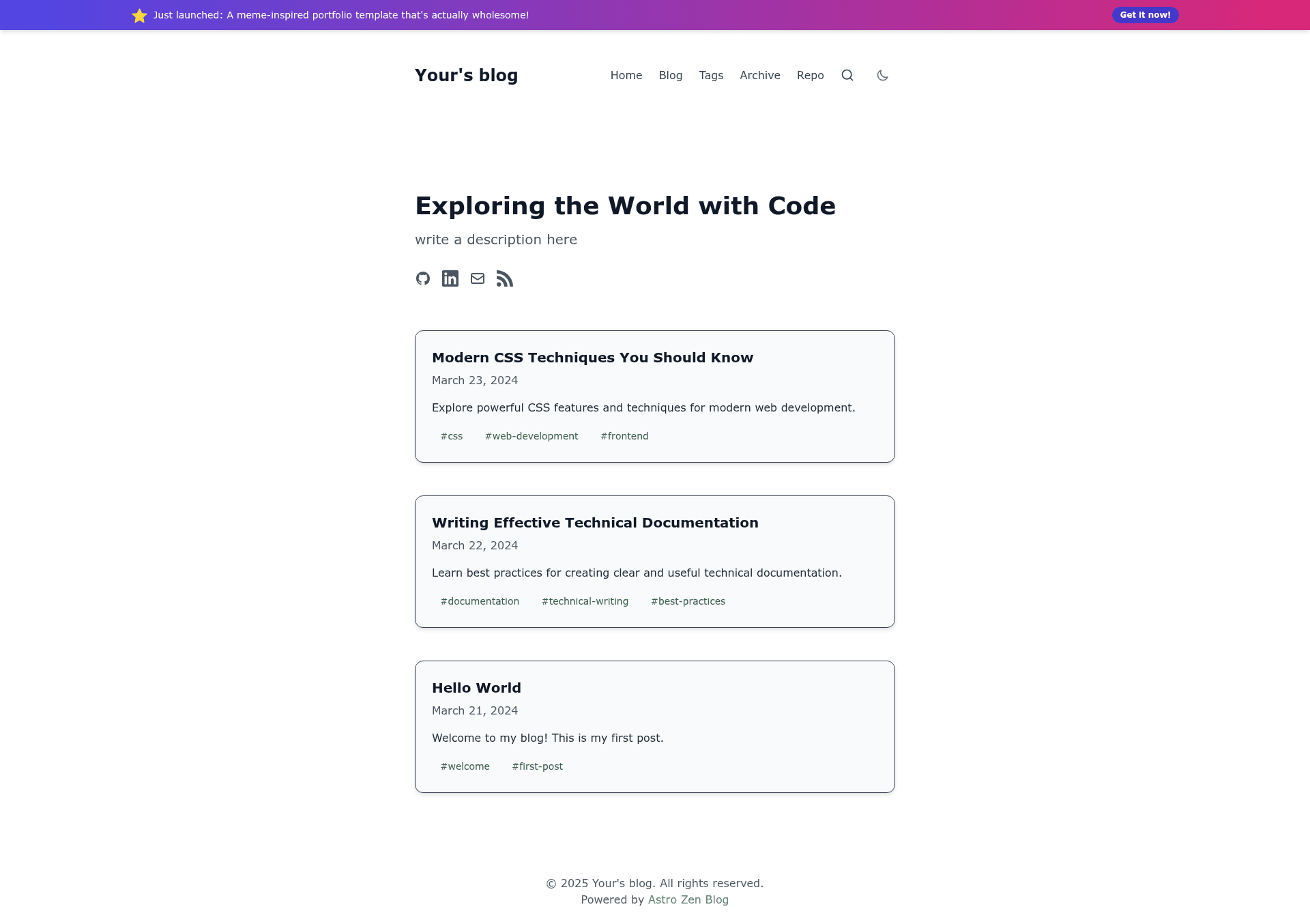
Astro Zen Blog is an open-source blog template maintained by larry-xue. It takes Markdown and MDX files as input and produces a static site with tag organization, dark mode, RSS feed, sitemap, and local search. The template runs on Astro and uses Tailwind CSS for styling, with source code licensed under the MIT License.
Key Features
- Markdown/MDX authoring — Write posts in the
src/content/blog/directory with frontmatter fields for title, description, date, tags, and cover image; MDX is supported for richer content. - Tag-based organization — Assign tags to posts and control homepage display with the
homepage.tagsandhomepage.excludeTagsoptions insrc/config.ts. - Dark mode support — Toggle between light and dark themes; customize primary and secondary colors in
tailwind.config.js. - SEO and performance — Includes SEO metadata, RSS feed, sitemap generation, and is built for fast static output on Astro.
- Local search — Built-in search functionality can be enabled or disabled with the
searchflag in the site configuration. - Google Analytics integration — Add a Google Analytics tracking ID to
src/config.tsto collect visitor statistics. - Social media links — Configure GitHub, LinkedIn, and email links in the site config, with an RSS icon toggle.
Who is it for?
- Developers who want a fast, minimal blog without managing a full CMS, using Astro and Tailwind CSS.
- Technical bloggers who write in Markdown and want a clean, responsive design with built-in SEO and RSS.
- Site builders who need a customizable template they can deploy to Cloudflare Pages with
npm run build.
What can you do with Astro Zen Blog?
- Personal bloggers: Set your site URL, title, and social links in
src/config.ts, then publish posts in Markdown to get a static blog with RSS and sitemap. - Developers: Fork the repository, extend the layout and components, and use the
npm run new-postscript to scaffold new posts quickly. - Portfolio sites: Filter homepage posts by tags to surface only relevant content, and integrate Google Analytics to track audience behavior.
How does Astro Zen Blog work?
Install the template with the Astro CLI using npm create astro@latest -- --template larry-xue/astro-zen-blog, then run npm install and npm run dev for local development. Create posts in src/content/blog/ using the provided frontmatter template; optionally use npm run new-post with a filename to generate a new Markdown file. Build the site with npm run build and deploy the static output to Cloudflare Pages.
FAQ
Is Astro Zen Blog free?
Yes, the template is open source and released under the MIT License, so you can use it for personal or commercial projects without cost.
How do I create a new blog post?
You can run npm run new-post followed by a filename, which creates a new Markdown file in src/content/blog/, or manually create a file with frontmatter containing title, description, date, tags, and an optional cover image.
What configuration options does the site support?
The src/config.ts file controls the site URL, title, slogan, description, social links, homepage post count and tag filters, Google Analytics ID, and whether local search is enabled.
How do I deploy the blog?
Run npm run build to generate a static site, then deploy the output to Cloudflare Pages; the README includes a link to the official Cloudflare guide for Astro sites.