Template details
Neo-HPSTR Jekyll Theme
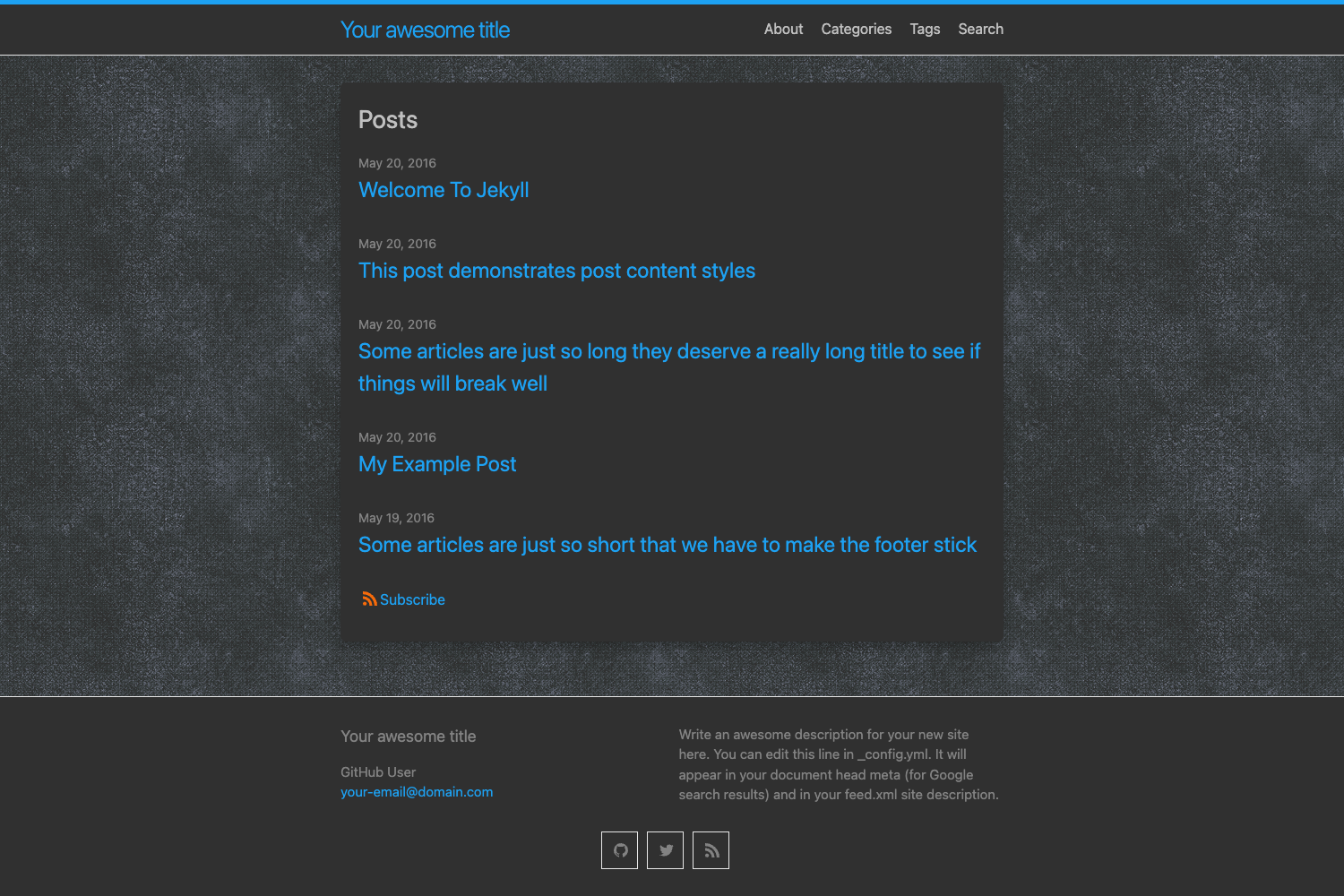
Responsive, modern Jekyll blog theme with animated navigation, Disqus comments, social sharing, and SCSS customization.
About this template
Neo-HPSTR is a responsive, modern blog theme for Jekyll that packages a complete set of blog layouts, an animated navigation menu, and optional Disqus comments into a Ruby gem or installable boilerplate.
What is Neo-HPSTR Jekyll Theme?
Neo-HPSTR Jekyll Theme is an open-source blog template built for Jekyll 3.3 and newer. It provides responsive layouts for home, posts, pages, and a dark-post style, plus an animated topbar menu with drop-down support that changes color on scroll. The theme can be used as a Jekyll theme gem or by forking the repository and using it as a boilerplate. It was created by Aron Bordin and is available under the MIT License.
Key Features
- Responsive layouts — Includes
home,post,page, anddark-postlayouts that resize for mobile, tablet, and desktop, and degrade gracefully for Internet Explorer 8 and modern browsers. - Animated topbar menu — A fixed navigation bar with drop-down submenus and a scroll-based color transition, controlled by SCSS variables such as
$menu-height,$menu-top, and$menu-overflow. - Disqus comments — Optional commenting on posts and pages by setting
disqus_shortnamein_config.yml; individual pages can disable comments withcomments: falsein front matter. - Social sharing — Floating share links on the left edge of the screen and per-post share buttons for Facebook, Twitter, and Google+, toggled by
float_shareandshare: false. - Open Graph and Twitter Cards — Social metadata tags in
_includes/head.htmlenable rich link previews when posts are shared. - Author panel — An author banner with avatar, name, and social links appears at the end of each post via
_includes/author.html. - Syntax highlighting — Code examples in posts are highlighted, as demonstrated in the included sample post
2016-12-01-code-highlighting-post.md. - Built-in extras — Includes
about.md,categories.html,search.htmlwith a JSON search index,tags.html, a custom 404 page, and an RSS feed infeed.xml.
Who is it for?
- Jekyll bloggers — If you want a ready-made responsive blog without designing layouts from scratch, you can install the gem or fork the repo and start writing posts in
_posts. - Developers building a custom Jekyll site — Use the boilerplate route when you plan heavy changes; you get direct access to
_layouts,_includes, and_sass, and the result can be hosted on GitHub Pages. - Theme developers — The gem packaging and included Grunt build script that concatenates and minifies JavaScript make this a starting point for creating derived themes.
What can you do with it?
- Launch a personal blog — Set your name, avatar, and social URLs in
_config.yml, then create posts using the provided sample posts or Octopress commands such asoctopress new post "Post Title". - Add a blog to an existing Jekyll site — Add
theme: neo-hpstr-jekyll-themeto your_config.ymlandgem "neo-hpstr-jekyll-theme"to your Gemfile to replace the default theme. - Customize the design with SCSS — Edit
_sass/_variables.scssto change the navbar height, navbar colors, body background, and typography without touching the layout files.
How does it work?
To install the theme gem, create a new Jekyll site with jekyll new, download the starter content from the demo/ folder, then run bundle install and bundle exec jekyll serve --watch. The boilerplate method involves forking the repo, deleting demo/ and screenshot.png, and running the same bundle commands. Jekyll processes the _layouts, _includes, and _sass directories to generate a static site.
FAQ
Is Neo-HPSTR Jekyll Theme free?
Yes, it is open source under the MIT License, so you can use it for personal and commercial projects at no cost.
How do I install Neo-HPSTR Jekyll Theme?
You can install it as a theme gem by adding gem "neo-hpstr-jekyll-theme" to your Gemfile and running bundle install, or fork the repository and use it as a boilerplate by running bundle exec jekyll serve --watch.
How do I enable Disqus comments?
Create a Disqus account, then set disqus_shortname in _config.yml to your site's shortname. Comments appear on all posts and pages by default; add comments: false to front matter to disable for a single page.
Can I use this theme on GitHub Pages?
Yes, if you fork the repo and use it as a boilerplate. GitHub Pages does not support Jekyll theme gems directly, so the boilerplate approach is required for GitHub Pages hosting.
How do I customize the navigation menu?
Edit the menu list in _config.yml with title and url pairs. Use submenu for drop-down items, or set type: 'categories' to list post categories automatically.