Template details
Auth0 Next.js Starter
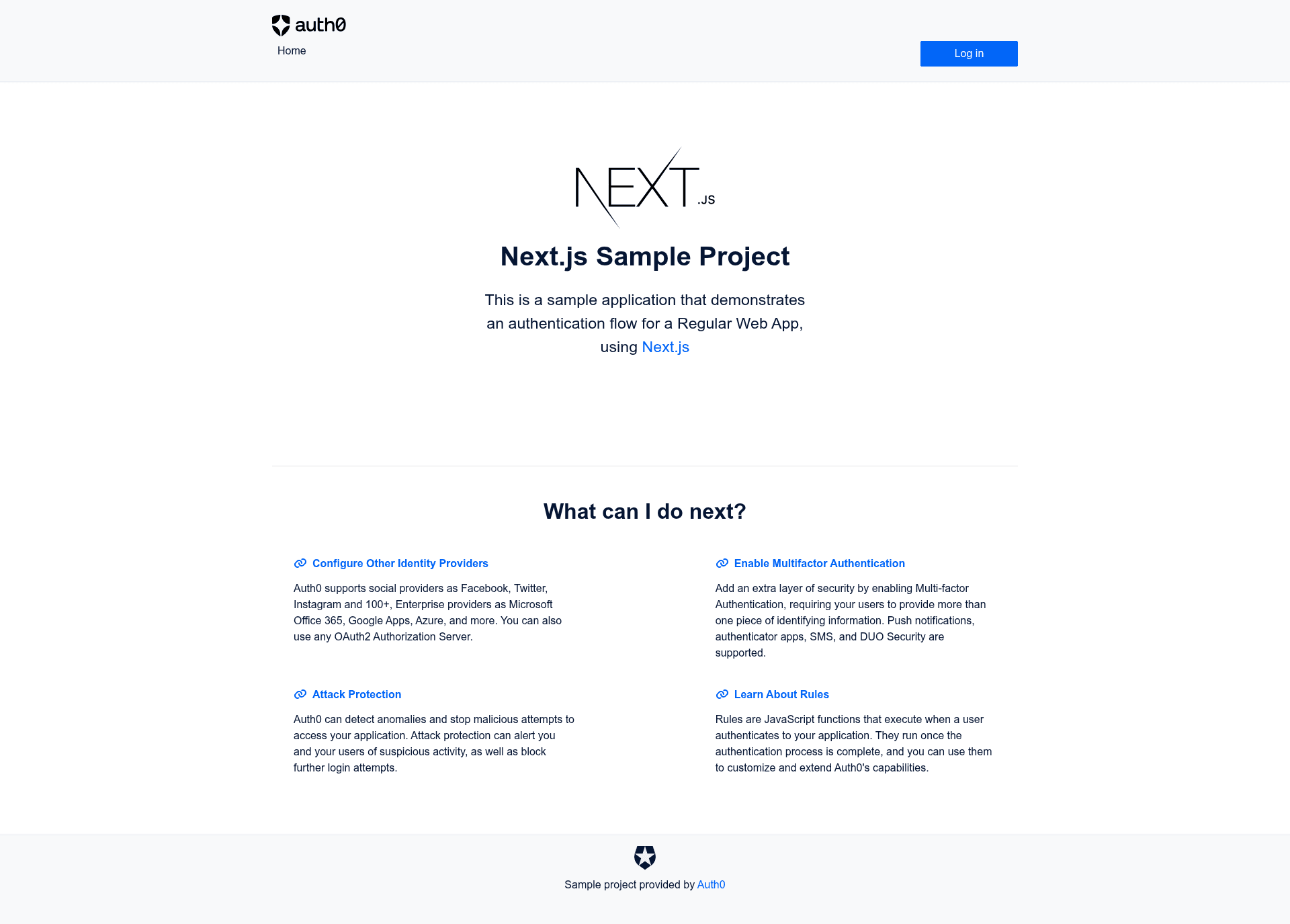
Next.js sample app from Auth0 with login, logout, user profile, protected pages, and protected API calls.
About this template
Auth0 Next.js Starter is a boilerplate sample application from Auth0 that shows how to add Auth0 login, logout, user profiles, and protected API calls to a Next.js app built with create-next-app.
What is the Auth0 Next.js Starter?
Auth0 Next.js Starter is the official companion sample to the Auth0 Next.js SDK Quickstart. It is a Next.js application scaffolded with create-next-app and wired to the Auth0 Next.js SDK. The starter takes your Auth0 tenant domain, client ID, client secret, and environment variables as input, and outputs a working app with login, logout, a user profile page, a protected client-side rendered page, and an external API call example. Auth0 created and maintains this repository under the MIT license.
Key Features
- Login and logout — The NavBar component includes login and logout handlers wired to the Auth0 Next.js SDK.
- User profile display —
profile.jsxshows the logged-in user's profile and protects the client-side rendered page with a route guard. - Protected API calls —
external.jsxdemonstrates calling a protected API; it requires an Auth0 API with aread:showspermission declared inAUTH0_SCOPE. - Environment-based configuration — Copy
.env.local.exampleto.env.localand setAUTH0_SECRET,APP_BASE_URL,AUTH0_DOMAIN,AUTH0_CLIENT_ID,AUTH0_CLIENT_SECRET, plus optionalAUTH0_AUDIENCEandAUTH0_SCOPE. - Development server —
npm run devcompiles and hot-reloads the Next.js app and starts an API server on port 3001. - Production build and Docker —
npm run buildcompiles and minifies for production; Docker images can be built by runningexec.shorexec.ps1. - Tests — Unit tests run with
npm run test; integration tests run withnpm run test:integration. - Vercel deployment — A one-click Vercel deployment option installs the Auth0 integration automatically; if you use a custom domain, add it to Allowed Callback URLs.
Who should use this template?
- Next.js developers new to Auth0 can use the sample as a reference implementation for login, logout, and protected pages.
- Auth0 evaluators can test how the platform connects to social identity providers such as Google, Facebook, GitHub, and Microsoft Account, as well as enterprise systems like Active Directory or SAML identity providers.
- Developers building APIs can model the External API page to send an access token with an audience and scoped permission.
- Teams doing quickstart onboarding can deploy to Vercel in one click and follow the official quickstart guide.
What can you do with this template?
- Add authentication to a Next.js app: Replace the sample's Auth0 credentials with your own, run
npm run dev, and get login and logout working immediately. - Protect client-side rendered pages: Copy the guard pattern used in
profile.jsxto gate any page behind an Auth0 session. - Call a secured API: Create an Auth0 API, add a
read:showspermission, and see the external API page fetch data with the authenticated access token. - Set up a production or containerized deployment: Build with
npm run buildor package via the included Docker scripts.
How does this template work?
After installing dependencies with npm install, copy .env.local.example to .env.local and replace the placeholder Auth0 domain, client ID, and client secret with credentials from your Auth0 tenant. For the External API page, create an API in the Auth0 dashboard, add a read:shows permission, and set AUTH0_AUDIENCE and AUTH0_SCOPE; if you omit those two variables, the API part of the sample is disabled.
FAQ
Is this sample free to use?
The repository is released under the MIT license, so you can copy and adapt it freely. You will still need an Auth0 account to supply the domain, client ID, and client secret used in .env.local.
What do I need to configure before running it?
You need an Auth0 application with its Domain, Client ID, and Client Secret, plus a long random value for AUTH0_SECRET. You can generate that value with openssl rand -hex 32.
Do I need to create an Auth0 API to run the sample?
Only if you want to use the External API page. Create an API in the Auth0 dashboard to get an API Identifier, then add a read:shows permission and include both the API Identifier and that scope in your environment variables.
What happens if I omit AUTH0_AUDIENCE and AUTH0_SCOPE?
The README states those values are optional for the API part of the sample. If you omit them, the authentication flow still works, but the External API page will not have an audience or permission scope to request.