Template details
Rosetta
Opinionated Next.js starter template with multi-language routes, TypeScript, EmotionCSS, and a custom server.
About this template
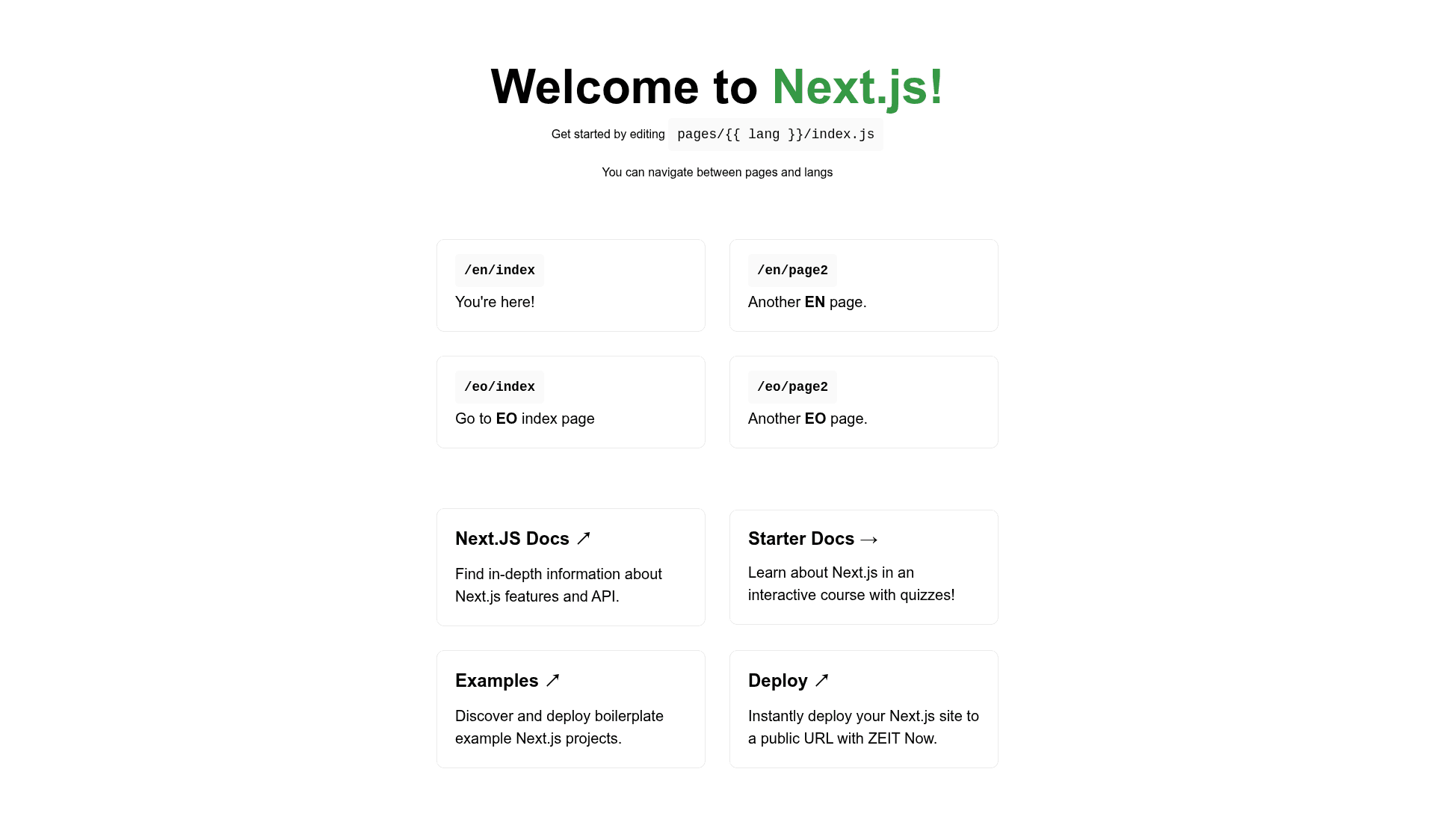
Rosetta is an opinionated Next.js starter template focused on multi-language routes, built with TypeScript and EmotionCSS and served through a custom Node.js server.
What is Rosetta?
Rosetta is an opinionated boilerplate for Next.js projects that need multi-language routes. It configures a custom server because Next.js stable releases do not yet support the routes Rewrite() feature, and it bundles TypeScript, EmotionCSS, and Nodemon as the starting stack. The template is still heavily under development and not ready for use.
Key Features
- Multi-language routing — Configure the
supportedLanguagesarray to define route slugs, and setdefaultLanguageto choose which language is served on the root path. - Custom server setup — Runs Next.js behind a custom Node.js server to enable multi-language routes before official support is stable.
- TypeScript included — The project is initialized with TypeScript for type-safe application code.
- EmotionCSS styling — Emotion is preconfigured as the styling solution for component-level styles.
- Nodemon development — Use the
server-devtask to watch the server code and restart the back-end on changes; note that hot reloading does not work in this mode. - Four npm scripts —
server-dev,dev,build, andstartcover development, production compilation, and production serving.
Who is it for?
- Next.js developers who need internationalized routes without waiting for stable Rewrite() support.
- Fullstack teams that want a custom server integrated from the start for server-side logic.
- Developers who prefer an opinionated stack of TypeScript, EmotionCSS, and Nodemon so they can start writing app code immediately.
What can you do with Rosetta?
- Set up a new multilanguage Next.js project: clone the repo, install dependencies, and run
yarn devto get a client-side development server on http://localhost:3000. - Configure supported languages: edit the
supportedLanguagesarray anddefaultLanguagekey in the configuration to define which languages get route slugs and which one is served on the root. - Run fullstack development: use
yarn server-devto develop both client and server code with automatic server restarts (without hot reload). - Build for production: run
yarn buildto compile the application, thenyarn startto serve the production build.
How does Rosetta work?
Clone the repository, install dependencies with yarn, and run either yarn dev for client-side development or yarn server-dev for fullstack development. The custom server handles language routing based on the supportedLanguages configuration, and the defaultLanguage key controls what is served on the root path.
Pros and cons
- Pros: Preselected stack reduces setup time; language routes are configurable without manually defining each route; TypeScript provides type safety out of the box.
- Cons: Heavily under development and not production-ready; relies on a custom server, which the author explicitly says is not recommended for everyone; the
server-devmode disables hot reloading.
FAQ
Is Rosetta ready for production?
No. The project README states it is heavily under development and not yet ready to be used. The custom server approach also carries tradeoffs that should be evaluated per project, so treat this as an early-stage foundation rather than a production template.
Why does Rosetta use a custom server?
The template runs on a custom server because Next.js stable releases did not support the routes Rewrite() feature at the time it was written. The custom server enables multi-language routes, but the author warns it is definitely not recommended for everyone.
Does Rosetta support hot reloading?
In client-side development mode (yarn dev), Next.js hot reloading works normally. In server development mode (yarn server-dev), changes to the back-end restart the process but hot reloading does not work.
How do I change the default language?
Set the defaultLanguage key in the configuration to the language you want served on the app's root path. The route slugs for each language are taken from the supportedLanguages array.
What stack does Rosetta include?
The template comes with TypeScript for type checking, EmotionCSS for styling, Nodemon for server-side development, and Next.js as the React framework. There is no built-in CMS, auth, or payment integration—it focuses on the routing and development setup.