Template details
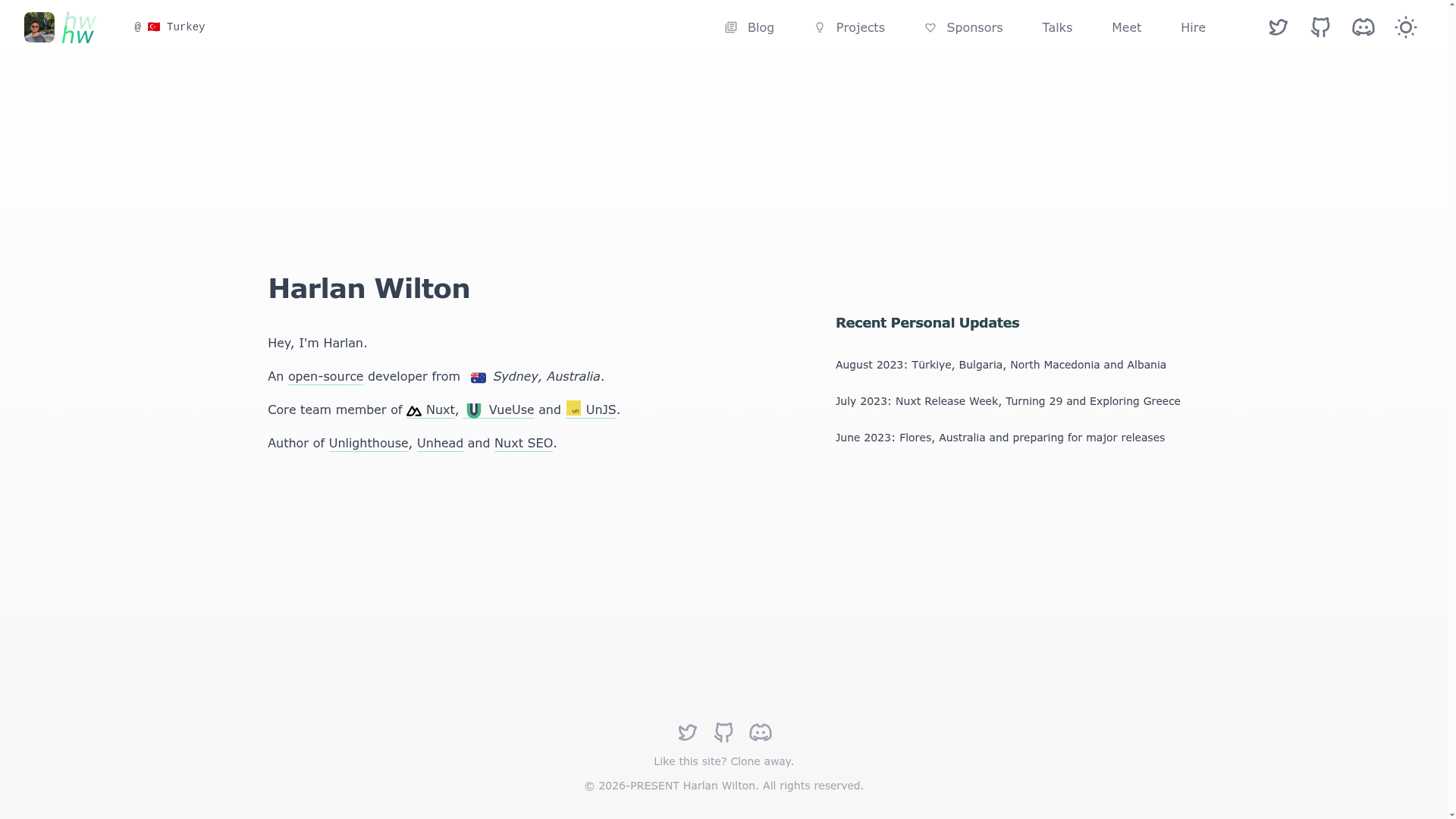
Harlanzw.com
My personal website built with Nuxt 3 and Nuxt Content 2.
About this template
Harlanzw.com is an open-source Nuxt 3 personal website boilerplate that showcases production-grade SEO, performance, and accessibility practices for content-driven sites.
What is Harlanzw.com?
Harlanzw.com is a personal website template created by Harlan Wilton, built with Nuxt 3 and Nuxt Content 2, and powered by nuxt-seo-kit and Docus. It takes Markdown files as content input and outputs a fully typed, SEO-ready website with automatic routes, navigation, breadcrumbs, sitemaps, and feeds. The source is hosted on GitHub and the live site runs on Vercel.
Key Features
- Automated Schema.org — Generates structured data for search engines without manual configuration.
- Markdown read time — Calculates estimated reading time for each article automatically.
- Code block metadata — Displays file names and programming language labels on code snippets.
- Server-side icon resolving — Uses iconify and unplugin-icons to avoid flash of unstyled content (FOUC).
- Sitemap and feed generation — Creates sitemap.xml and RSS/Atom feeds for your content.
- Automatic breadcrumbs — Adds breadcrumb navigation annotated with Schema.org.
- Cloudinary image integration — Works with @nuxt/image to serve optimized images from Cloudinary.
- Automatic routes and navigation — Generates routes from the content directory, including 404 handling.
Who is it for?
- Nuxt developers looking for a reference codebase that demonstrates correct SEO, performance, and accessibility patterns.
- Technical bloggers who want a fast, search-optimized personal site with Markdown authoring.
- Startup teams needing a clean starting point for a Nuxt 3 project already wired with linting (ESLint via @antfu/eslint-config), package management (pnpm), and analytics (Fathom).
What can you do with Harlanzw.com?
- Content writers: publish Markdown posts and automatically get Schema.org, sitemaps, feeds, and breadcrumbs.
- Portfolio owners: separate pages and posts into distinct content folders, using the split structure for easy organization.
- Performance auditors: inspect the project to see how server-side icon resolution and Cloudinary image optimization reduce layout shift and load time.
How does it work?
After cloning the repository, install dependencies with pnpm i and start the development server with pnpm dev, which serves the site at http://localhost:3000. Content is added as Markdown files in the content directories; the site automatically builds routes, navigation, and SEO metadata from those files.
FAQ
What tech stack does Harlanzw.com use?
Harlanzw.com uses Nuxt 3 with Nuxt Content 2, styled with WindiCSS, and powered by pnpm, ESLint with @antfu/eslint-config, Fathom analytics, and Vercel hosting.
Does Harlanzw.com include SEO features?
Yes, it includes automated Schema.org, sitemap.xml generation, RSS/Atom feeds, automatic breadcrumbs, and SEO/i18n best practices via nuxt-seo-kit.
How do I run the project locally?
Run pnpm i to install dependencies, then pnpm dev to start the development server on http://localhost:3000.
Is Harlanzw.com free to use?
The repository is publicly available on GitHub and can be freely forked and used as a starting point for your own personal website.