Template details
AWS Neptune Analytics with Next.js API Routes
Learn to use AWS Neptune Analytics with Next.js API Routes for graph database operations.
About this template
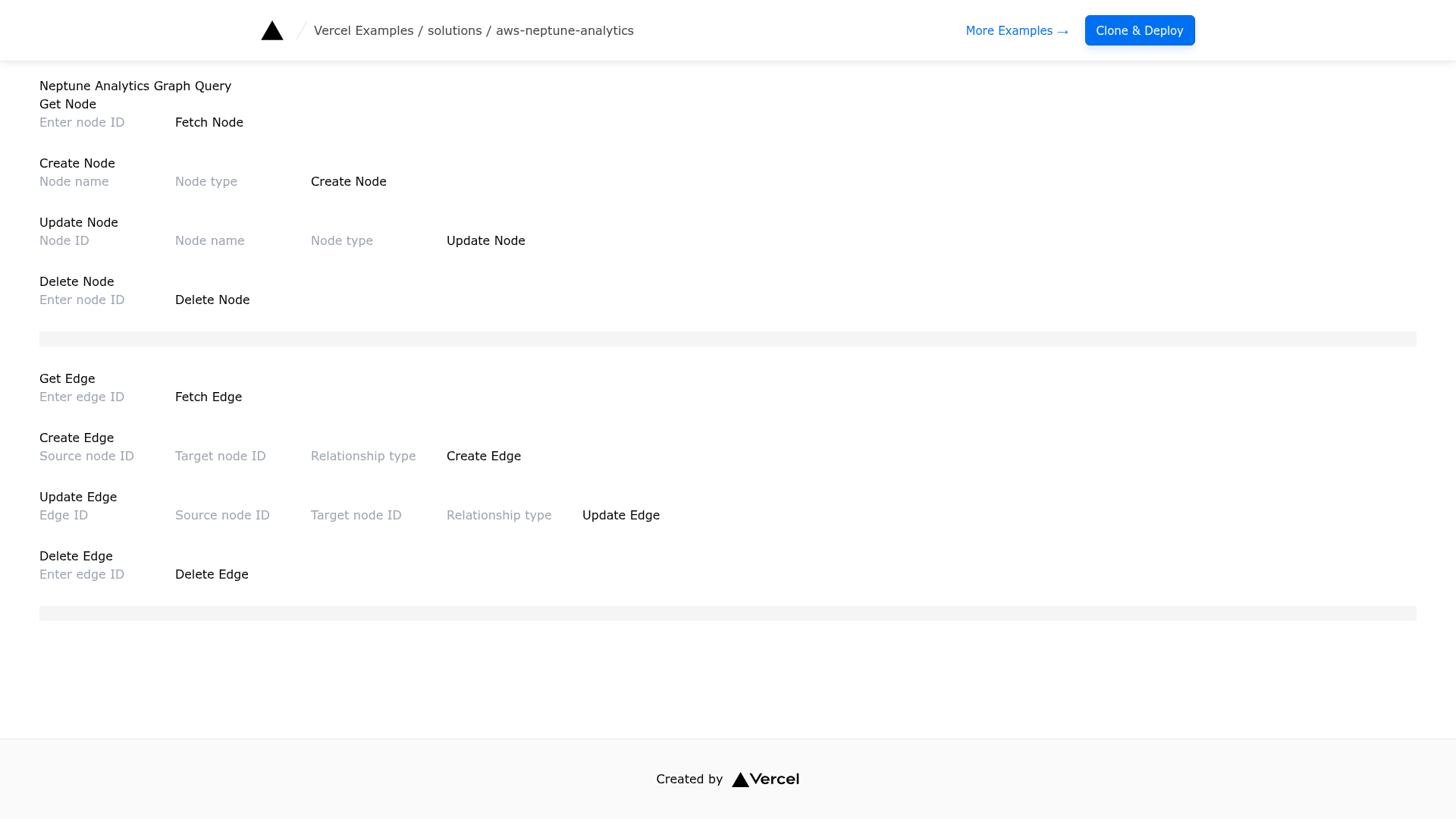
AWS Neptune Analytics with Next.js API Routes is a Vercel starter template that demonstrates how to build a Next.js application performing CRUD operations on an AWS Neptune Analytics graph database using OpenCypher queries.
What is AWS Neptune Analytics with Next.js API Routes?
This template is a Next.js application that creates, reads, updates, and deletes graph nodes and edges in AWS Neptune Analytics through RESTful API Routes. It takes a graph ID and AWS credentials as input and produces a working web app with API endpoints that issue OpenCypher queries to the graph database. The template runs on Next.js with Tailwind CSS for styling and is published in the Vercel examples repository maintained by Vercel and the Next.js team.
Key Features
- Next.js API Routes — exposes eight REST endpoints for node and edge operations: GET, POST, PUT, DELETE for both nodes and edges.
- AWS Neptune Analytics integration — uses the NeptuneGraphClient from the AWS SDK to run OpenCypher queries against a managed graph database.
- Environment-based configuration — reads the GRAPH_ID environment variable plus AWS credentials (AWS_ACCESS_KEY_ID, AWS_SECRET_ACCESS_KEY) and region (AWS_REGION) directly from the environment.
- One-click Vercel deployment — a deploy button that clones the repository and prompts for the GRAPH_ID environment variable during setup.
- Local development workflow — bootstrap via pnpm create next-app with this example, then run pnpm dev to start on http://localhost:3000.
- Tailwind CSS — styled with Tailwind for the default Next.js starter page.
- Public endpoint support — the instructions specify creating a Neptune Analytics graph with a public endpoint and 16 NCUs to start.
Who is it for?
- Full-stack developers — who want a reference implementation for connecting a React/Next.js app to AWS Neptune Analytics without building the integration from scratch.
- Graph database engineers — who need a quick way to prototype CRUD operations on nodes and edges using OpenCypher and a REST API.
- Vercel users — who want to deploy a serverless frontend that talks to AWS services; the template is designed for one-click deployment on Vercel.
What can you do with AWS Neptune Analytics with Next.js API Routes?
- Build a graph-backed API — Create, retrieve, update, and delete nodes and edges through simple HTTP calls, as shown in the provided curl examples.
- Prototype social or recommendation features — Model relationships such as FOLLOWS edges between user nodes and test queries against Neptune Analytics.
- Learn OpenCypher in a real app — See how OpenCypher queries are issued from the AWS SDK inside Next.js API routes.
How does it work?
The template reads the GRAPH_ID and AWS credentials from environment variables, then instantiates NeptuneGraphClient at runtime. Each API route uses that client to run an OpenCypher query (matching a node or edge by ID, creating a label, or deleting relationships) and returns JSON results to the browser. To run locally, create a graph in Neptune Analytics, set GRAPH_ID in .env.local, and start the dev server. To deploy, use the Vercel button and supply the graph ID as an environment variable.
FAQ
Is this template free?
This is an open-source example in the Vercel examples repository, so the template code is free to use. AWS Neptune Analytics itself is a paid AWS service, so costs depend on the graph configuration you provision.
What AWS permissions do I need?
The README specifies an IAM role with permissions neptune-graph:ReadDataViaQuery, neptune-graph:WriteDataViaQuery, and neptune-graph:DeleteDataViaQuery.
Can I use an existing Neptune Analytics graph?
Yes, Option 1 lets you retrieve an existing graph ID and deploy directly with the Vercel button, which sets the GRAPH_ID environment variable automatically.
How do I create a new graph?
Follow Option 2: create an IAM role with the required permissions, create a Neptune Analytics graph with a public endpoint and 16 NCUs, then save the graph ID into an .env.local file for local development.