Template details
Axiom
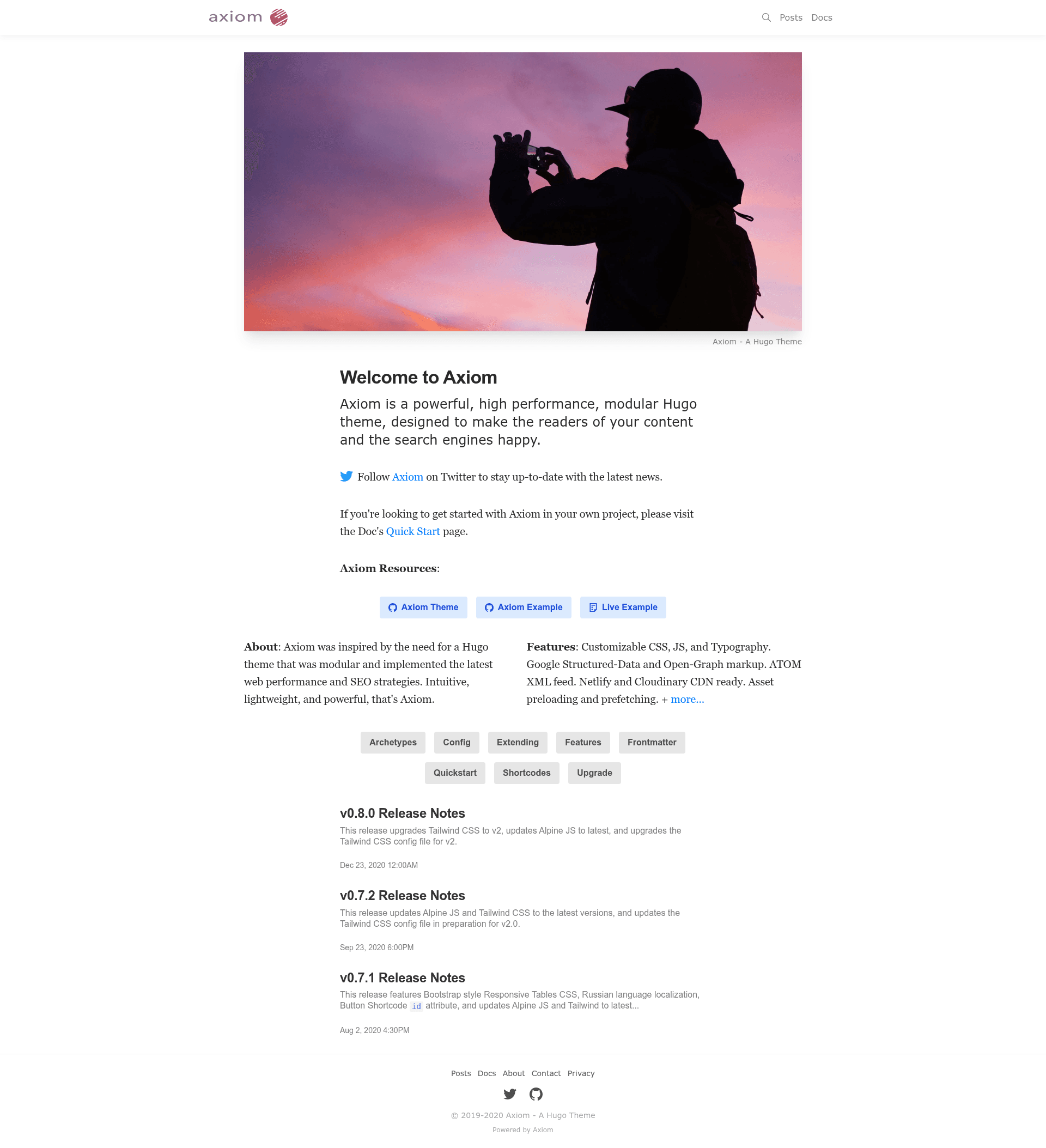
A modular Hugo theme with Tailwind CSS, Alpine.js, responsive images, and built-in SEO for blogs and content sites.
About this template
Axiom is a Hugo theme for content sites and blogs that pairs Tailwind CSS styling with built-in responsive images, syntax highlighting, and SEO metadata to produce fast static pages.
What is Axiom?
Axiom is a Hugo theme created by Jhaura Wachsman and released under the Creative Commons Attribution-ShareAlike 4.0 International license. It takes Markdown content and outputs a static website with responsive images, Open Graph tags, and structured data. The theme is built on Hugo, the Go-based static site generator, and uses Tailwind CSS for styling, Alpine.js for interactive components, and Chroma for syntax highlighting. Official resources include a Quick Start guide, documentation at axiomtheme.com, and a live example site at axiom-example.netlify.app.
Key Features
- Modular structure for blogs — the theme adapts to your project, and the repository topics include hugo-blog, hugo-site, and hugo-starter, confirming it is a starter for blog and content sites.
- Tailwind CSS styling — the interface is styled with Tailwind CSS utility classes, making design adjustments straightforward for developers familiar with Tailwind.
- Alpine.js components — interactive behavior such as mobile navigation and toggles is handled by Alpine.js, a minimal JavaScript framework listed in the project's topics.
- Chroma syntax highlighting — code blocks use Hugo's built-in Chroma engine, so no extra assets are needed for language support.
- Responsive images via Cloudinary — images are transformed and served responsively through Cloudinary, as indicated by the cloudinary topic in the repository.
- SEO-ready metadata — the theme includes Open Graph tags and structured data markup to help posts generate rich link previews on social platforms.
- Deployment workflows — configuration and npm scripts for building on Netlify and Vercel are included, with the project's topics referencing npm-scripts and both platforms.
- Documentation and live example — a Quick Start guide and full documentation are available at axiomtheme.com, and a live demo runs at axiom-example.netlify.app.
Who is it for?
Axiom suits bloggers and content authors who want a static site with search-engine-friendly output, as well as developers who prefer a Hugo theme that uses Tailwind CSS and Alpine.js instead of a heavier framework. It also works well for designers who want a base template they can restyle by editing utility classes.
What can you do with Axiom?
- Blog authors: publish Markdown posts and generate a lightweight site that includes responsive images, syntax highlighting, and social preview cards automatically.
- Web developers: use the companion example repository and npm scripts to scaffold a Hugo site, then customize the layout with Tailwind utility classes and Alpine.js components.
- Open-source contributors: since the theme is CC-BY-SA-4.0 licensed and available on GitHub, anyone can fork it, submit changes, and adapt it to their own projects.
How does Axiom work?
Axiom works like a standard Hugo theme: you install it into a Hugo project, write your content in Markdown, and run Hugo to build a static site. The official Quick Start guide at axiomtheme.com/docs/quick-start explains the installation and configuration steps, and the example repository shows a complete site setup.
FAQ
Is Axiom free?
Yes, Axiom is open source and free to use under the Creative Commons Attribution-ShareAlike 4.0 International license. You can download it from GitHub, modify it, and use it for personal or commercial projects, as long as you share derivative work under the same license.
What is Axiom built with?
Axiom is built on Hugo, the Go-based static site generator. It uses Tailwind CSS for styling, Alpine.js for interactive components, and Chroma for syntax highlighting. For images, it integrates with Cloudinary to deliver responsive, optimized images.
Does Axiom support responsive images?
Yes, Axiom includes responsive image support through Cloudinary. The theme can transform and serve images that adapt to different screen sizes, helping improve page load performance on mobile devices.
Where can I see a live demo of Axiom?
A live example of Axiom is available at axiom-example.netlify.app. This demo site is built from the companion axiom-example repository, which provides a complete Hugo project you can review and use as a starting point.