Template details
Next.js Book Inventory
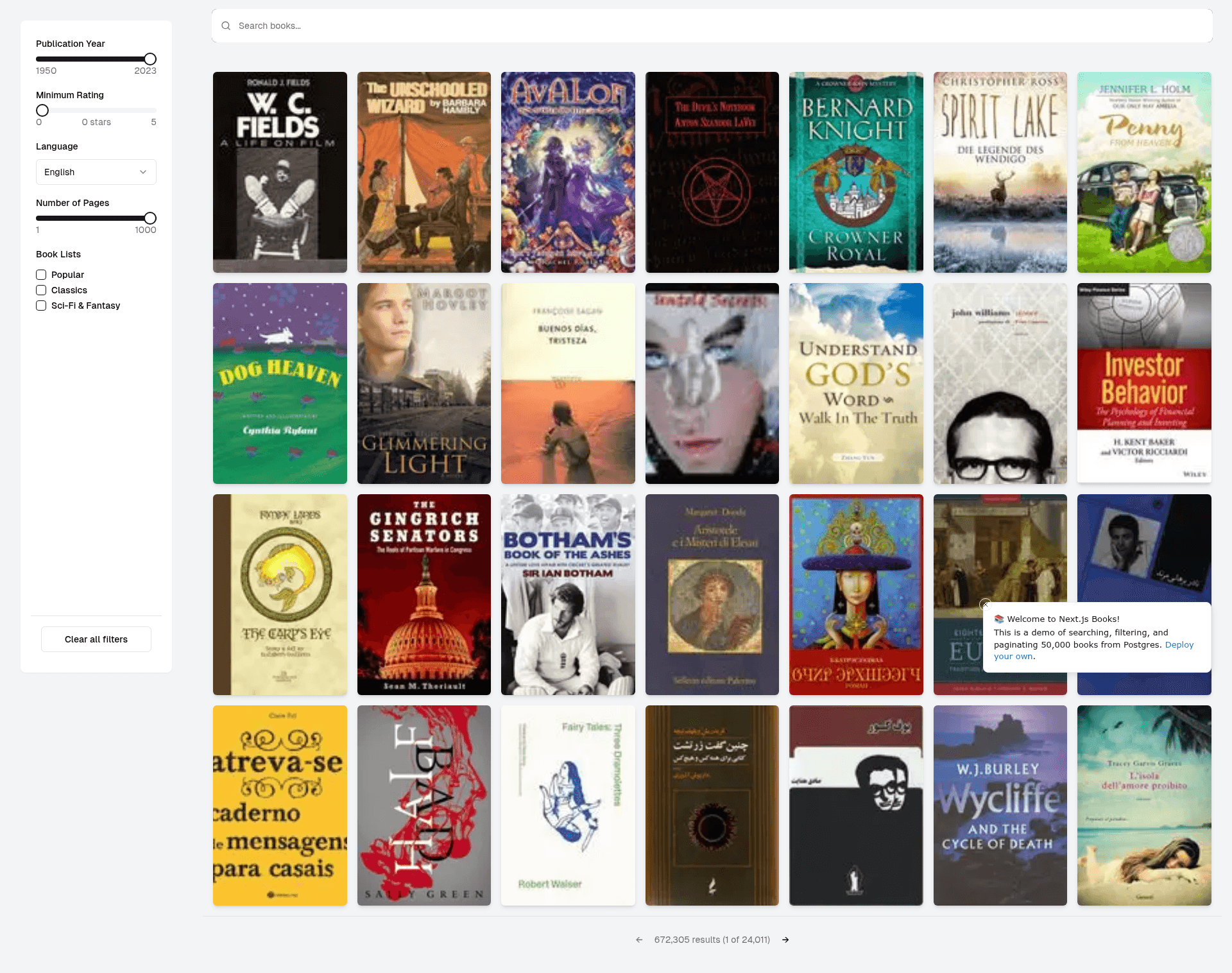
A Next.js example app for searching, filtering, and paginating a 2M-book Goodreads dataset with Drizzle and PostgreSQL.
About this template
Next.js Book Inventory is a Vercel-deployable starter template that demonstrates full-text search, filtering, and pagination over a 2,000,000-book Goodreads dataset using Next.js, Drizzle ORM, and PostgreSQL.
What is Next.js Book Inventory?
Next.js Book Inventory is a book inventory app built with Next.js, Drizzle, and PostgreSQL. It ships with a database containing over 2,000,000 books from the Goodreads dataset published by Mengting Wan. The template's core function is to show how to build a searchable, filterable, paginated catalog interface on a large relational dataset, and it can be deployed to Vercel with one click.
Key Features
- Next.js framework — Uses the React-based Next.js framework to render pages, handle routing, and support server-side data fetching.
- Drizzle ORM — Drizzle is used as the TypeScript ORM layer to interact with PostgreSQL schemas and queries.
- PostgreSQL database — Relies on a PostgreSQL database containing over 2,000,000 books imported from the Goodreads dataset.
- unaccent extension — Uses the Postgres
unaccentextension to remove accents from book titles, making search accent-insensitive. - pgvector extension — Uses the pgvector extension to turn Postgres into a vector store, enabling similarity-based search.
- Search, filtering, and pagination — The UI demonstrates how to combine search queries, filter controls, and pagination against a large dataset.
- One-click Vercel deployment — Includes a Deploy with Vercel button for instant setup.
Who is it for?
Next.js developers who want a working reference for building data-heavy catalog interfaces with query parameters, server-side rendering, and a large SQL database. It is also for developers learning Drizzle ORM and PostgreSQL extensions such as unaccent and pgvector. Teams bootstrapping an inventory, library, or book-tracking product can use it as a starting point rather than building from scratch.
What can you do with Next.js Book Inventory?
- Next.js developers: Study how search, filter, and pagination state can be driven by URL parameters in a Next.js app.
- PostgreSQL enthusiasts: See how to configure unaccent for accent-insensitive text matching and pgvector for storing and querying vector embeddings.
- Product builders: Deploy a book catalog or inventory UI on Vercel and replace the Goodreads dataset with their own PostgreSQL rows.
How does the database setup work?
The repository instructs you to create two PostgreSQL extensions before running the app: unaccent for accent-insensitive search and vector for pgvector. The provided SQL commands are CREATE EXTENSION IF NOT EXISTS unaccent; and CREATE EXTENSION IF NOT EXISTS vector;. After that, the app can be deployed on Vercel using the one-click button.