Template details
Bael Netlify CMS Template
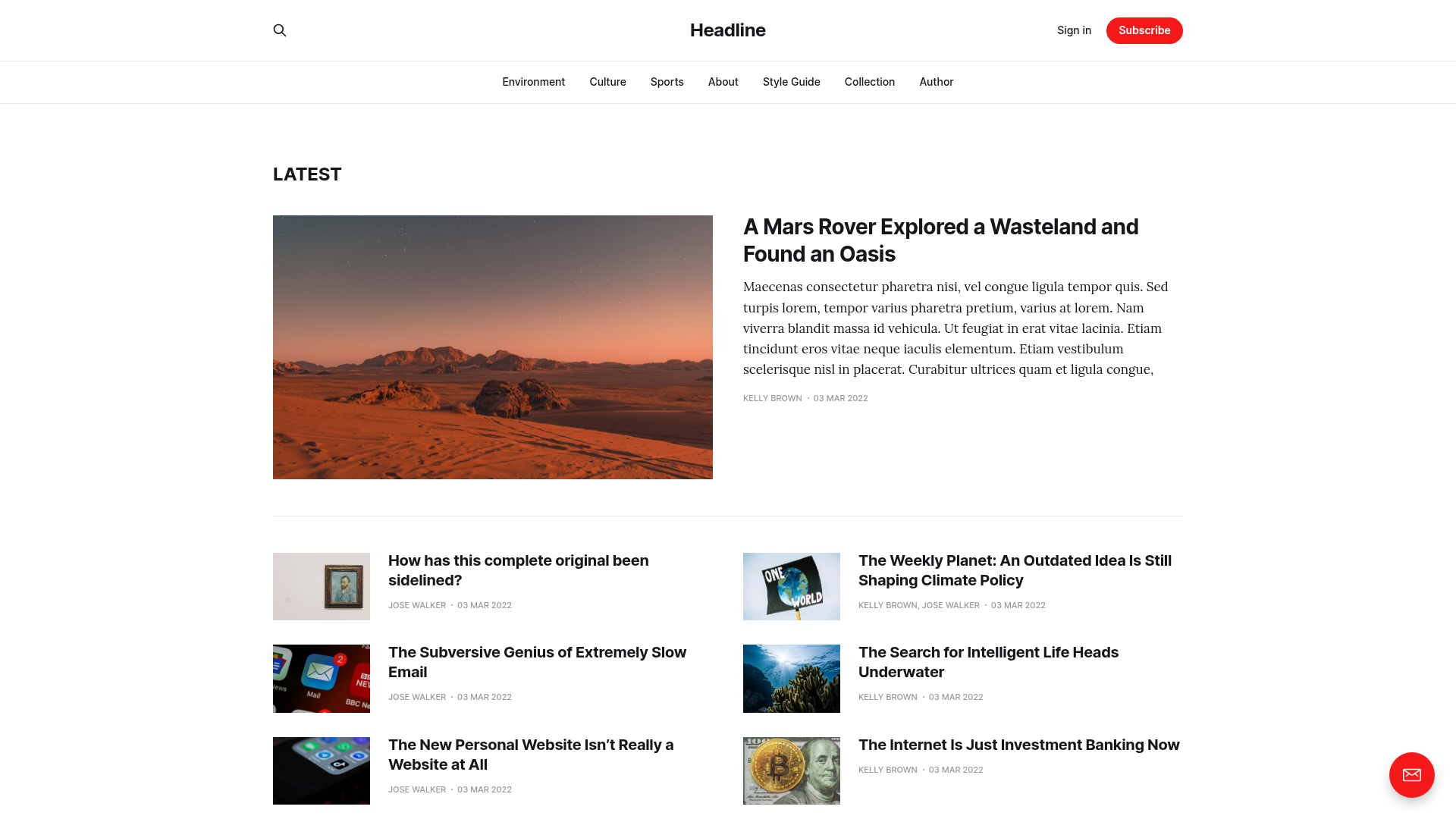
Free brutalist blog template built with Nuxt.js and Netlify CMS, featuring JAMstack architecture and fuzzy search.
About this template
Bael Netlify CMS Template is a free, brutalist-style blog template built on Nuxt.js and Vue.js that pairs with Netlify CMS for content editing and deploys directly to Netlify.
What is Bael Netlify CMS Template?
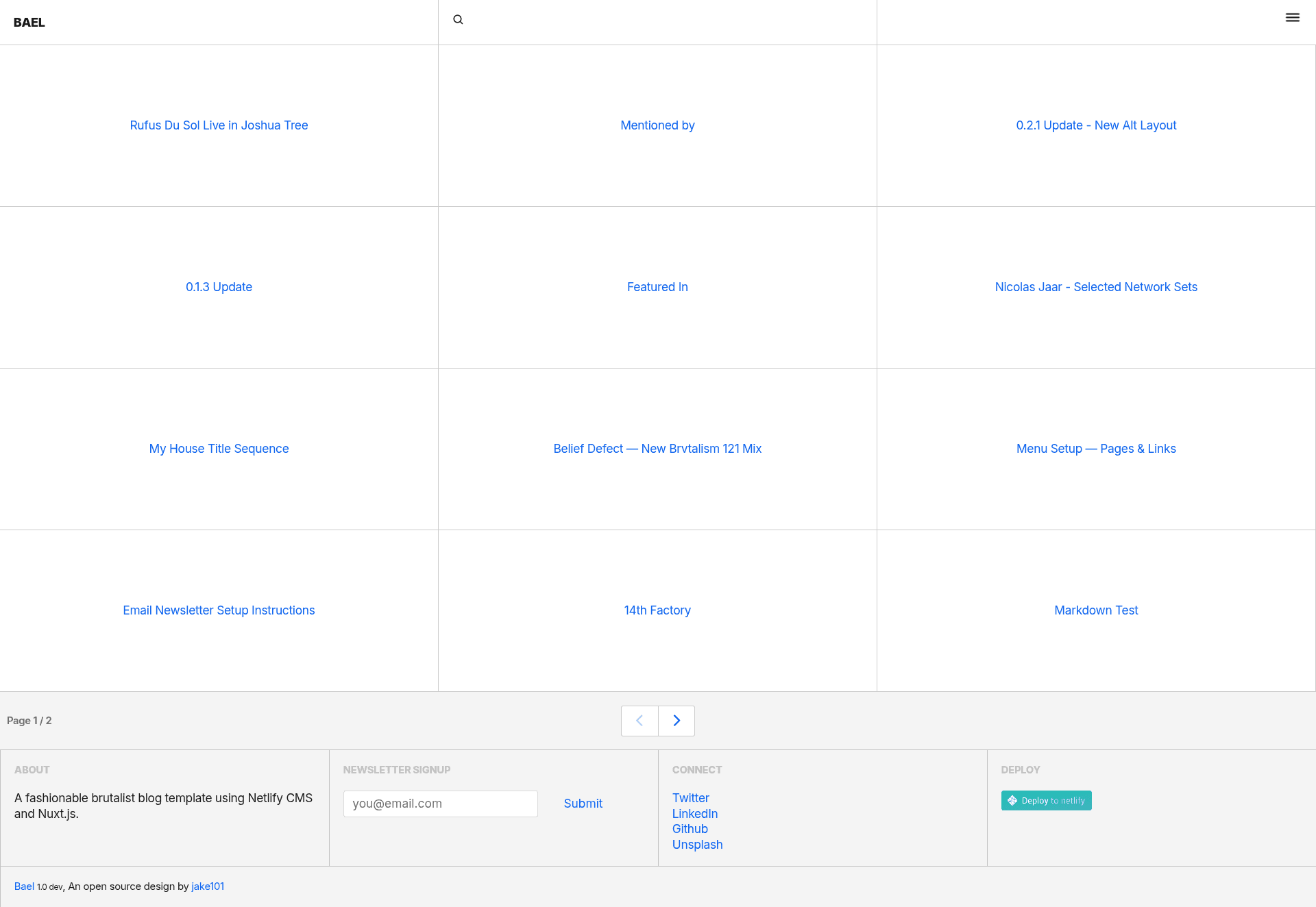
Bael is a free static-site blog template that uses the JAMstack architecture: it generates a static site with Nuxt.js and Vue.js, manages content through Netlify CMS, and is hosted on Netlify. It takes Markdown-based content files managed via Netlify CMS and produces a responsive blog with a distinctive brutalist design, CSS grid layout, and fuzzy search. The template is created by Jake 101 and is licensed under the MIT license.
Key Features
- JAMstack architecture — Everything is pre-rendered as static files, so the site is fast and can be served from a CDN without a traditional server.
- Netlify CMS integration — Editors can log in at yourwebsite.com/admin (or localhost:3000/admin in development) to create and edit posts without touching code.
- Nuxt.js and Vue.js — Built on the Nuxt.js static site generator and Vue.js, with the project scaffolded so you can run
npm run devfor hot-reload development,npm run buildfor production, andnpm run generateto output a static site. - Brutalist aesthetic — The design deliberately uses raw, bold, and unpolished visual elements, giving the blog a distinctive editorial look.
- CSS grid layout — The responsive layout is built with CSS grid, adapting to different screens without a CSS framework.
- Fuzzy search — Built-in client-side fuzzy search lets readers find posts even when they don't know the exact title or tags.
- Dynamic routes via Netlify CMS folder collections — When you define a
foldertype in Netlify CMS, each content file becomes a dynamic route; add the folder glob todynamicRoutesin nuxt.config.js to make the blog render those posts. - One-click deploy to Netlify — The template includes a Deploy to Netlify button that connects the GitHub repository (jake-101/bael-template) and sets up hosting automatically.
Who is it for?
- Developers who want a quick JAMstack blog — you can deploy the template to Netlify, configure the CMS, and start writing content with no backend to maintain.
- Writers and editors who prefer a CMS — Netlify CMS gives you a familiar editing interface at /admin, so you don't need to touch git or Markdown directly.
- Design-focused bloggers — the brutalist aesthetic is unusual compared to typical clean blog themes, so it suits projects that want a bold visual identity.
- Nuxt.js learners — the template demonstrates how to wire Nuxt.js to Netlify CMS, manage dynamic routes, and generate a static site, making it a useful reference project.
What can you do with Bael Netlify CMS Template?
- Start a personal blog — deploy with one click, then write and publish posts from the Netlify CMS admin panel without a database.
- Build a documentation or notes site — because content is Markdown files, you can repurpose the template for any folder-based content collection.
- Prototype a Nuxt.js project — use the template's routing and CMS setup as a starting point, then extend it with new components and pages.
How does it work?
- Click "Deploy to Netlify", which clones the repository from GitHub (jake-101/bael-template) into your Netlify account and links it to a Git provider.
- Install dependencies with
npm install, runnpm run devfor local development, andnpm run generateto build the static site. - Access the admin UI at /admin to create content. For
foldercollections, add the folder glob todynamicRoutesinnuxt.config.jsso the generated dynamic routes include your new posts. - Push changes to your Git repository and Netlify rebuilds and redeploys automatically.
Pricing
Bael is free and open-source under the MIT license. You only pay for external services if you choose them, such as a Git provider or Netlify's hosting plans, but the template itself has no cost.
FAQ
Is Bael Netlify CMS Template free?
Yes. The template is free and released under the MIT license, so you can use it for personal or commercial projects without paying a license fee.
What technologies does it use?
Bael is built on Nuxt.js and Vue.js, uses Netlify CMS for content management, and is designed to be hosted on Netlify. It requires a Netlify account and a Git provider like GitHub or Bitbucket to deploy.
How do I edit content?
Append /admin to your site URL (for example, yourwebsite.com/admin or localhost:3000/admin in development) to open the Netlify CMS login and editing interface.
How do I add new dynamic routes?
In Netlify CMS, when you use a folder collection, each saved file becomes a dynamic route. Add the folder path as a glob to the dynamicRoutes array in nuxt.config.js so Nuxt knows to generate those pages at build time.
Can I deploy it without Netlify?
The template is built around Netlify and Netlify CMS, so the simplest path is Netlify hosting. Since it generates a static site, you could host the output elsewhere, but the built-in /admin CMS and deploy button are Netlify-specific.