Template details
Bingo
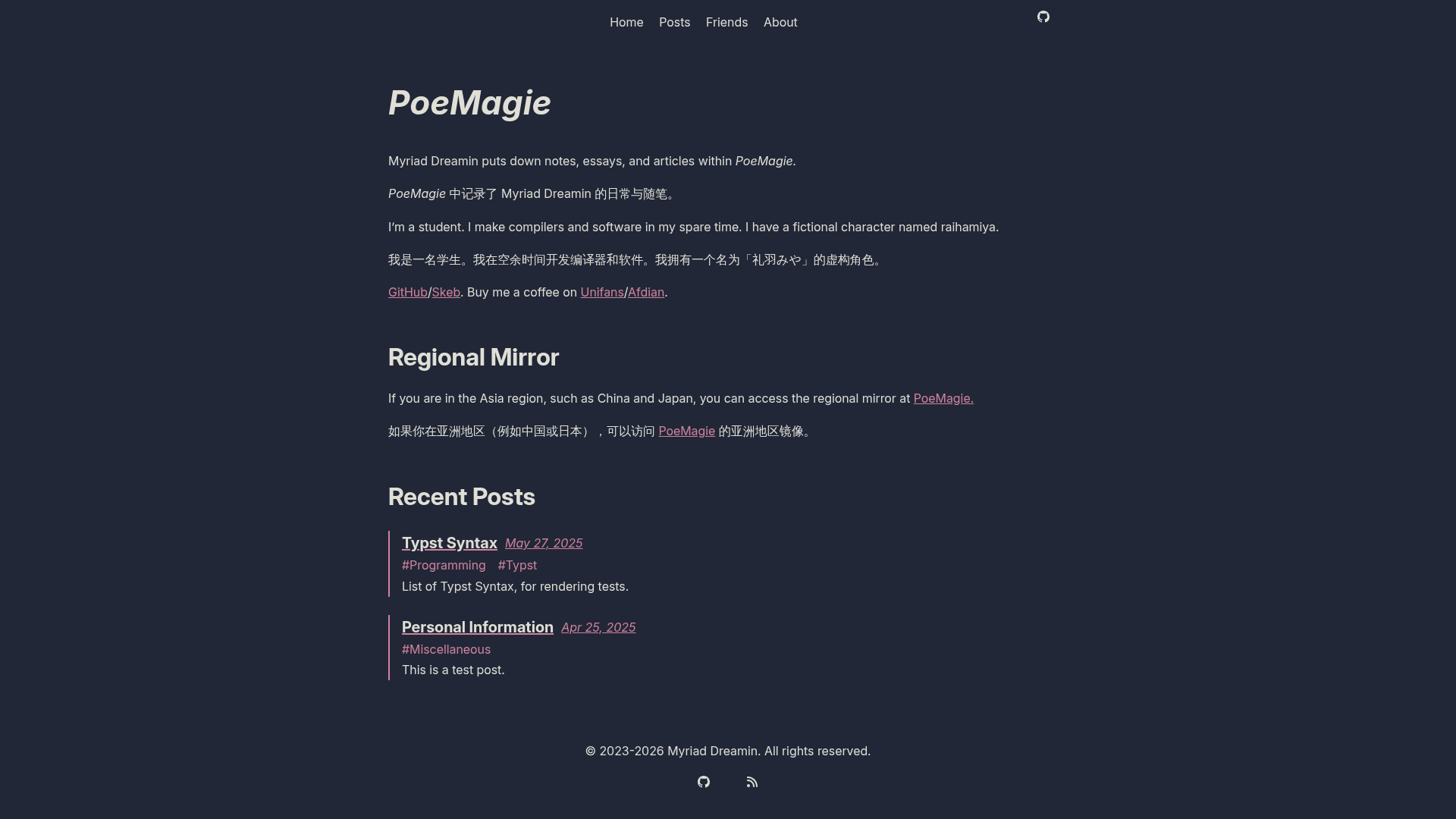
A minimalist Hugo theme for text-focused blogs and personal sites with multilingual support and social icons.
About this template
Bingo is a minimalist Hugo theme designed for text-focused blogs and personal websites, inspired by the Classic, XMin, and Er Hugo themes.
What is Bingo?
Bingo is a free, open-source Hugo theme that transforms Markdown content into a static website with a minimal, text-first design. It runs on the Hugo static site generator and takes standard Markdown files as input, producing a themed HTML site. The theme is maintained by gundamew on GitHub and released under the MIT License. Its repository description, "Nothing but texts.", reflects its focus on readability and simplicity.
What makes Bingo stand out?
Bingo offers several configuration options that make it easy to tailor a personal blog:
- Google Analytics — includes Hugo's internal Google Analytics template; you only need to set your tracking ID in the site configuration.
- Avatar support — choose a local image placed in the static directory or use Gravatar by providing an email address and desired size.
- Custom navbar — define navigation menu items with identifier, name, URL, and weight for ordering.
- Social icons — display links on the home page for GitHub, Twitter, LinkedIn, Facebook, Instagram, and many more; icons are available for bitbucket, dribbble, facebook, github, gitlab, instagram, keybase, linkedin, medium, plurk, rss, stackexchange, stackoverflow, and twitter, and they sort by weight.
- Custom date format — set a date format such as "2006-01-02" in the configuration.
- Multilingual support — configure multiple languages (English, French, and Chinese are shown as an example) with separate content directories and per-language menus.
- Built with Highlight.js and Simple Icons — code highlighting and social icons are provided by these libraries.
Who should use Bingo?
Bingo is a good fit for writers and developers who want a simple, fast, and customizable blog theme. Bloggers can publish posts in multiple languages and keep their content organized in separate folders. Developers can quickly set up a personal site with Google Analytics tracking, a custom avatar, and social links, all configured through Hugo's TOML config files.
What can you do with Bingo?
- Multilingual bloggers — create content for multiple languages (e.g., English, French, and Chinese) and get per-language menus and navigation automatically, as the theme supports per-language content directories and menu definitions.
- Personal site owners — display your avatar (Gravatar or local image), add social network links, and track visitors with Google Analytics using the built-in template.
- Minimalist webmasters — build a clean, text-only website that loads quickly, thanks to the theme's focus on content and its use of lightweight libraries.
How does Bingo work?
Installing Bingo follows the standard Hugo theme workflow. After cloning the repository into your site's themes directory, you configure the theme by setting options in the site's TOML config file: choose an avatar source, add social links, define menu items, and set a custom date format. For multilingual sites, you create a content directory for each language and map menus per language. The theme's installation guide also notes that Hugo Modules support is still a planned to-do item.
Pros and cons
- Pros — open-source under the MIT License, free to use, supports multiple languages, and offers a minimalist design.
- Cons — the theme does not yet use Hugo Modules (installation is via git clone), and its documentation is brief, consisting mainly of configuration examples.
Pricing
Bingo is free to use and modify. It is released under the MIT License, so you can use it for personal and commercial projects without any licensing fees.
Alternatives
Bingo is inspired by three other Hugo themes: Hugo Classic, XMin, and Er, each of which also offers a minimalist approach but with different design choices and feature sets.
FAQ
Is Bingo free?
Yes, Bingo is free and open source. It is released under the MIT License, which allows you to use, copy, modify, and distribute the theme freely.
How do I install Bingo?
To install Bingo, clone the repository from GitHub into the themes folder of your Hugo site. For example, run git clone git@github.com:gundamew/hugo-bingo.git from the themes directory.
Does Bingo support multiple languages?
Yes. The theme's example configuration shows support for English, French, and Chinese (Traditional) using separate content directories and per-language menu items in the Hugo config.
What social networks does Bingo support?
Bingo provides social icons for bitbucket, dribbble, facebook, github, gitlab, instagram, keybase, linkedin, medium, plurk, rss, stackexchange, stackoverflow, and twitter. You can add any of these to your home page.
Can I use a custom avatar?
Yes, you can either use a local image by placing it in the static directory and setting its path, or use Gravatar by providing your email address and the desired avatar size.