Template details
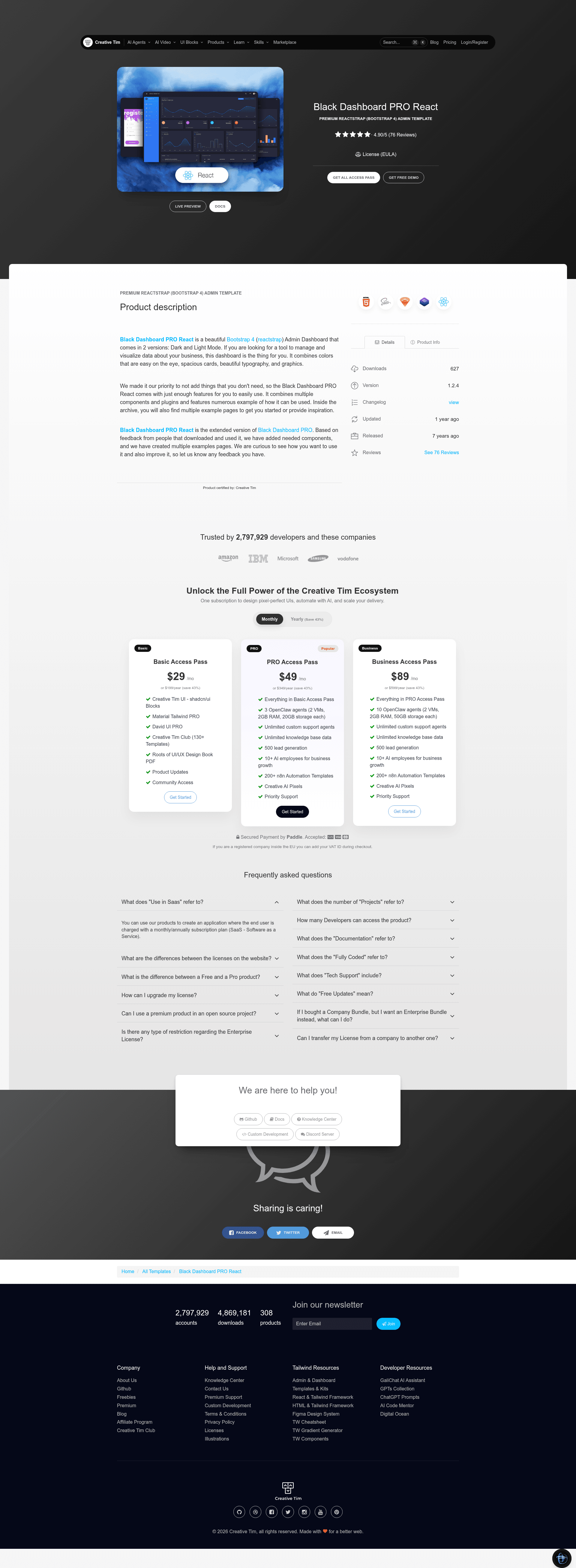
Black Dashboard PRO React
A premium Bootstrap 4 & Reactstrap admin dashboard for React with 160+ components and dark mode.
About this template
Black Dashboard PRO React is a premium React admin dashboard template by Creative Tim, built on Bootstrap 4, Reactstrap, and create-react-app, with over 160 components for business data management and visualization.
What is Black Dashboard PRO React?
Black Dashboard PRO React is a commercial React admin template from Creative Tim that runs on Bootstrap 4 and Reactstrap. It takes the standard create-react-app project structure and outputs a complete dashboard UI with pages for analytics, tables, maps, forms, and user profiles. The template includes both a dark mode and a light mode, and the colors can be modified through SASS files.
The product comes with documentation hosted on the Creative Tim demo site, a clear file structure separating layouts (Admin, Auth, RTL), and example pages including Dashboard, Widgets, Charts, Calendar, Maps, and Tables. Its current version is 1.2.4.
Key Features
- 160+ individual components — from buttons, grids, typography, and panels to notifications, sweet alerts, and validation forms; each can be recolored via SASS variables.
- Dark Mode and Light Mode — the dashboard ships with two built-in color schemes, toggled through the included FixedPlugin.
- Three layouts — Admin, Auth, and RTL layouts are provided as separate React layout components, including an RTLNavbar for right-to-left languages.
- Chart.js integration — charts are implemented with chartjs and react-chartjs-2, with prebuilt examples in variables/charts.jsx.
- Google Maps and Vector Maps — includes a full-screen Google Map page, a GoogleMaps component, and a VectorMap page powered by jvectormap.
- Advanced table support — Extended Tables, Regular Tables, and React Tables pages, plus a SortingTable component using react-table.
- Plugin ecosystem — bundles react-big-calendar, react-datetime, react-select, react-tagsinput, react-bootstrap-switch, react-bootstrap-sweetalert, nouislider, perfect-scrollbar, and more.
- SASS architecture — source files live under src/assets/scss/black-dashboard-pro-react with bootstrap, custom, and react/plugins folders for easy theming.
Who is it for?
Black Dashboard PRO React is built for React developers and product teams who need a ready-made admin interface rather than building dashboards from scratch.
- React developers — can start from the create-react-app structure and integrate the prebuilt pages into existing projects.
- Startups and SaaS teams — can use the dashboard, widgets, and charts to build a data back office for customers.
- Agencies and freelancers — can deliver a branded admin panel quickly by restyling SASS variables and swapping the example pages.
- Product managers — can prototype analytics dashboards and user-management screens with the included pages.
What can you do with Black Dashboard PRO React?
- Build a custom admin panel — wire the prebuilt Dashboard, User Profile, and Tables pages into your app to manage users and business data.
- Visualize metrics with charts — use the Chart.js examples to display revenue, traffic, or any time-series data.
- Add maps to your dashboard — drop the GoogleMaps or VectorMap components into a page to show geographical data.
- Create a polished login and registration flow — use the Login, Register, Lock, and Pricing pages as starting points for authentication screens.
Pricing
Black Dashboard PRO React is a paid commercial product. The Quick start section directs buyers to purchase from Creative Tim, and the product's name includes PRO to indicate a premium tier. Exact prices are set by Creative Tim's store and are not listed on this README.
FAQ
What browsers does Black Dashboard PRO React support?
It officially supports the last two versions of Chrome, Firefox, Edge, Safari, and Opera, as stated in the README's Browser Support section.
What is the current version of Black Dashboard PRO React?
The version badge shows 1.2.4.
Where can I find documentation?
Documentation is hosted at the demo site under the /documentation/tutorial route, and the download includes a Documentation folder with documentation.html.
What npm packages are included?
The README lists plugins such as chartjs, jvectormap, nouislider, perfect-scrollbar, react-big-calendar, react-bootstrap-sweetalert, react-bootstrap-switch, react-chartjs-2, react-datetime, react-google-maps, react-jvectormap, react-select, react-table, and react-tagsinput.