Template details
Bloggraph
SIGGRAPH-style academic Hugo theme for showcasing research profiles and publications.
About this template
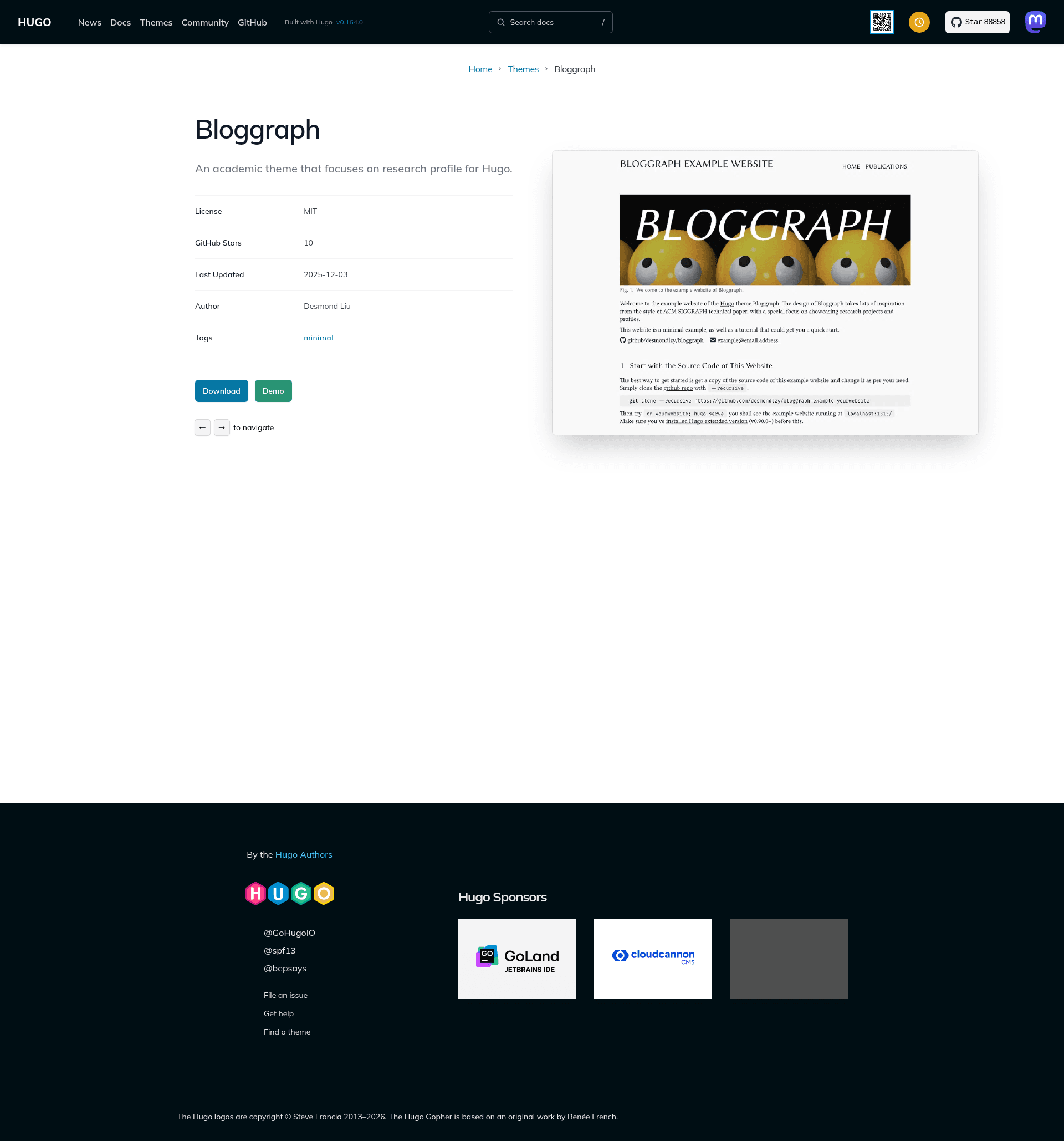
Bloggraph is an academic Hugo theme that formats a personal research profile and publications like an ACM SIGGRAPH technical paper.
What is Bloggraph?
Bloggraph is a static-site theme for the Hugo generator that reproduces the appearance of a SIGGRAPH-style academic paper. It takes Markdown content and outputs a static website containing a home page with basic information and publications, plus a dedicated publication page layout. The theme is authored by desmondlzy and distributed on GitHub; it requires Hugo extended version v0.128.0 or newer.
Key Features
- SIGGRAPH-style home page — Displays your name, basic info, and publication list in the familiar two-column format of a conference paper.
- Publication page template — Each research project gets its own page styled like a SIGGRAPH paper, including an abstract and figure layout.
- Figure numbering shortcode — A built-in shortcode that adds automatic figure numbers to match academic convention.
- Inspired by ACM SIGGRAPH template — The design directly references the official SIGGRAPH technical paper template; part of the CSS and template files are modified from the Newsroom Hugo theme.
- Bundled fonts — Includes FontAwesome, Linux Biolinum, and Linux Libertine so the theme loads no external font dependencies.
- Example website boilerplate — A full example site is included and hosted live at desmondlzy.me/bloggraph, serving as a ready-made starting point.
Who is it for?
- Computer graphics researchers — Particularly those who publish at SIGGRAPH and want a homepage that visually matches the format of their papers.
- PhD students and postdocs — To create a clean, publication-centric personal site without writing HTML or CSS from scratch.
- Academic lab groups — To present group publications in a standardized conference-paper look.
- Hugo users — Anyone who already works with Hugo's static site generator and wants an academically styled theme.
What can you do with Bloggraph?
- Authors: Add a project page for each paper with SIGGRAPH-style formatting, including numbered figures and publication metadata.
- Students: Build a personal academic homepage that lists your publications and basic info in a paper-like layout.
- Hugo beginners: Clone the example website and modify its Markdown content to launch a new academic site quickly.
How does Bloggraph work?
The easiest path is to clone the example website at desmondlzy.me/bloggraph and edit it. For an existing Hugo site, you add Bloggraph as a git submodule from https://github.com/desmondlzy/bloggraph.git and set theme = "bloggraph" in your hugo.toml. The theme then processes your Markdown content through its templates and shortcodes to produce the static site.
FAQ
Does Bloggraph require a specific Hugo version?
Yes, Bloggraph needs Hugo extended version v0.128.0 or later. The extended build is required because the theme relies on features that are only available in that release line.
How do I install Bloggraph?
Add the theme as a git submodule in your Hugo site directory using git submodule add https://github.com/desmondlzy/bloggraph.git themes/bloggraph, then set the theme to bloggraph in your site config file named hugo.toml.
What fonts does Bloggraph bundle?
Bloggraph bundles FontAwesome, Linux Biolinum, and Linux Libertine. This means the theme does not depend on any external font loading or CDN for its typography.
Is Bloggraph based on another theme?
Part of the CSS and template files are modified from the Newsroom Hugo theme, and the overall design is inspired by the ACM SIGGRAPH technical paper template.
Can I use Bloggraph to start a new website?
The repository offers an example website that acts as a starting boilerplate, hosted live at desmondlzy.me/bloggraph. Cloning it is the recommended way to set up a new site.