Template details
Astro Multilingual Portfolio Template
A free, open-source Astro and Tailwind CSS portfolio template with multilingual support, dark mode, and SEO.
About this template
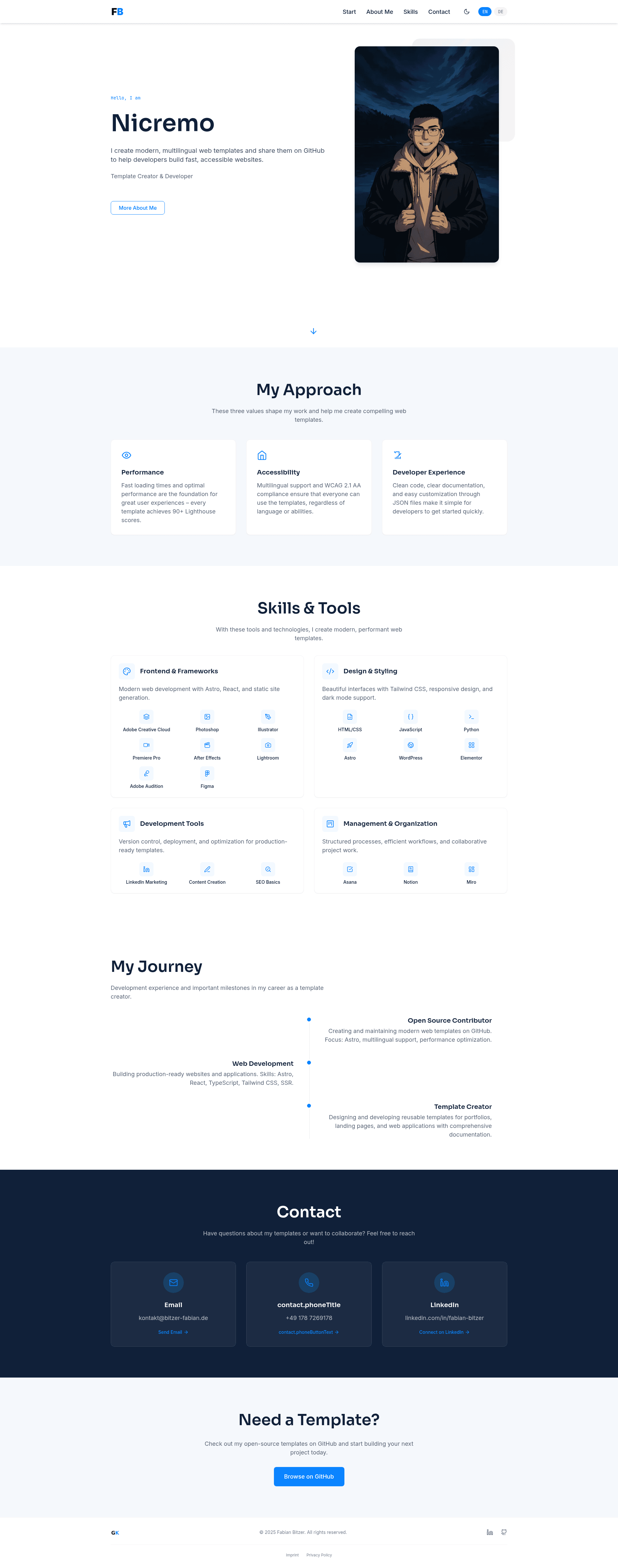
Astro Multilingual Portfolio Template is a free, open-source portfolio website template built on the Astro static site generator and Tailwind CSS, built to showcase developer work with English and German translations included.
What is the Astro Multilingual Portfolio Template?
The template is a ready-made starting point for a personal portfolio site that produces a static, SEO-optimized page with no backend or database. It takes content from JSON language files (src/i18n/en.json and src/i18n/de.json), a personal information file (src/utils/me.ts), and image assets in src/assets, then generates a responsive multi-section website. Created by Fabian Bitzer, the project is licensed under MIT and hosted on GitHub under the repository name nicremo/astro-multilingual-portfolio-template.
Key Features
- Multilingual support — ships with English and German content in src/i18n, and a header language switcher; a new language is added by copying en.json, translating it, and updating the switcher component.
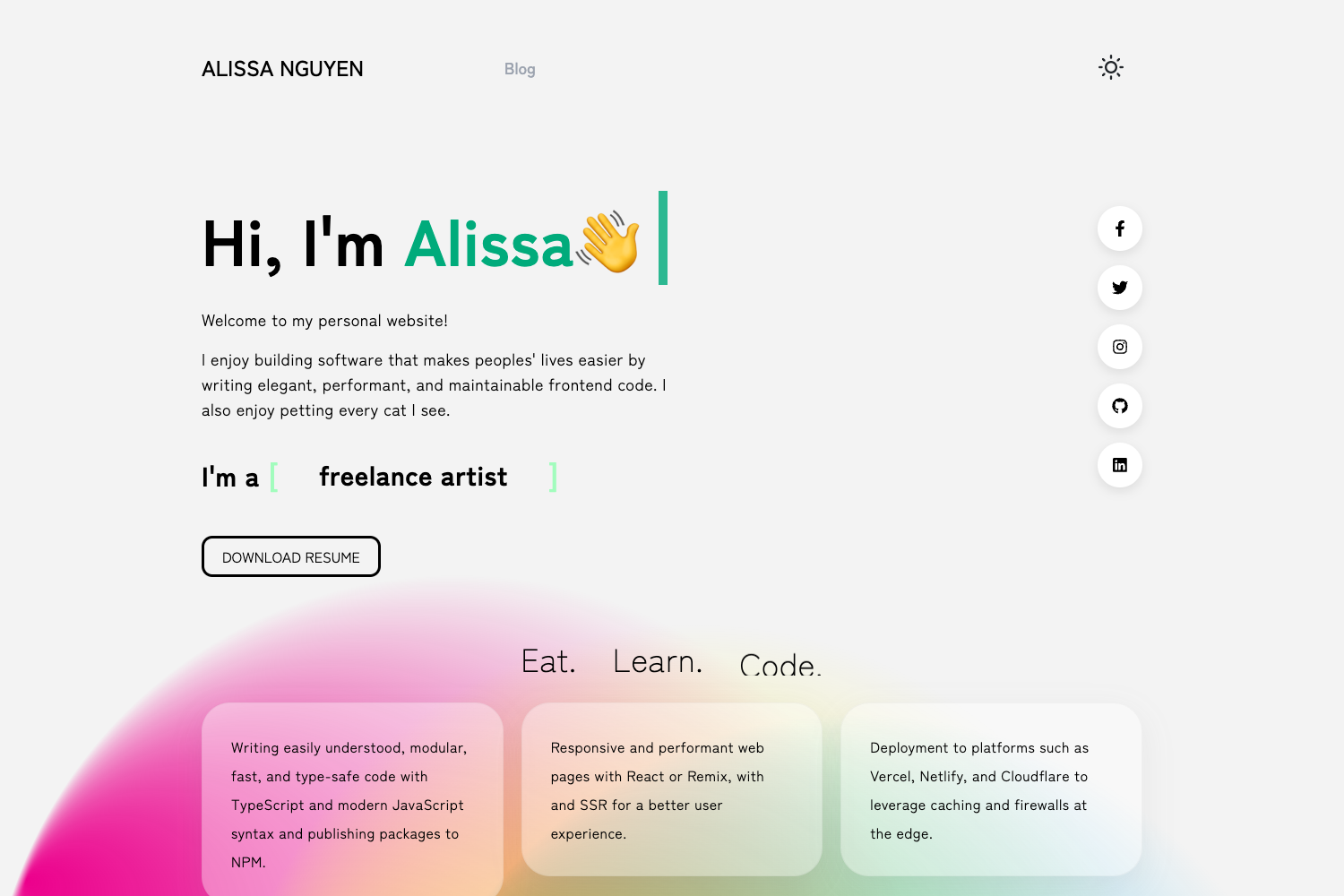
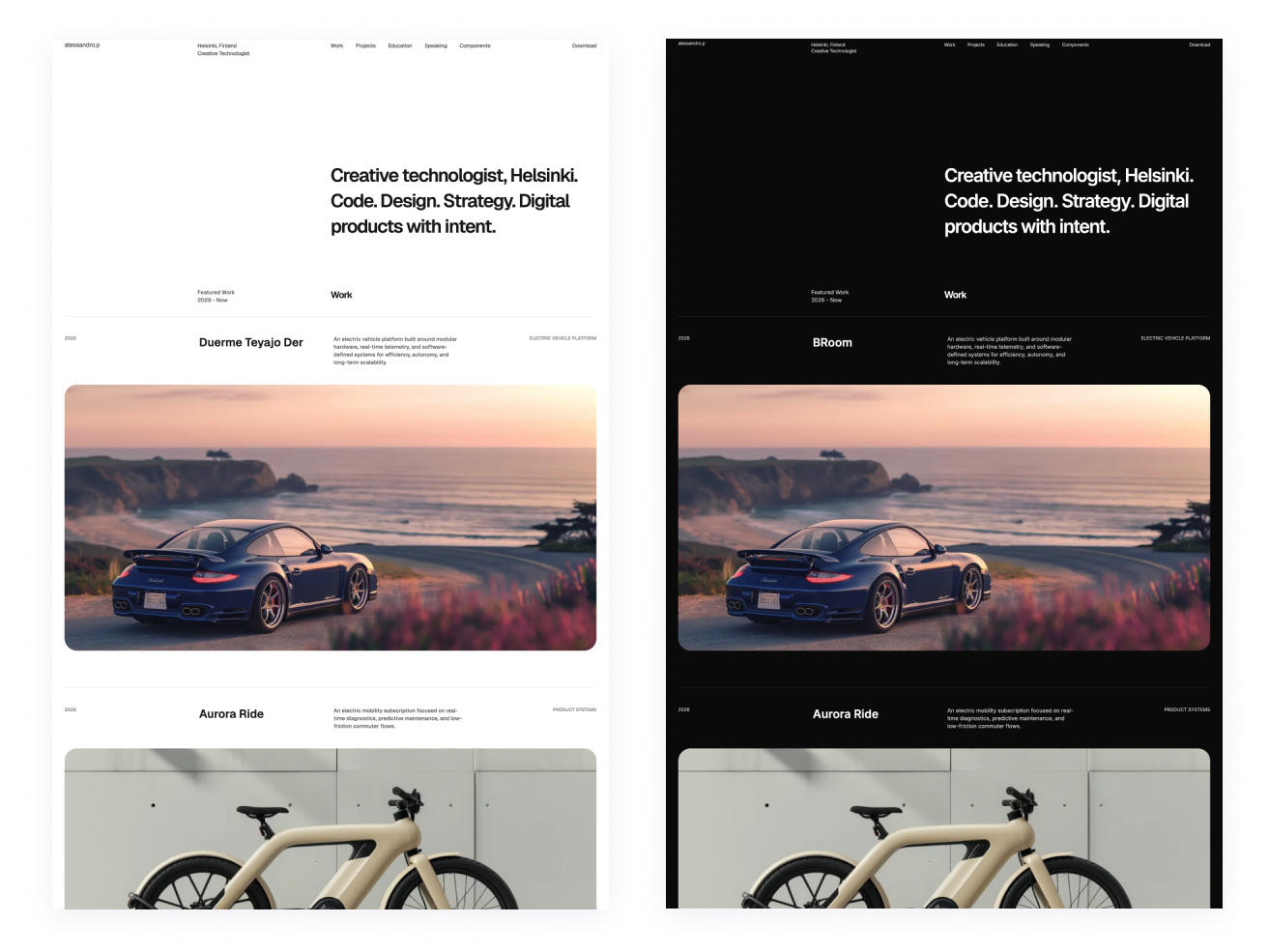
- Dark/light mode — automatic theme switching based on system preference plus a manual toggle, with theme colors set in tailwind.config.mjs.
- Astro static generation — built on Astro SSG, which the README reports achieves 90+ Lighthouse scores through minimal JavaScript and compressed images.
- Tailwind CSS styling — utility-first CSS framework in version shown by the badge, used for responsive layout and theming.
- GSAP and AOS animations — GSAP for custom animations and AOS for scroll-triggered effects.
- Eight page sections — navigation (with language switcher), hero with photo and call-to-action, values/approach, skills & tools, project showcase, experience timeline, contact, and legal pages with imprint and GDPR-compliant privacy policy.
- JSON-driven content — all text is editable in lang files, and per-project structure includes shortDescription, challenge, approach, and result fields.
- Accessibility — the template states WCAG 2.1 AA compliance.
Who should use the Astro Multilingual Portfolio Template?
Developers who want a modern portfolio without building from scratch can clone the repo, run npm install, and have a local dev server at localhost:4321. Freelancers who need a professional web presence with legal pages will find the GDPR-ready imprint and privacy policy useful. Multilingual professionals can present themselves in English and German immediately and add other languages by duplicating the JSON structure.
What can you do with the template?
- Job-seeking developers: publish project case studies by editing the project fields in the language files — short description, challenge, approach, and result — to show recruiters how you solve problems.
- Freelancers: showcase services, values, and skills, and drive contact through the contact section's action buttons.
- Indie makers: deploy a fast personal landing page to Netlify, Vercel, or GitHub Pages using the provided npm run build command.
How does the template work?
Installation is standard for an Astro project: clone the repository, run npm install, then npm run dev to start the development server. Customization is documented in the README: edit personal info in src/utils/me.ts (with base64 encoding for email, phone, and address), replace images in src/assets, and adjust colors in tailwind.config.mjs. Production builds run with npm run build and output static files for deployment.
FAQ
Is the template free?
Yes, the template is open source under the MIT License, so you can use it for personal or commercial projects without licensing fees.
Which languages are included?
English and German are included by default. The README explains how to add more languages: create a new JSON file in src/i18n, copy the en.json structure, translate it, and update the language switcher component.
What are the system requirements?
You need Node.js 16 or higher and either npm or yarn. The template uses Astro's static site generation, so no server runtime is required for the deployed site.
Can I deploy to GitHub Pages?
Yes. Since the build outputs static files, the README lists GitHub Pages as a hosting option alongside Netlify and Vercel.
How do I change the color scheme?
Theme colors are defined in tailwind.config.mjs, with default primary, secondary, and accent colors. Replace the hex values there and the site updates throughout.