Template details
blueface
A minimalist Jekyll theme with responsive design, JSON/RSS feeds, and tag support.
About this template
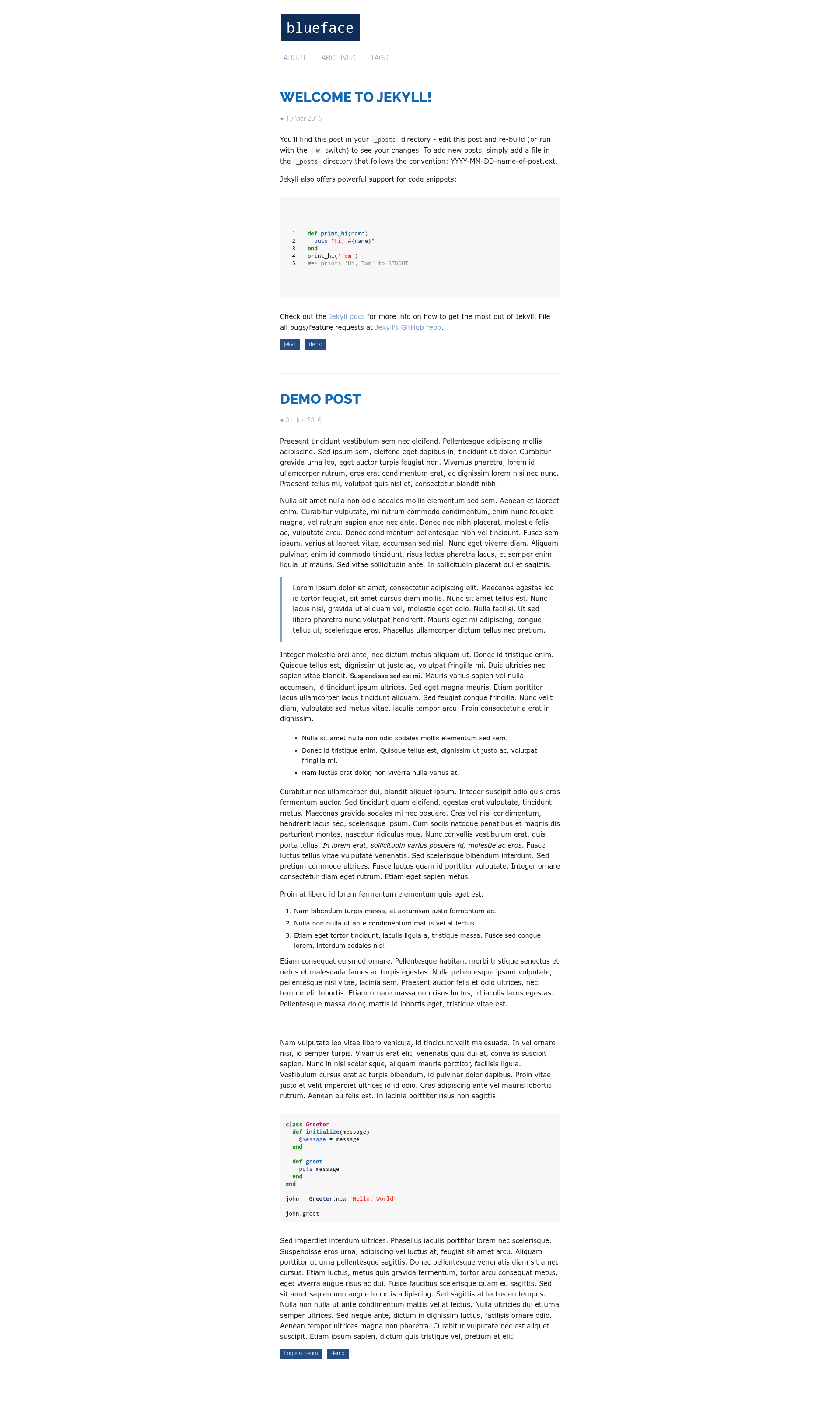
blueface is a minimalist Jekyll blog theme that generates static sites with JSON and RSS feeds, featuring responsive design and tag support.
What is blueface?
blueface is a minimalist Jekyll theme designed for blogs and personal websites. It takes Markdown content and Jekyll configuration as input and produces a fully static, responsive HTML site. The theme runs on Jekyll, a Ruby-based static site generator, and is distributed as a GitHub repository that can be forked and deployed on GitHub Pages. The theme is maintained by the user "thien" and has 31 stars on GitHub.
Key Features
- Responsive layout — The theme adapts to different screen sizes, making it suitable for mobile and desktop viewing.
- JSON feed generation — Each build generates a JSON feed, allowing content to be consumed by other applications.
- RSS feed generation — An RSS feed is also generated on every build, so readers can subscribe to updates.
- Tag support — Posts can be tagged, and the theme provides tag-based navigation.
- Google Fonts integration — Uses Open Sans, Droid Sans, and Raleway from Google Fonts alongside system fonts.
- Easy configuration — Most settings can be adjusted in the
_config.ymlfile, including the Setup section with instructions. - Minimalist design — Clean, uncluttered aesthetics focused on typography and content.
Who is it for?
- Bloggers — Anyone who wants a clean, fast, and distraction-free personal blog can fork this theme and publish Markdown posts.
- Developers — Developers already familiar with Jekyll can quickly customize the theme's templates and styling.
- GitHub Pages users — Because the theme can be forked and renamed to username.github.io, GitHub users can deploy a site in minutes without extra tooling.
What can you do with blueface?
- Personal blogging: Write posts in Markdown, and Jekyll builds them into a responsive blog with RSS and JSON feeds.
- Tag-based organization: Assign tags to posts to create category pages automatically from the theme's built-in tag support.
- Static site prototyping: Use the minimalist layout as a starting point for building a custom Jekyll site, extending the existing templates with your own HTML and CSS.
How does blueface work?
The installation process is straightforward: fork the repository, rename it to your GitHub username with the .github.io suffix (e.g., replace "username" with your own), and edit _config.yml to set your site's metadata. On each Jekyll build, the theme generates static HTML pages along with JSON and RSS feeds from your Markdown content.