Template details
Hexo Theme Clean
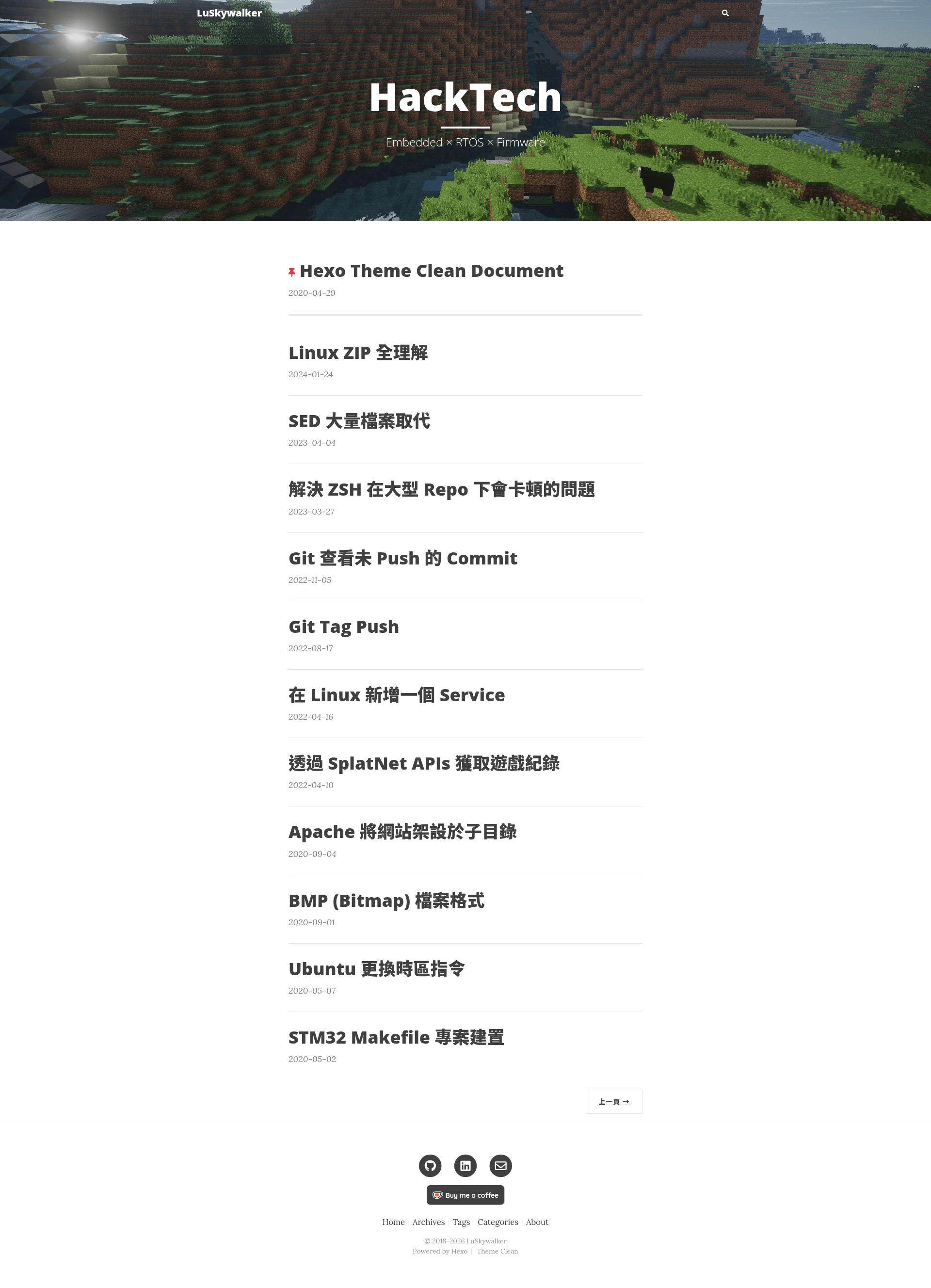
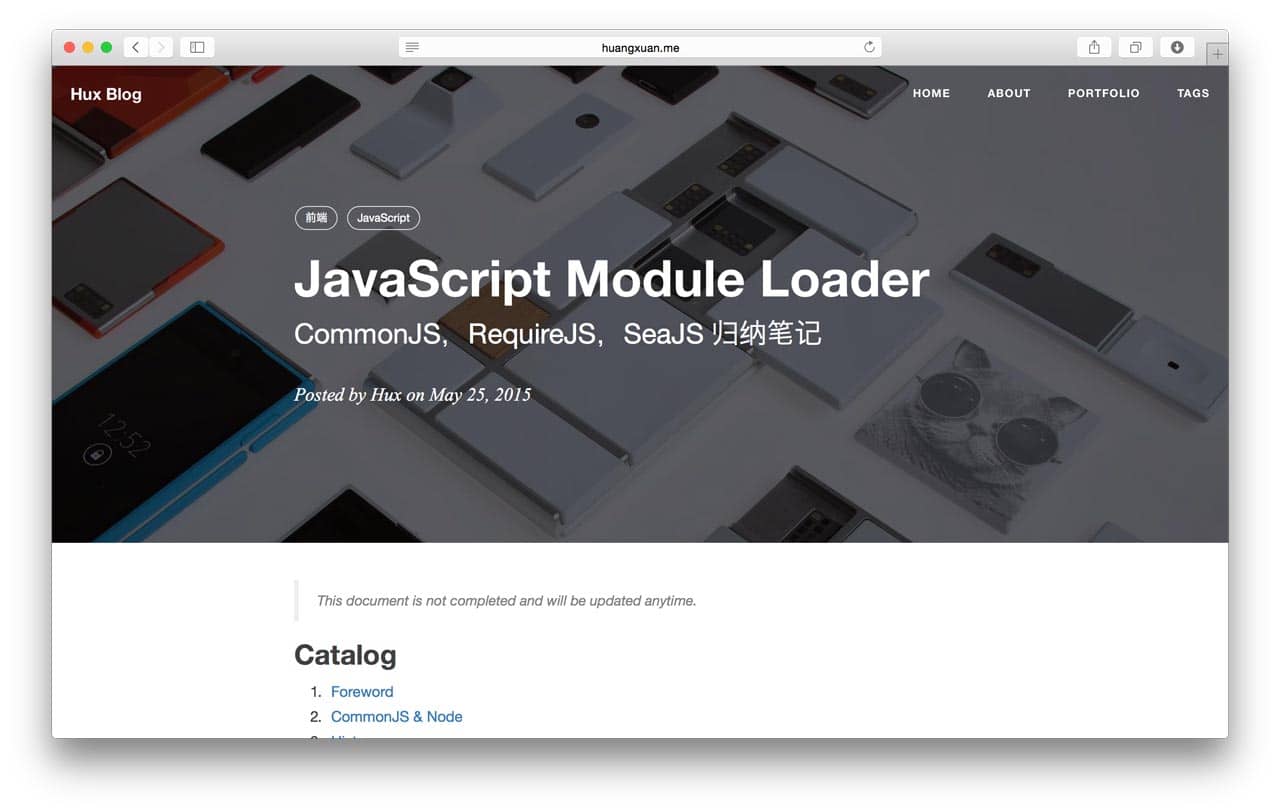
Modified Hexo blog theme with cover images, TOC, MathJax, and more.
About this template
Hexo Theme Clean is a modified Hexo blog theme based on the Clean Blog design, adding cover images, a table of contents, MathJax, and multiple comment and analytics integrations to the original hexo-theme-clean-blog. It runs on Hexo 4.0.0 or higher, takes Markdown posts as input, and outputs a clean, responsive blog. The theme is maintained by LuSkywalker on GitHub and is open source under a standard license.
What is Hexo Theme Clean?
Hexo Theme Clean is a Hexo blog theme that extends the classic Clean Blog design with extra functionality. It accepts standard Hexo Markdown posts and pages, and renders them with support for cover images, post-level table of contents, syntax-highlighted code blocks, and MathJax formulas. The theme was originally created by Blackrock Digital, adapted for Hexo by Jonathan Klughertz, and then modified by LuSkywalker for additional features and cleaner coding style. The current version is V1.1.0, which fixed subdirectory bugs and footnote ID issues.
Key Features
- Cover images — Add a cover image to any post or page through front-matter, displayed prominently at the top.
- Table of contents — Automatically generate a post-level TOC for longer articles.
- Code syntax highlighting — Highlight code blocks with a built-in syntax highlighter.
- MathJax support — Render LaTeX mathematics in posts using MathJax.
- Bootstrap components — Use Bootstrap Alert, Card, and Label shortcodes inside Markdown content.
- Light Gallery — Display image galleries with a lightbox effect via Light Gallery.
- Comment systems — Choose between Disqus and Gitalk for post comments.
- Analytics & stats — Integrate Google Analytics, Busuanzi statistics, and word counts.
- Local search — Enable Hexo local search so visitors can search your blog content.
- Pinned posts — Pin specific posts to the top of the homepage.
- Tag, category, and about pages — Built-in support for tags, categories, and a dedicated about page.
The theme is built with Hexo's template engine and uses Stylus for styling, with Bootstrap components integrated for alert, card, and label elements.
Who is it for?
- Hexo bloggers — Anyone running a Hexo blog who wants a clean, minimal theme with convenient extras like cover images and a table of contents.
- Technical writers — Writers who publish math-heavy or code-heavy posts and need MathJax rendering and syntax highlighting out of the box.
- Site owners — Bloggers who want to engage readers with Disqus or Gitalk comments, track traffic with Google Analytics or Busuanzi, and let visitors search the site.
What can you do with Hexo Theme Clean?
- Academic bloggers: Write posts containing LaTeX equations and render them with MathJax for clear mathematical notation.
- Photographers: Embed image galleries in posts and let visitors view them in a Light Gallery lightbox.
- Developers: Publish code tutorials with syntax highlighting, and pin important announcements to the top of the homepage.
How does Hexo Theme Clean work?
Installation is straightforward: clone the repository into the themes/clean directory of your Hexo project, then set theme: clean in the main _config.yml. After that, configure the theme's own options (such as comment system, analytics, and local search) and write posts as usual. A full documentation page is available at the author's blog.
FAQ
Is Hexo Theme Clean free?
Yes, Hexo Theme Clean is open source and distributed on GitHub under a license (see the license badge). You can freely use, modify, and share it.
What version of Hexo does it need?
The theme requires Hexo 4.0.0 or higher. The compatibility badge on the repository indicates Hexo >= 4.0.0.
Which comment systems are supported?
Hexo Theme Clean supports both Disqus and Gitalk. You can enable one of them in the theme configuration.
Can I pin posts on the homepage?
Yes, the theme includes a "pin post at home page" feature, letting you keep selected posts at the top of the blog index.
Does it have a demo?
Yes, a live demo is available at the author's blog: blog.lusw.dev.