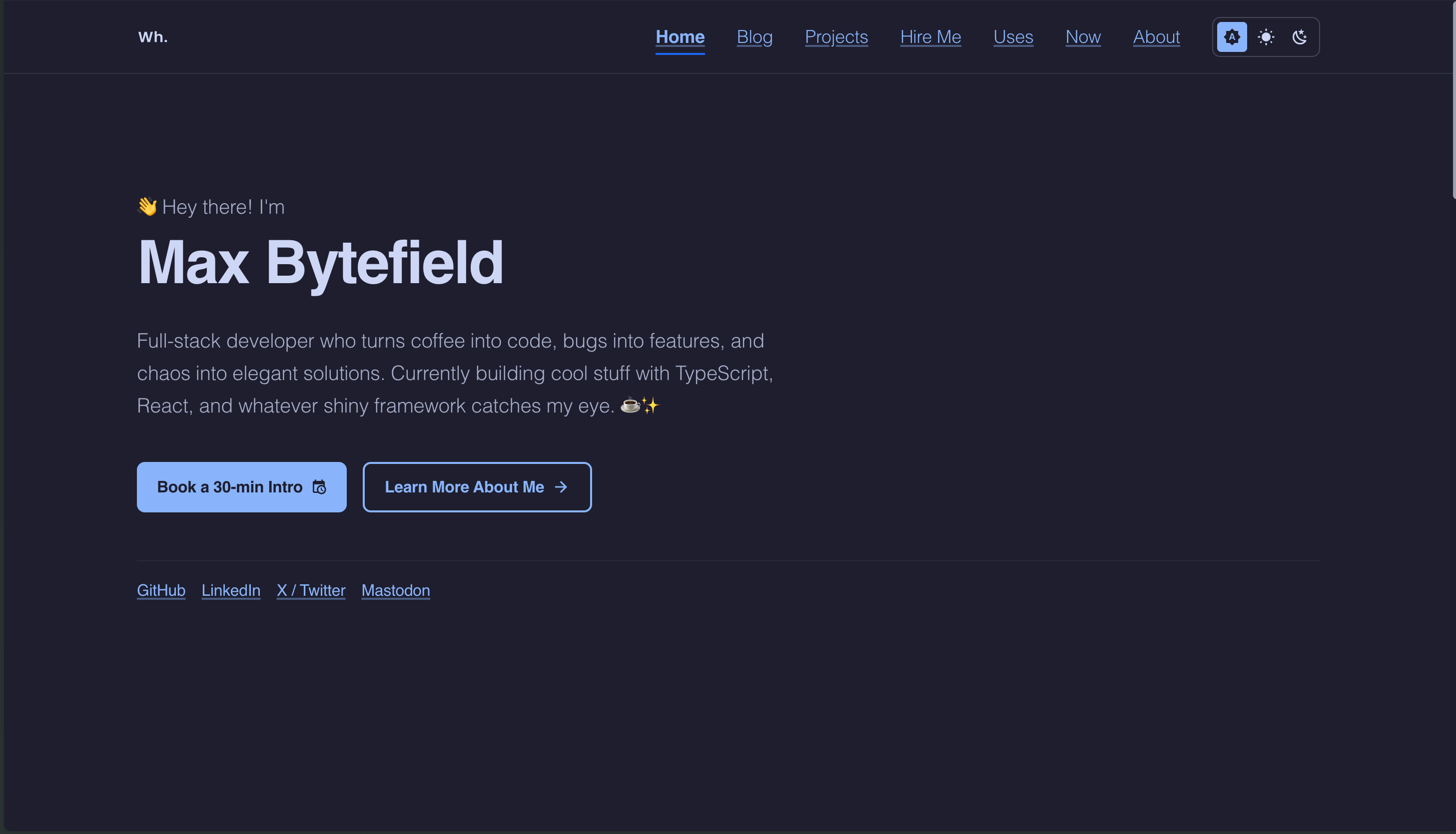
Template details
Ink
Minimal Hugo theme for personal sites and blogs with sub-100KB loads, light/dark mode, fuzzy search, and llms.txt output.
About this template
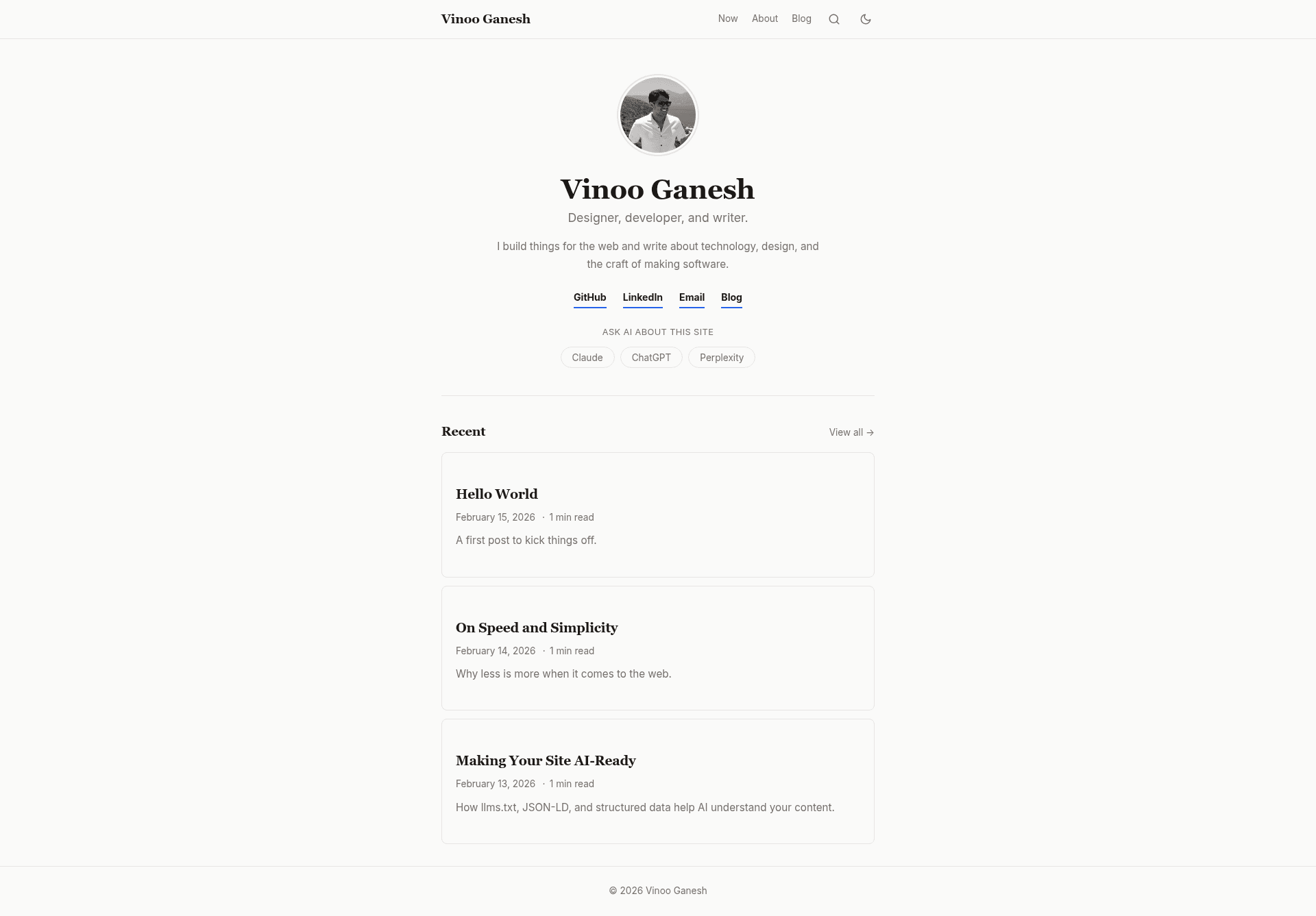
Ink is a minimal Hugo theme for personal websites and blogs that keeps the first page load under 100 KB with no external requests, created by Vinoo Ganesh.
What is Ink?
Ink is a Hugo theme that takes standard Markdown content with YAML front matter and produces a static personal site or blog. It runs on Hugo v0.123.0 or later (extended edition recommended) and outputs a fully self-contained site with hand-rolled CSS and inline vanilla JavaScript. The theme was built by Vinoo Ganesh and is available on GitHub under the MIT license.
Key Features
- Sub-100KB first load — Homepage first load totals about 95 KB (15 KB minified CSS, 37 KB + 38 KB Inter WOFF2 subsets, ~2 KB inline JS); no CDN, no Google Fonts, no external requests.
- AI-ready extras — Ships an
llms.txtoutput for AI crawlers, configurable "Ask AI" buttons that one-click open Claude, ChatGPT, Perplexity (or any tool you add) with an auto-generated prompt, and JSON-LD structured data for Article, WebSite, and WebPage. - Fuzzy search — Fuse.js powers a search page that loads only when visited; the 15.4 KB library is excluded from the initial page load and requires a "JSON" output format in the Hugo config plus a
content/search.mdpage. - Flash-free dark mode — Theme toggling uses OS preference detection with no flicker, and the
Alt+Tkeyboard shortcut switches light and dark manually. - Content features — Collapsible table of contents (per-post opt-in via
ShowToc), auto-generated related posts in a 3-column grid, post series navigation, code copy buttons on every code block, full-content RSS feed with autodiscovery, and a dedicated Now page layout. - i18n and accessibility — All 21 UI strings are translatable; the theme includes ARIA labels, semantic HTML, four responsive breakpoints, a print stylesheet, and
prefers-reduced-motionsupport. - Asset pipeline — Minified and fingerprinted assets with SRI hashes, plus self-hosted Inter font (Latin subset, about 76 KB total WOFF2).
Who is it for?
- Personal bloggers — publish Markdown posts with tags and descriptions, get a fast, clean site with RSS and Open Graph/Twitter cards.
- Developers building a Hugo site — want a theme they can install via Git submodule or Hugo module, then override 17 CSS custom properties to recolor the entire theme.
- Privacy-conscious site owners — who want no external font or CDN requests, self-hosted assets, and minimal JavaScript.
- Writers with multi-part content — use post series navigation and related posts to keep readers moving between posts in a series.
What can you do with Ink?
- Create a searchable blog — add
content/search.mdwith the search layout and a JSON output, and visitors can fuzzy-search your posts with Fuse.js. - Expose your site to AI tools — enable the
llmstxtoutput format to generatellms.txtand add "Ask AI" buttons that give Claude, ChatGPT, or Perplexity a one-click prompt about your site. - Build a bilingual site — create an
i18n/es.yamltranslation file; all 21 strings like "Search", "Recent", and "min read" are overridable. - Track reading progress — the sticky header includes a reading progress bar, a scroll-to-top button, and posts that opt in get a collapsible table of contents.
How does Ink work?
Ink supports three installation methods: Git submodule, Hugo module, and direct download of the latest release. After installation, copy the example site's hugo.toml to your project root, create a post with hugo new posts/hello-world.md, and run hugo server to preview at http://localhost:1313. The exampleSite/ directory contains a full working site, and configuration centers on params keys such as author, homeTitle, homeBio, socialLinks, and askAI, plus front matter fields like ShowToc, series, searchHidden, and hidden.
Pros and cons
Pros
- Sub-100KB first page load with no CDN or external fonts.
- Self-hosted Inter font and fingerprinted assets with SRI hashes.
- Free under the MIT license with no paid tiers mentioned.
Cons
- Requires Hugo v0.123.0 or later, which excludes older Hugo installations.
- Search is not enabled out of the box; it needs a dedicated search page, a JSON output format, and JavaScript enabled to function.
Pricing
Ink is free and open source under the MIT license. The README lists no paid options, premium features, or subscription tiers.
Alternatives
- PaperMod — the Hugo theme that inspired Ink.
FAQ
Is Ink free?
Yes. Ink is released under the MIT license and hosted as a public GitHub repository. The README lists no paid tiers or premium features, so you can use it for personal or commercial Hugo sites without cost.
What Hugo version does Ink require?
Ink requires Hugo v0.123.0 or later, and the extended edition is recommended. The README documents three installation methods: Git submodule, Hugo module, and downloading the latest release from GitHub.
Does Ink have built-in search?
Ink includes fuzzy search powered by Fuse.js, but it is not enabled by default. You must create content/search.md with the search layout, add "JSON" to the [outputs] config, and ensure JavaScript is available. The Fuse.js library (~15.4 KB) only loads on the search page.
Can I change the colors?
Yes. Ink exposes 17 CSS custom properties with full light/dark pairs, such as --bg and --link. You can override them in your own stylesheet; the README includes a table listing each variable's default values for light and dark modes.
Does Ink support multiple languages?
Ink ships with English (i18n/en.yaml) and all 21 UI strings are translatable. You can create a custom i18n/xx.yaml file (e.g., i18n/es.yaml) and override any string; the README provides a Spanish translation example for labels like "Search" and "Recent".