Template details
Builder Book
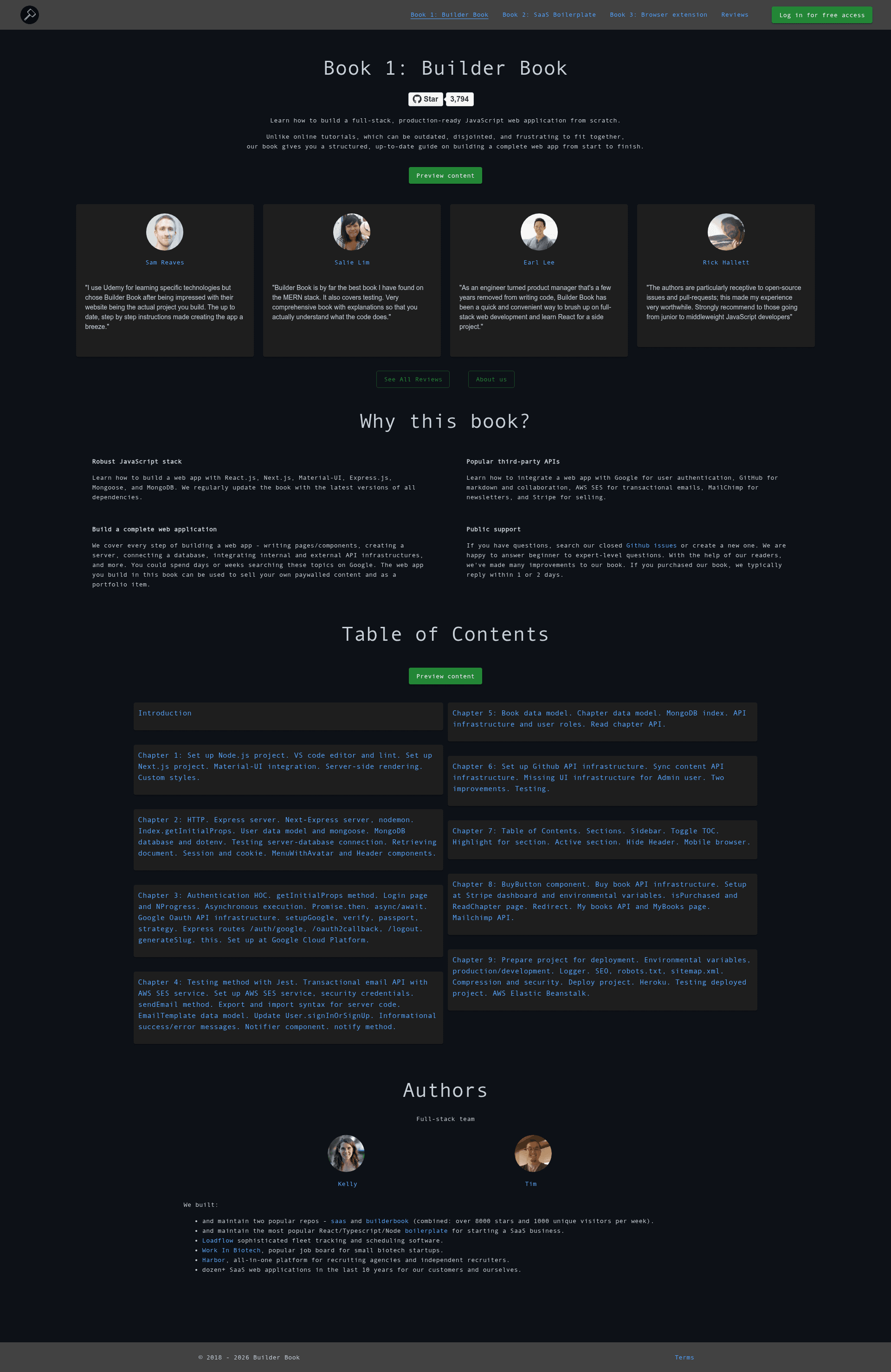
Open source web app to self-publish and sell books, built with React, Next.js, Node.js, Express, Mongoose, MongoDB.
About this template
Builder Book is an open-source boilerplate web app for self-publishing and selling books or other online content, built on Next.js, React, Material-UI, Node.js, Express, Mongoose, and MongoDB.
What is Builder Book?
Builder Book is an open-source full-stack web application that turns Markdown files in a GitHub repository into a live, sellable online book. Its input is a GitHub repo containing introduction.md and chapter-N.md files with YAML frontmatter; its output is a book website with user authentication (Google OAuth), purchasing with Stripe, and an admin dashboard for managing books. The project is maintained by Kelly Burke and Timur Zhiyentayev of Async Labs, and it powers production sites such as Builder Book, SaaS Boilerplate, Work in Biotech, and Async. The open-source app itself lives in the builderbook folder, while the book folder contains chapter-by-chapter codebases for purchasers of the Builder Book course.
Key Features
- GitHub-as-CMS content sync — Each chapter is a Markdown file named
introduction.mdorchapter-N.md; after connecting a GitHub repo, the app reads the frontmatter fieldstitle,seoTitle,seoDescription, andisFreeto render each page. A "Sync with Github" button pulls in updated content. - Stripe purchase flow — Buy buttons appear on free chapter excerpts; paid chapters require a purchase, and the server verifies the purchase before serving private content (removing
isFree: trueand addingexcerptmakes a chapter private with a free preview). - Google and GitHub OAuth — Users sign in with Google OAuth; admin users connect GitHub to import and manage repositories. Both flows require creating OAuth apps and setting callback URLs like
http://localhost:8000/oauth2callback. - Admin book management — Admin users (flagged
isAdmin: truein MongoDB) get dedicated pages for adding, editing, and viewing book details, plus control over which GitHub repo is synced. - Material-UI theming and styling — The color scheme is changed by editing
primaryandsecondarytheme colors insidelib/context.js; the repo documents four styling approaches: inline styles, page-scoped style objects, shared/importable styles fromcomponents/SharedStyles.js, and global styles inpages/_document.js. - Third-party API integrations — The server integrates Google OAuth, GitHub API, Stripe, AWS SES, and Mailchimp. Env keys prefixed with
NEXT_PUBLIC_are available client-side; all others are server-only. - Deployment options — Includes a Docker Compose file (
docker-compose-dev.yml), an Elastic Beanstalk config, and a detailed Heroku deployment guide with buildpacks (subdir-heroku-buildpackandheroku/nodejs) and aPROJECT_PATHenv var. - Learning-oriented structure — Server files (
server/google.js,server/github.js,server/stripe.js,server/aws.js,server/mailchimp.js) isolate each integration so you can study internal and external API patterns, Express sessions, cookies, and async/await.
Who is it for?
- Full-stack JavaScript learners who want to study a production codebase that combines Next.js, React, Material-UI, Express, Mongoose, and MongoDB with real OAuth and payment flows.
- Technical authors and content creators who want to publish a book or course written in Markdown, host it in a private or public GitHub repo, and sell access via Stripe without building the infrastructure themselves.
- Indie founders and SaaS builders who plan to extend the app into a software business, using the companion SaaS Boilerplate project as a next step.
- Agencies and custom dev shops — Async Labs uses Builder Book as the foundation for custom projects, so teams can reuse its authentication, payment, and content-sync architecture for client work.
What can you do with Builder Book?
- Technical authors: publish a book chapter-by-chapter, sync from a GitHub repo, and set per-chapter pricing with free excerpts.
- Educators: host free documentation or paid course materials, with GitHub as the single source of truth and one-click content updates.
- Startup founders: extend the codebase to sell other online content or as the starting point for a SaaS product, as demonstrated by the related SaaS Boilerplate.
- Learners: trace how sessions and cookies, Express middleware, Promises and async/await, and third-party APIs are wired together in a real app.
How does it work?
The README walks through the full setup: clone the repo, run yarn, create a .env file with values for MONGO_URL, MONGO_URL_TEST, SESSION_SECRET, GOOGLE_CLIENTID, GOOGLE_CLIENTSECRET, and more, then start with yarn dev. To publish a book, you create a GitHub repo with introduction.md or chapter-N.md files that have frontmatter metadata, connect GitHub in the app, add a book via the admin panel, and click "Sync with Github" whenever content changes. Without env values for a feature, that feature silently doesn't work — e.g., Google login, purchasing, or GitHub sync.
Pricing
The Builder Book code is free and open source under the MIT License. The optional Builder Book course, which teaches you how to build the project from scratch, is sold at https://builderbook.org.
FAQ
Is Builder Book free?
Yes, all code in the repository is released under the MIT License, and the live demo is publicly accessible. If you want to learn how to build it from scratch, the Builder Book book is a paid product sold separately.
What tech stack does Builder Book use?
The browser side uses Next.js, React, and Material-UI. The server uses Next.js, Node.js, Express.js, Mongoose.js, and MongoDB. It also integrates with Google OAuth, GitHub API, Stripe, AWS SES, and Mailchimp.
Do I need a GitHub repository to add a book?
Yes. Each book is backed by a GitHub repo that contains Markdown chapter files. The app's "Connect Github" flow imports that repo, and the "Sync with Github" button pulls content updates into the app.
How do I make a chapter paid instead of free?
In the chapter's frontmatter metadata, remove isFree: true and add an excerpt field. The excerpt becomes the public preview, and the full content is only shown after the user pays via Stripe.