Template details
Bulma Clean Theme
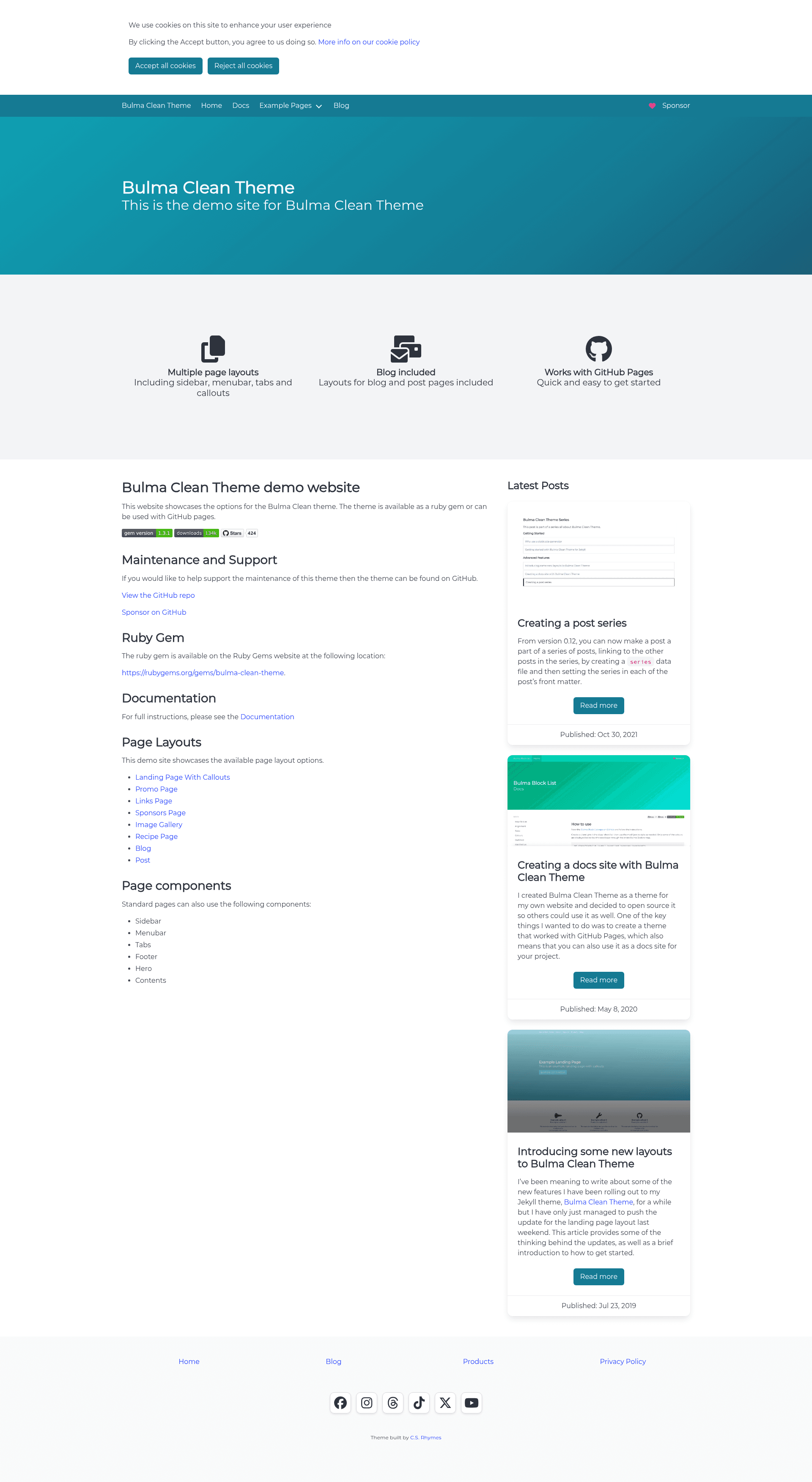
A clean and modern Jekyll theme built with the Bulma CSS framework, using Alpine.js for interactive components.
About this template
Bulma Clean Theme is a clean and simple Jekyll theme built with the Bulma CSS framework, delivering a modern-looking static site with Alpine.js-powered interactive components.
What is Bulma Clean Theme?
Bulma Clean Theme is a Jekyll theme that uses the Bulma CSS framework to provide a modern, clean starting point for a static website. It takes Jekyll content such as posts, pages, and data as input, and produces a static HTML site as output. The theme uses Alpine.js for its interactive components, such as the mobile navbar and notifications, and is maintained by chrisrhymes on GitHub. It is distributed as a Ruby gem, with installation done through the Gemfile and _config.yml.
What makes Bulma Clean Theme stand out?
- Bulma framework — The theme is built on Bulma, a modern flexbox-based CSS framework, giving sites a clean, responsive design out of the box.
- Alpine.js interactions — Interactive elements including the mobile navbar and notification dismissals rely on Alpine.js, a lightweight JavaScript library, with no jQuery dependency.
- Simple gem installation — Add
gem "bulma-clean-theme"to your Gemfile and settheme: bulma-clean-themein _config.yml to get started. - GitHub Pages support for v0.x — Version 0.x works with the GitHub Pages gem via
remote_theme, requiring Jekyll 3.9. - v1.x deployment via GitHub Actions — Version 1.x requires building with GitHub Actions for deployment to GitHub Pages.
- Documentation and demo site — A full documentation site with examples is available at the project's demo URL.
- MIT licensed — The theme is open source and free to use under the MIT License.
- Active on GitHub — The repository has 424 stars at the time of this analysis.
Who should use Bulma Clean Theme?
- Jekyll developers — Developers who want a clean, modern site without hand-coding front-end styles can install the theme and focus on content.
- GitHub Pages users — Site owners deploying to GitHub Pages can use v0.x with remote_theme, or v1.x with GitHub Actions.
- Bloggers and content creators — Anyone running a Jekyll blog who wants a simple, readable, mobile-friendly design with minimal configuration.
- Portfolio and business sites — The theme's clean aesthetic suits personal portfolios and company landing pages built on Jekyll.
What can you do with Bulma Clean Theme?
- Launch a Jekyll blog — Set up a blog with the theme, add markdown posts, and publish with a modern Bulma-based design.
- Create a portfolio — Build a personal portfolio site with a clean layout, using the theme's built-in styles and responsive navigation.
- Deploy to GitHub Pages — Use v0.x with the GitHub Pages gem and remote_theme for simple deployment, or v1.x with GitHub Actions for more control.
- Customize with Jekyll — Override layouts, includes, and Sass variables to tailor the design to your needs.
How does Bulma Clean Theme work?
Installation is straightforward: add the gem to your Gemfile, set the theme in _config.yml, and run bundle. For local development, run bundle exec jekyll serve to preview the site at localhost:4000. For GitHub Pages deployment, v0.x uses remote_theme with the GitHub Pages gem, while v1.x requires GitHub Actions for the build.
FAQ
Is Bulma Clean Theme free?
Yes, the theme is open source and available under the MIT License, so you can use it for personal and commercial projects without charge. You can also modify it freely.
Does Bulma Clean Theme work with GitHub Pages?
Version 0.x works with the GitHub Pages gem via remote_theme, requiring Jekyll 3.9. Version 1.x does not work with the default GitHub Pages build process and requires GitHub Actions for deployment.
What Jekyll version do I need?
For v0.x with the GitHub Pages gem, you need Jekyll 3.9. For v1.x, you should use a recent Jekyll version and build with GitHub Actions. Check the upgrade guide for details.
What is the difference between v0.x and v1?
Version 1 introduced breaking changes, including a different deployment method for GitHub Pages. The upgrade guide explains how to migrate from v0.x to v1.
How do I install the theme?
Add gem "bulma-clean-theme" to your Gemfile, set theme: bulma-clean-theme in _config.yml, and run bundle. Then create your content and serve with bundle exec jekyll serve.