Template details
Cacao Kit Frontend
🍫 Best practice Nuxt and KQL starter for your headless Kirby CMS
About this template
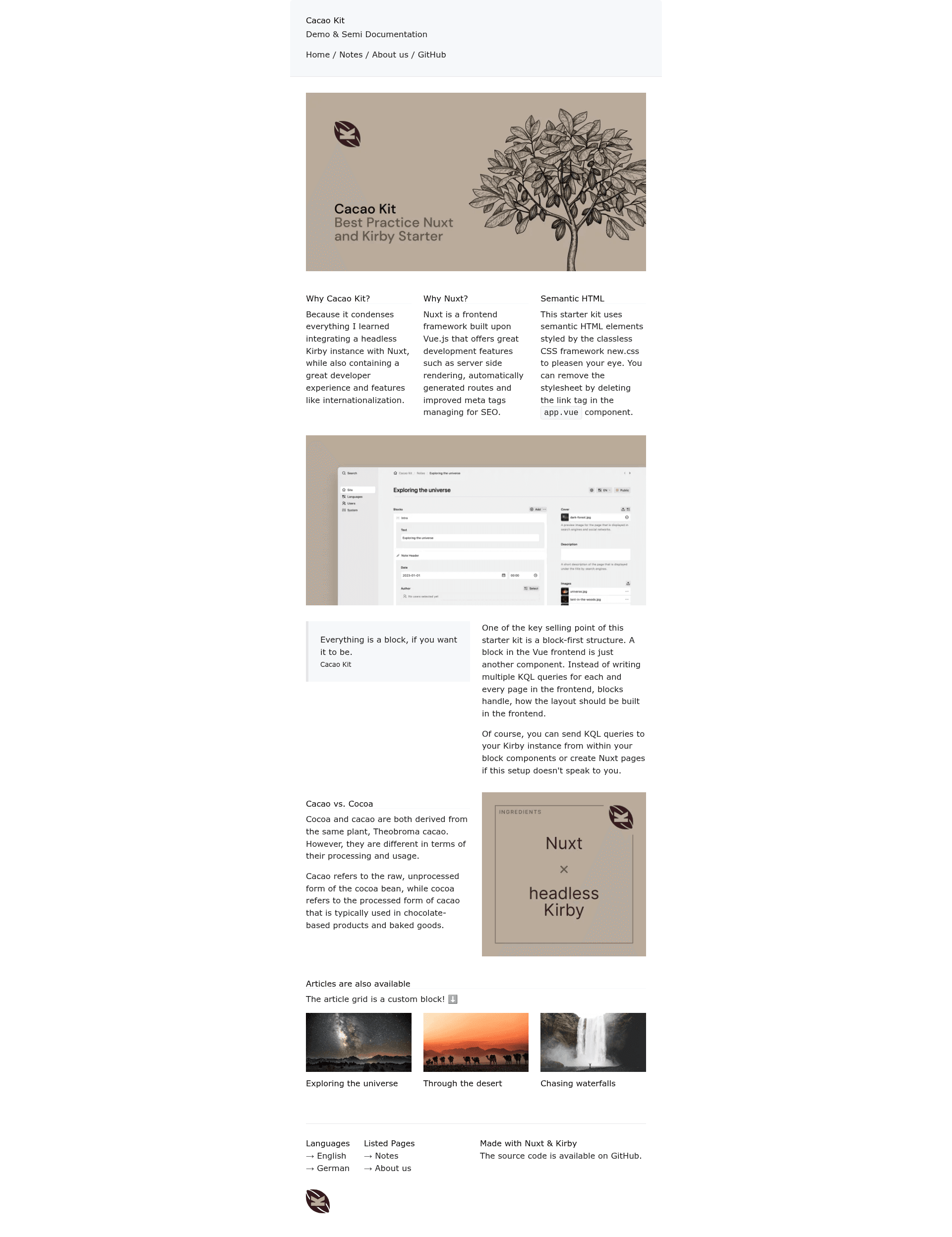
Cacao Kit (Frontend) is an open-source Nuxt starter kit that turns a headless Kirby CMS backend into a feature-rich frontend, using a block-first architecture and Kirby Query Language (KQL) for all content.
What is Cacao Kit (Frontend)?
Cacao Kit is a production-ready Nuxt starter kit for headless Kirby CMS, created by Johann Schopplich. It consumes content from a Kirby backend through KQL queries secured by a bearer token, and renders every page through a catch-all route that maps Kirby layouts and blocks to Vue components. The output is either a fully static site generated with pnpm run generate or a server-side rendered Nuxt app built with pnpm run build. It is the direct evolution of the simpler Kirby Nuxt Starterkit and is designed to pair with the separate Cacao Kit backend repository.
Key Features
This kit bundles the tools needed to build a headless Kirby frontend out of the box.
- Block-first architecture — Every page is rendered by the catch-all route
[...slug].vue, which chooses between column-based layouts and linear blocks based on the content received from the CMS. - Kirby Query Language via nuxt-kirby — Reusable KQL queries live in
app/queries/and can be typed withkirby-types, as shown in the example returning an excerpt viapage.text.excerpt(300). - Internationalization — Full i18n support is pre-wired with
@nuxtjs/i18n, and Kirby content can be fetched per language by passing the current locale touseKql. - Styling with UnoCSS — The kit ships with UnoCSS, VueUse, and new.css for the demo; to use custom styles, remove the new.css import in
app.vueand UnoCSS is already configured. - SEO via SSR — SSR-generated SEO data is included, and
NUXT_PUBLIC_SITE_URLis an optional environment variable for social sharing and SEO. - Developer experience — Prettier and ESLint are pre-configured along with VSCode settings, and the project uses Corepack and pnpm.
- Custom Nuxt pages supported — Although all pages default to the catch-all route, you can still create dedicated Nuxt pages like
app/pages/about.vuefor custom Kirby blueprints with custom fields.
Who is it for?
Three groups get the most value from this starter: developers already using Kirby, Nuxt developers who want a ready-made headless setup, and teams shipping multilingual sites.
- Kirby developers who want to build a headless frontend without reinventing content modeling — they can use the block-first approach where Kirby blocks define what renders for each page.
- Nuxt developers who need a production-ready starter with i18n, SSR, and static generation already configured, so they can focus on custom blocks and styling.
- Teams maintaining multilingual sites can rely on the built-in
@nuxtjs/i18nintegration to serve different languages from the same Kirby backend.
What can you do with Cacao Kit?
With Cacao Kit you can extend block types, run targeted KQL queries, and deploy to static or server environments.
- Add custom blocks — Create a block component in
app/components/Kirby/Block/and register it inBlocks.vueto extend the block renderer with your own content types. - Query arbitrary Kirby pages — Define KQL queries in
app/queries/and fetch them from any component withuseKql, passing a language for localized content. - Deploy as a static or SSR site — Run
pnpm run generateto produce adist/directory for any static host, orpnpm run buildfor server-side rendering; the only required environment variables areKIRBY_BASE_URLandKIRBY_API_TOKEN.
How does Cacao Kit work?
The workflow is straightforward: install, configure environment variables, then run a dev, generate, or build command.
- Enable Corepack with
corepack enableand install dependencies withpnpm install. - Set the
KIRBY_BASE_URLto your Kirby backend andKIRBY_API_TOKENfor bearer authentication. - Start development with
pnpm run dev(visit localhost:3000) or runpnpm run generate/pnpm run buildfor production.
Pricing
Cacao Kit is distributed as free open-source software under the MIT License.
FAQ
Here are answers to the most common questions.
Is Cacao Kit free?
Yes, the starter kit is open source under the MIT License, so you can use it for personal and commercial projects without paying a fee. The license is held by Johann Schopplich.
What backend does Cacao Kit require?
It requires a headless Kirby CMS backend that exposes Kirby Query Language (KQL) over HTTP. You need to set KIRBY_BASE_URL to the backend and KIRBY_API_TOKEN for authentication.
Does Cacao Kit support multiple languages?
Yes, it includes full internationalization through @nuxtjs/i18n. KQL queries can be executed per language by passing the current locale to useKql, and the project offers a separate branch without i18n for projects that do not need it.
How do I add a new block type?
Create a Vue component in app/components/Kirby/Block/, type its props with the block's name, then register the component in app/components/Kirby/Blocks.vue under the block's name.
Can I generate a static site?
Yes, run pnpm run generate to create a fully static dist/ directory that can be hosted on any static hosting service. For SSR, run pnpm run build instead.