Template details
Camping App Webapp Nextjs
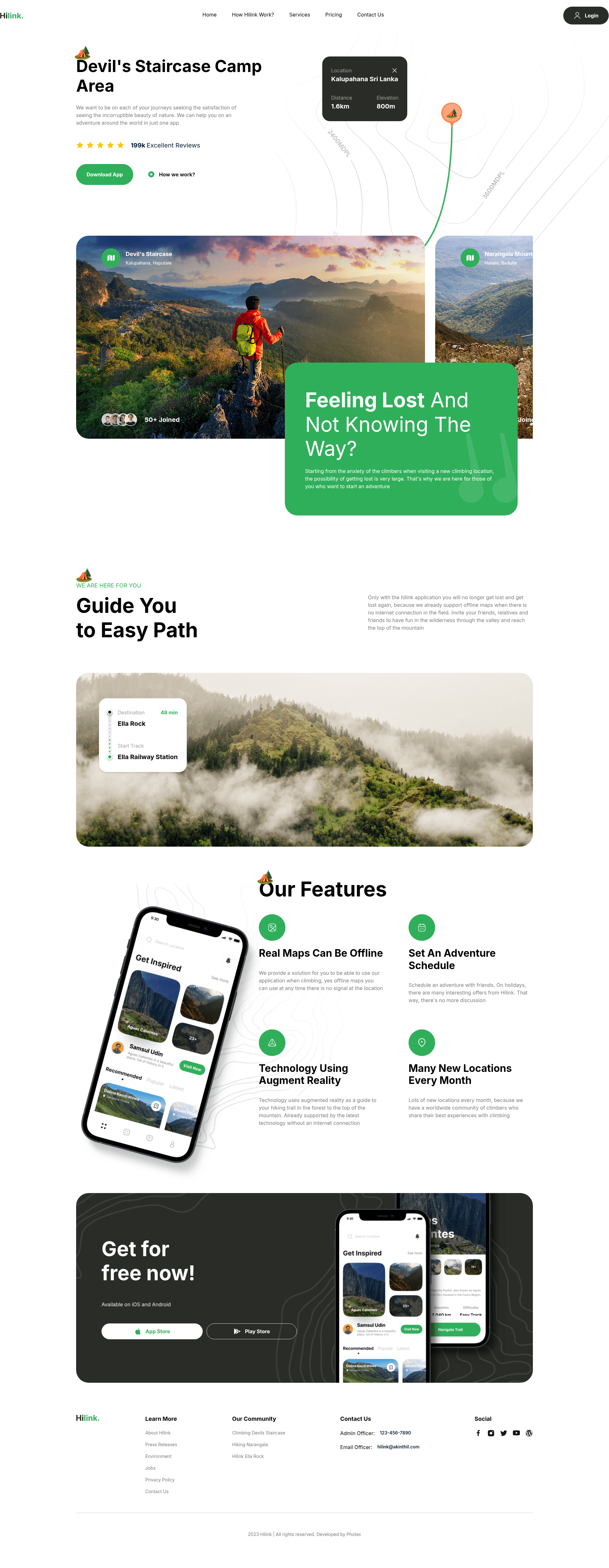
Simple NextJS web Application built for Hiking App.
About this template
Camping App Webapp Nextjs is a Next.js starter project bootstrapped with create-next-app, built as a landing page for a hiking or camping app and styled with Tailwind CSS.
What is Camping App Webapp Nextjs?
Camping App Webapp Nextjs is a boilerplate web application for a hiking app, generated from the official create-next-app template and customized with Tailwind CSS for styling. It takes a code editor and a browser as inputs, and produces a running local development server at http://localhost:3000 that auto-reloads on file edits. The project runs on Node.js and uses the Next.js framework.
Key Features
This template gives you the standard create-next-app setup with Tailwind CSS, so you get a modern React development environment out of the box.
- Next.js App Router — Uses the modern app directory structure with page.tsx as the default route, providing file-based routing and Server Components.
- Tailwind CSS integration — The project is set up with Tailwind CSS (listed in the repository topics) for utility-first styling of components and sections.
- Font optimization with next/font — Automatically loads and optimizes the Inter Google Font, reducing layout shift and loading only the required font files.
- Multiple package managers — Development server commands are available for npm, yarn, pnpm, and bun via the dev script.
- Auto-updating development experience — Editing app/page.tsx instantly updates the page in the browser without manual restart.
- One-command deployment to Vercel — The README links directly to the Vercel Platform for deploying Next.js apps, with documentation provided.
Who is it for?
This starter is aimed at developers and founders who want to quickly build a web presence for an outdoor recreation app, without configuring a project from scratch.
- Hiking or camping app founders — Use this template as a starting point for building a landing page or marketing site for their outdoor recreation product.
- Next.js beginners — Learn the default project structure, App Router conventions, and Tailwind CSS setup by experimenting with this boilerplate.
- Developers prototyping a landing page — Quickly spin up a local server, modify the page.tsx component, and customize the Tailwind styles to match a brand.
What can you do with Camping App Webapp Nextjs?
With a local dev server and the App Router in place, you can shape the default page into a hiking-focused landing experience.
- Create a hiking app landing page: Edit app/page.tsx to add hero text, feature sections, and calls to action, using Tailwind utility classes to control layout and spacing.
- Set up a deployment pipeline: Push the repository to GitHub and import it into Vercel using the provided link to get a production URL in minutes.
- Experiment with Next.js features: Add new routes under app/, use next/font to incorporate additional custom fonts, and test the App Router's file-based conventions.
How does Camping App Webapp Nextjs work?
Running the npm run dev command (or the equivalent for yarn, pnpm, or bun) starts a development server at http://localhost:3000. The server compiles the App Router files, with app/page.tsx rendering the landing page. Any changes to that file trigger hot reloading, so the browser updates immediately. The project uses next/font to serve the Inter font locally, and deployment is handled through the Vercel platform linked in the README.
FAQ
Answers to common questions about setup, deployment, and customization.
Is Camping App Webapp Nextjs free to use?
Yes, the source code is a standard create-next-app project and is free to use, modify, and deploy. No licensing restrictions are mentioned in the README.
What tech stack does this template use?
It uses Next.js as the React framework, Tailwind CSS for styling (per the repository topics), and the default TypeScript setup from create-next-app. The development server supports npm, yarn, pnpm, and bun.
Can I deploy this to platforms other than Vercel?
While the README emphasizes Vercel, a standard Next.js app can be deployed to any Node.js hosting provider. The project includes no platform-specific configuration beyond the standard Next.js scripts.
How do I change the app's content?
Open app/page.tsx in your editor and replace the JSX elements. Since the page auto-updates on save, you'll see your changes at http://localhost:3000 immediately.
Does the template include a camping or hiking theme?
The repository's description and topics indicate it was built for a Hiking App with a landing-page focus, but the actual page content is the default create-next-app starter. You'll need to add your own hiking-related images, headings, and copy to make it match the theme.