Template details
Geolocation in Edge Middleware
Learn how to use visitor's location at the edge.
About this template
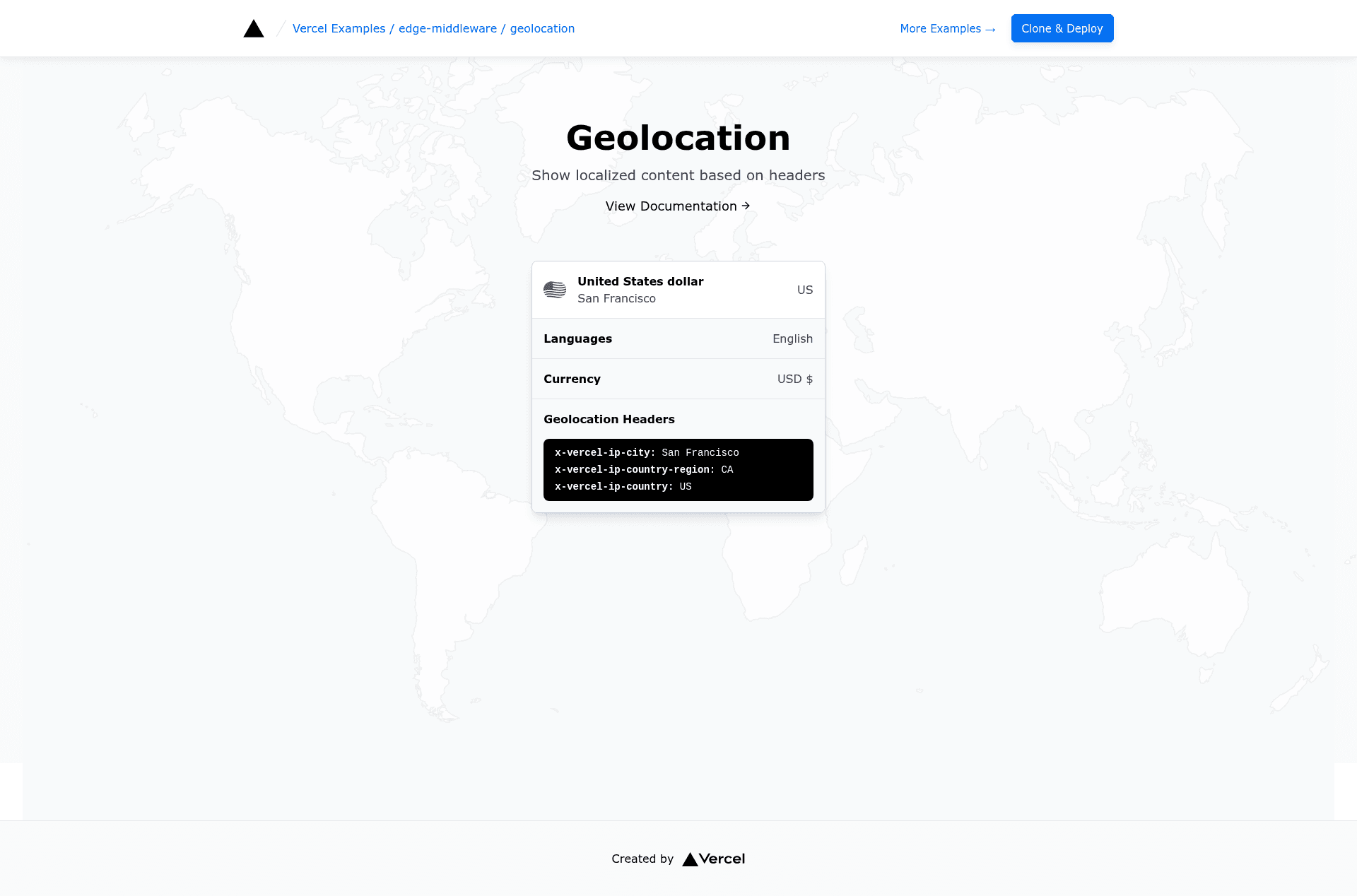
Geolocation in Edge Middleware is a Vercel example project that demonstrates how to read a visitor's location from the request object inside Next.js edge middleware using the geolocation helper from @vercel/functions.
What is Geolocation in Edge Middleware?
This is a minimal Next.js example from Vercel's curated examples repository, built to show how edge middleware can access the geographic details of an incoming request. The template takes a Next.js request object and returns a structured set of location fields, including city, country, country flag emoji, the Vercel Edge Network region that handled the request, country region, latitude, and longitude. The project runs on Vercel's edge network and uses Tailwind CSS for styling.
Key Features
geolocationhelper — Import from@vercel/functionsand call with the request to receive location data.- Location fields — Returns seven properties: city, country, flag, region, countryRegion, latitude, and longitude.
- Edge Network region — Includes the specific Vercel Edge Network region that processed the request.
- One-click deploy — A Vercel deploy button is available that clones the repository and sets up the project automatically.
- Local development — Clone via
pnpm create next-app --exampleand run withpnpm devfor local testing. - Demo site — A live demo is hosted at
edge-functions-geolocation.vercel.sh.
Who is it for?
- Next.js developers who want to learn how to add geolocation to edge middleware.
- Vercel users who need visitor location data for region-specific features in deployed applications.
- Developers building multi-region products who want a reference pattern for reading location at the edge without additional APIs.
What can you do with Geolocation in Edge Middleware?
- Personalize content: Use the returned country or city to serve language-specific text, currency, or offers to visitors.
- Redirect by region: Route users to country-specific pages based on the country field.
- Display location context: Show the visitor's flag emoji and region name in the UI.
- Log request geolocation: Output the full location object to the console for debugging or analytics.
How does this template work?
The example deploys in two ways: one-click via the Vercel button, which creates a new project from the GitHub repository, or locally by running pnpm create next-app --example https://github.com/vercel/examples/tree/main/edge-middleware/geolocation geolocation. After starting with pnpm dev, the code imports geolocation from @vercel/functions, calls it with the incoming request, and logs the resulting location object.