Template details
Candelas
The next generation of the hexo default theme Landscape.
About this template
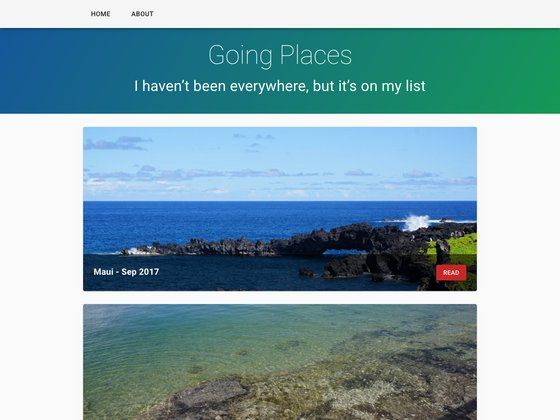
Candelas is a Hexo blog theme that extends the default Landscape theme with random banners, TOC and like widgets, Gitalk comments, category pages, and a profile widget, aimed at Hexo 5.0 and later.
What is Candelas?
Candelas is an open-source Hexo theme by DukeLuo, positioned as the next generation of the default Landscape theme. It takes your Hexo site's Markdown content and renders a blog front-end, while adding extra widgets and layouts that Landscape lacks. The theme is installed into a Hexo project via npm or git clone, and it includes a live demo built from the Hexo Theme Unit Test source.
Key Features
- Random banner — Display a rotating set of banner images on the home page by listing image URLs in the
bannerYAML field. - Post like widget — Readers can like a post; the widget uses fingerprint.js to create a unique ID per reader and stores the count on GitHub Gist through a base64-encoded personal access token.
- Profile widget — Add a personal profile block with name, location, GitHub username, Stack Overflow user ID, email, RSS link, and an optional quote like "Talk is cheap. Show me the code."
- Gitalk comments — Integrate Gitalk, a GitHub-issue-based comment component, configured with owner, repo, admin, client ID, client secret, and labels.
- Category page layout — Create a
/categoriespage by adding a Markdown file withlayout: categoriesin the front matter. - Post TOC widget — Automatically render a table of contents for each post.
- Tag cloud widget — Render a new tag-cloud display instead of the default Landscape tag list.
- Copyright statement — Append a copyright notice to every post.
Who is it for?
- Hexo bloggers who want a more capable default-style theme without moving to another static site generator; they can install Candelas with one npm command and configure widgets in
_config.candelas.yml. - Developers migrating from Landscape who want to keep the familiar Layout style while gaining category pages, label clouds, and comment support.
- Writers who prefer GitHub-hosted interactions — the like widget and Gitalk comments both store data on GitHub (Gist and issues) rather than in a third-party service.
What can you do with Candelas?
- Rotate homepage banners: Add several image URLs to the
bannerlist, and the theme picks a random one at each page load. - Let readers like posts: Enable the like widget, encode a GitHub personal access token as base64, and Candelas tracks like counts on GitHub Gist; counts only increase.
- Add a sidebar profile: Fill in the profile fields (name, location, GitHub, Stack Overflow, email, RSS) to show a personal card with an optional quote.
- Turn on GitHub-issue comments: Configure Gitalk credentials, and every post gets a comment thread backed by a GitHub issue.
How does Candelas work?
Install Candelas into an existing Hexo project by running npm install hexo-theme-candelas or cloning the repository to themes/candelas. After setting theme: candelas in _config.yml, create a _config.candelas.yml file to enable and tune widgets, then rebuild the site with Hexo's normal generate command. For the like widget, create a GitHub personal access token with only the gist permission, encode it with window.btoa() in your browser, and paste the base64 string into the gistBase64Token field.
FAQ
Is Candelas free?
Candelas is open source; the repository at github.com/DukeLuo/hexo-theme-candelas is public and installable via npm or git clone, so there is no license fee.
How do I install Candelas?
With Hexo 5.0 or later, navigate to your site directory and run npm install hexo-theme-candelas, then set theme: candelas in _config.yml. Alternatively, clone the repository into themes/candelas and change the theme variable.
How do I enable the like post widget?
Set like.enabled to true in the theme configuration and provide a base64-encoded GitHub personal access token. The token must only have the gist scope, and it is decoded in the browser to call the GitHub Gist API. The stored like count is write-only and can only be increased.
How do I create a category page?
Run hexo new page categories to generate a page, then edit source/categories/index.md and add layout: categories to the front matter. The theme's bundled categories layout renders the resulting page.
How do I upgrade Candelas?
If installed via npm, run npm install hexo-theme-candelas@latest. If cloned from GitHub, run git pull -r inside the themes/candelas directory.