Template details
Gatsby Starter Glass
Minimal & beautiful Gatsby personal blog starter with a glassmorphism UI, Netlify CMS, and Netlify Form.
About this template
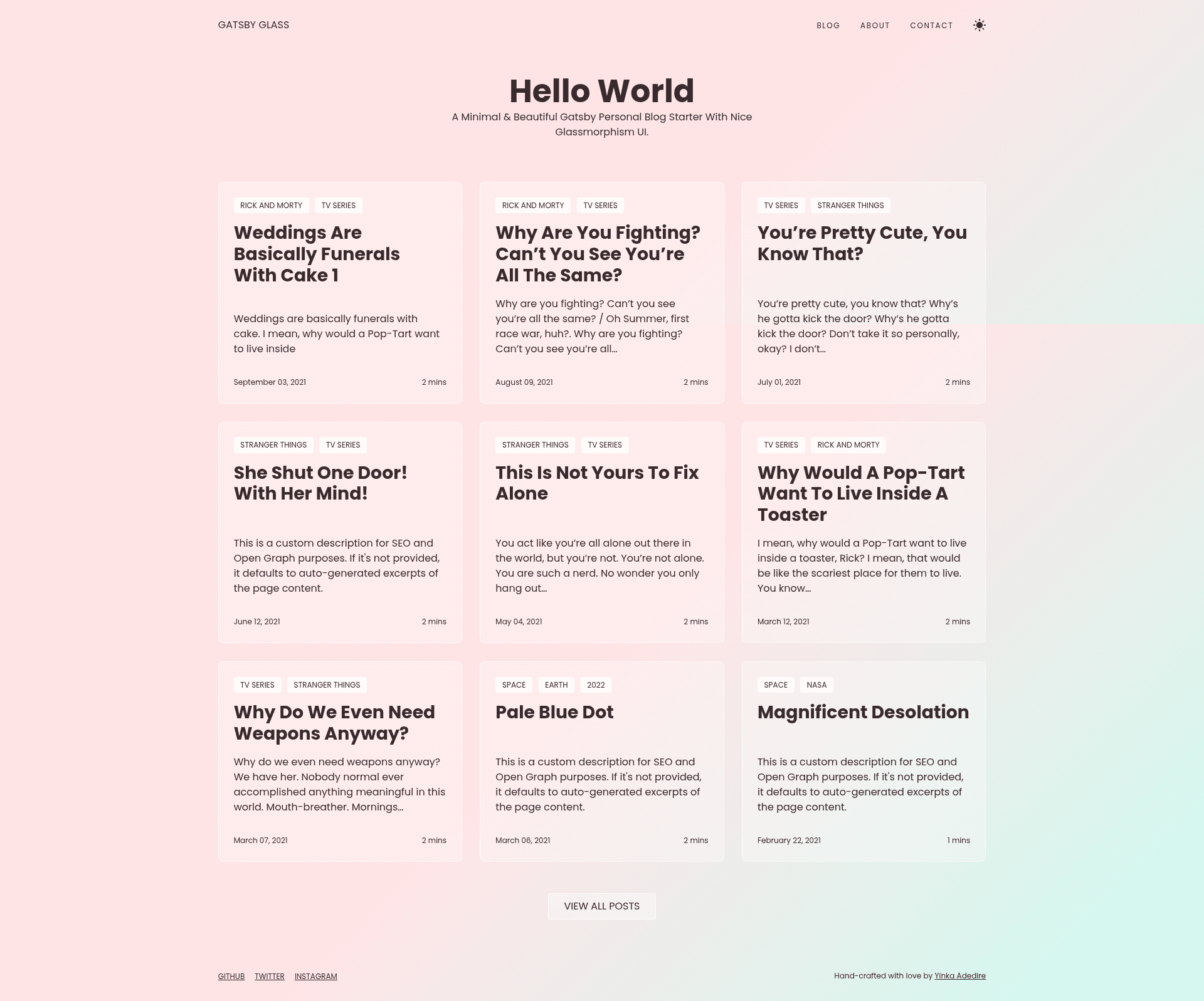
Gatsby Starter Glass is a free open-source Gatsby starter for building a personal blog with a glassmorphism UI, featuring Netlify CMS integration and Netlify Form for contact.
What is Gatsby Starter Glass?
Gatsby Starter Glass is a minimal personal blog starter built on the Gatsby static site generator. It takes configuration from gatsby-config.js and markdown content from the content directory, then outputs a fully static site deployable to Netlify. The starter was created by Yinka Adedire, a self-taught front-end developer, and is available on GitHub. It's specifically designed to look like a glassmorphism interface, with a live demo hosted at gatsbyglass.netlify.app.
Key Features
- Fully responsive — the layout adapts to screen sizes from mobile to desktop.
- SEO metadata and Open Graph tags — site title and description configured via gatsby-config.js generate meta tags for social sharing.
- Maximized Lighthouse score — the starter is engineered to score well on Google's performance audits.
- Contact form with Netlify Form — a working contact page that stores submissions through Netlify's form handling.
- Edit content with Netlify CMS — an admin interface at /admin/ lets you edit posts and pages without touching code.
- Easy to deploy — one-click deployment from GitHub to Netlify, which auto-triggers rebuilds on new commits.
- Syntax highlighting via PrismJS — code blocks in blog posts are highlighted with PrismJS.
- Markdown content — blog posts and pages live as markdown files under content/blog and content/pages.
Who is it for?
- Personal bloggers — publish markdown posts with minimal fuss and a modern glassmorphism design.
- Jamstack enthusiasts — those who want a starter preconfigured with Netlify CMS and Netlify Forms.
- Developers experimenting with Gatsby — a small, clean codebase (based on styled-components) that shows how Gatsby, Netlify CMS, and Netlify Forms fit together.
What can you do with Gatsby Starter Glass?
- Publish a personal blog — write posts in markdown, add frontmatter for title, date, and description, and the starter renders them as a blog with excerpts on the homepage.
- Edit content without code — log into the Netlify CMS admin at your-site.netlify.app/admin/ and create or edit posts and pages through a GUI.
- Deploy a site quickly — connect the repository to Netlify, enable Netlify Identity and Git Gateway, and get an automated build pipeline with a contact form.
How does it work?
Clone the repository, run yarn install, then yarn start for local development or yarn build for production. Configuration lives in gatsby-config.js, with site metadata like title, author, description, and social links. Content is stored in content/blog and content/pages as markdown files; editing these files and committing them triggers a Netlify rebuild.
FAQ
Is Gatsby Starter Glass free?
Yes, it is an open-source starter hosted on GitHub under the repository yinkakun/gatsby-starter-glass. You can clone it, modify it, and deploy it for free, though you'll need a Netlify account for the contact form and CMS features.
How do I enable Netlify CMS?
After deploying to Netlify, enable Netlify Identity in your site dashboard, invite yourself as a user, and enable Git Gateway. Then visit your-site.netlify.app/admin/ and log in to manage content.
What CSS framework does it use?
It uses styled-components for styling, not a utility framework like Tailwind. The glassmorphism visual effect is implemented with CSS backdrop blur.
Can I use it for a non-blog site?
The starter is tailored for a personal blog with posts and pages. It includes blog post templates, an about page, and a contact page; adapting it to other site types would require customizing the templates.