Template details
Chaka
A Node CLI that generates minimal project templates for React, Next.js, Remix, Gatsby, and Svelte.
About this template
Chaka is a Node.js command-line interface that scaffolds minimal project templates for five modern web frameworks — React, Next.js, Remix, Gatsby, and Svelte — using boilerplate repositories maintained by nemuvski on GitHub.
What is Chaka?
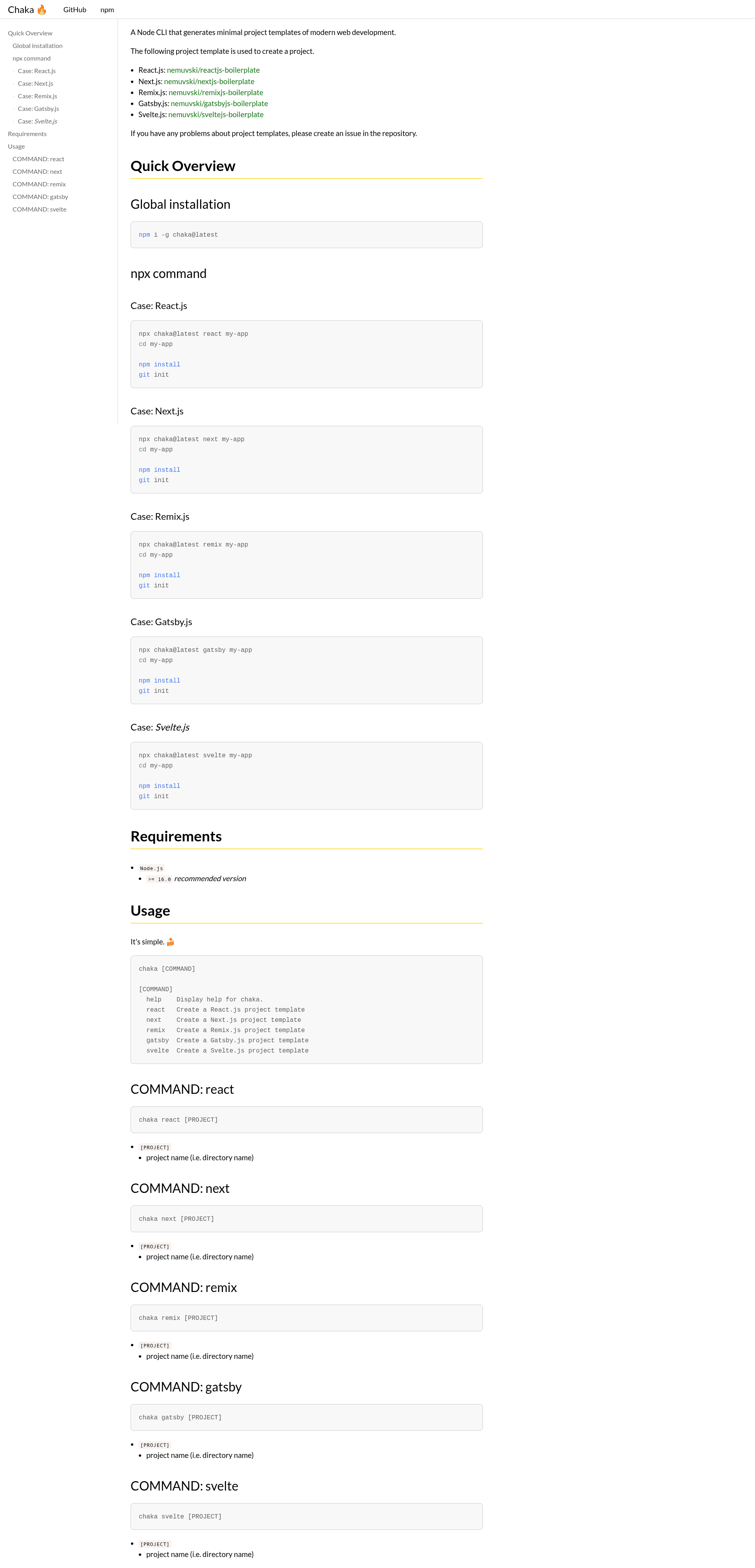
Chaka is a CLI tool that creates a new project directory populated with files from a chosen boilerplate template. It accepts a framework command (react, next, remix, gatsby, or svelte) and an optional project name, then outputs a folder with that name containing the minimal template files. Chaka runs on Node.js version 16.0 or higher and is distributed as the chaka package on npm, so it works on macOS, Windows, and Linux systems with Node installed.
Key Features
- Five framework commands —
chaka react,chaka next,chaka remix,chaka gatsby, andchaka svelteeach generate a project scaffold for the corresponding framework, backed by nemuvski's boilerplate repositories. - Simple CLI syntax — Each command takes a single optional project name argument, e.g.
chaka next my-app, which creates a directory calledmy-appin the current working directory. - npx execution — You can run
npx chaka@latestto fetch and execute the latest published version without a global install. - Global installation —
npm i -g chaka@latestinstalls the CLI system-wide so you can runchakafrom any terminal. - Minimal template philosophy — The generated projects are deliberately minimal, containing only the essential boilerplate files; the README instructs you to run
npm installandgit initafter scaffolding. - Help command —
chaka helplists all available commands and their usage, making the tool self-documenting. - Node.js 16+ requirement — The recommended runtime is Node.js version 16.0 or newer, ensuring compatibility with modern JavaScript syntax used across the templates.
Who is it for?
- JavaScript developers starting a new project in React, Next.js, Remix, Gatsby, or Svelte who prefer a lean starting point over the default interactive starters.
- Learners and hobbyists who want to practice with a specific framework without wading through the boilerplate generated by larger tooling.
- Developers who like to own their setup — since the source boilerplates are public GitHub repositories, you can inspect or fork them to customize what Chaka scaffolds.
What can you do with Chaka?
- React developers: generate a fresh React project with
chaka react my-app, then add your own state management and styling choices. - Next.js developers: scaffold a Next.js application with
chaka next my-appand immediately runnpm installto get the dependencies. - Static site builders: use the Gatsby or Svelte templates to create a minimal site structure for experimentation or small projects.
- Remix developers: quickly create a new Remix project directory via
chaka remix my-appwith the official boilerplate as a base.
How does Chaka work?
Chaka maps each framework command to a specific boilerplate repository on GitHub. When you run a command like chaka svelte my-app, it downloads or copies the template files into a new folder named my-app. The documented workflow after scaffolding is: change into the directory, run npm install, then run git init to initialize version control.
FAQ
How do I install Chaka?
You can install Chaka globally with npm i -g chaka@latest or run it on demand with npx chaka@latest without installing. Both approaches fetch the latest version from npm.
What frameworks does Chaka support?
Chaka supports five frameworks: React.js, Next.js, Remix.js, Gatsby.js, and Svelte.js. Each has its own command prefix, such as chaka next for Next.js.
What do I do after scaffolding a project?
After running a command like chaka react my-app, navigate into the new directory with cd my-app, run npm install to install dependencies, and then run git init to start a Git repository. The README shows this sequence for every framework.