Template details
Frontend Tools
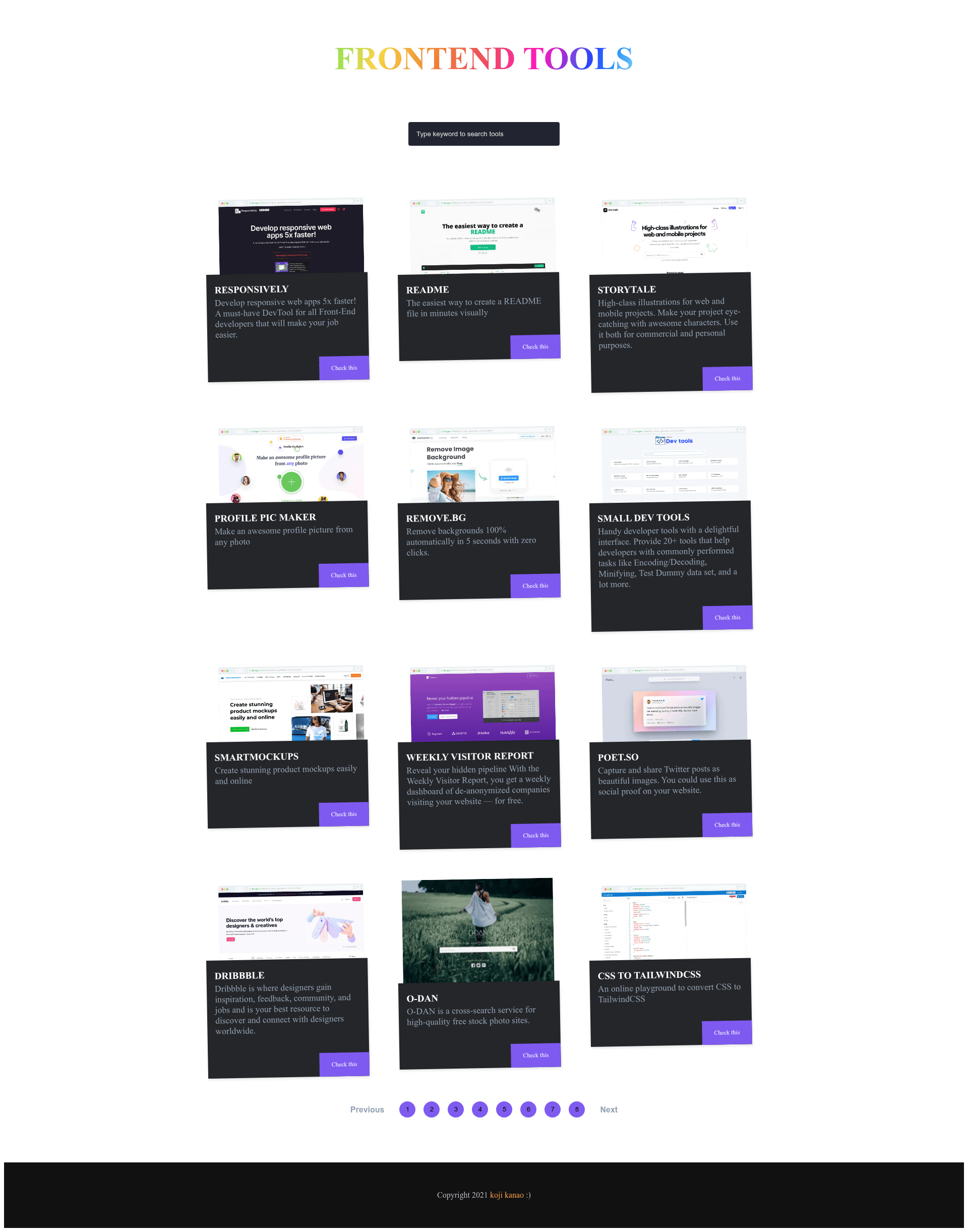
A curated directory of frontend web development tools, built with Next.js and React.
About this template
Frontend Tools (FE-tools) is an open-source directory template that lists frontend web development tools, built with Next.js and React and available as a GitHub repository. It functions as a content curation site: a developer or team collects tool listings, organizes them, and presents them in a browsable web page. The project is maintained by GitHub user koji and is designed to run on Node.js with a local development server, with deployment typically handled through Vercel, which appears in the repository topics. The site is structured as a PWA, making it installable on devices, and integrates Contentful as a headless CMS for managing the tool listings.
What is Frontend Tools?
Frontend Tools is a Next.js and React directory template that presents a curated list of web development tools with a focus on frontend technologies. It takes tool entries—likely managed through Contentful—and renders them as a browsable website. The project runs on Node.js using the Next.js framework, with yarn or npm as package managers, and is published on GitHub under the username koji. Its repository metadata describes it as listing tools for webdev, which is its core function.
Key Features
- Next.js and React stack — The template is built on Next.js with React, giving server-side rendering and component-based UI.
- Contentful CMS integration — The repository topics include Contentful, indicating tool entries are managed through a headless CMS.
- PWA support — Listed as a topic, the project can be installed and used as a progressive web app.
- Vercel deployment — Vercel appears in the repository topics, so the site can be deployed to Vercel's platform.
- Simple local setup — The README documents a three-step process: clone, install, run the dev server at http://localhost:3000.
- Open Graph image — The README includes an og image for social sharing.
Who is it for?
- Frontend developers — browse a curated list of tools to discover libraries, frameworks, and utilities for their workflow.
- Content curators — publish a directory of recommended frontend resources using a simple editing workflow through Contentful.
- Startup founders or indie hackers — spin up a tool listing site quickly without building from scratch, using the Next.js and Vercel setup.
What can you do with it?
- Build a private tool list: clone the repo and populate it with personal favorite frontend tools, then deploy to Vercel.
- Create a public directory: use Contentful to manage entries and publish a community resource for frontend developers.
- Learn the Next.js and Contentful pattern: study how a headless CMS integrates with a server-rendered React app in a real project.
How does it work?
The README gives a straightforward setup: clone the repository, install packages with yarn or npm, and start the dev server. Once running, the site opens at http://localhost:3000. Because the project uses Next.js, pages are server-rendered by default, and Contentful provides the content layer.
FAQ
Is Frontend Tools free?
Yes, the source code is publicly available on GitHub, so you can clone and use it. The README does not mention a commercial license, so treat it as open source for personal use.
What tech stack does it use?
It uses Next.js with React for the frontend, Node.js as the runtime, and Contentful as a headless CMS. The repository topics also list PWA and Vercel, indicating progressive web app support and Vercel deployment.
How do I run it locally?
Follow the README: git clone the repository, navigate into the folder, install dependencies with yarn or npm, then run the dev server with yarn dev or npm run dev. Access the site at http://localhost:3000.