Template details
Chatbot
A free, open-source Next.js chatbot template from Vercel built with the AI SDK, shadcn/ui, and Neon Postgres.
About this template
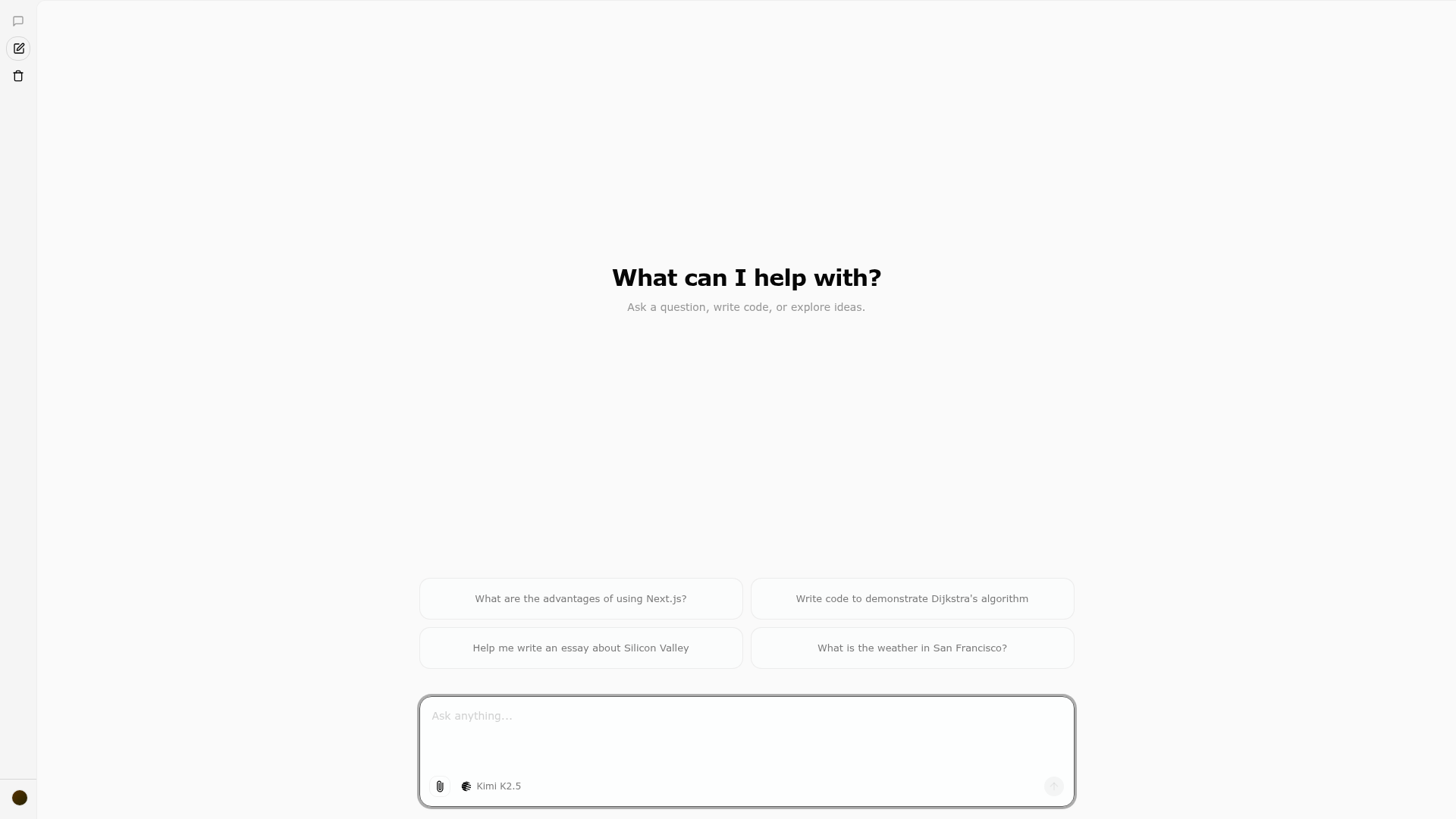
Chatbot is a free, open-source template built by Vercel that gives developers a production-ready starting point for AI chat applications using Next.js and the AI SDK.
What is Chatbot?
Chatbot (formerly AI Chatbot) is a free, open-source template built by Vercel that provides a complete Next.js application for building LLM-powered chat interfaces. It accepts user text messages as input and streams responses from configured language models, while persisting chat history and user data to Neon Serverless Postgres and storing files in Vercel Blob. The template runs on the Next.js App Router, supports deployment to Vercel via a one-click button, and is configured entirely through environment variables defined in .env.example.
Key Features
- Next.js App Router — Uses React Server Components (RSCs) and Server Actions for server-side rendering and performance, with routing handled by the App Router.
- AI SDK — Provides a unified API for generating text, structured objects, and tool calls with LLMs, plus hooks for building dynamic chat and generative user interfaces.
- Multi-provider model access — Routes requests through the Vercel AI Gateway to models from Mistral, Moonshot, DeepSeek, OpenAI, and xAI, with per-model configuration in
lib/ai/models.ts. - shadcn/ui with Tailwind CSS — Styling uses Tailwind CSS and component primitives from Radix UI for accessibility and flexibility.
- Data persistence — Saves chat history and user data in Neon Serverless Postgres and handles file storage with Vercel Blob.
- Auth.js authentication — Includes simple and secure authentication out of the box.
- One-click Vercel deployment — Deploy your own instance directly from the Vercel template marketplace.
Who is it for?
- Developers building AI chatbots — They get a fully wired chat UI with authentication, database persistence, and model routing already in place.
- Startups prototyping conversational AI products — They can stand up a working app in minutes and then customize the UI and backend logic.
- Teams evaluating the Vercel AI SDK — They can study a real, non-trivial example of streaming text, structured objects, and tool calls in a Next.js application.
What can you do with Chatbot?
- Build a customer support assistant — Add your own prompts, tools, and knowledge to create a chat experience that answers product questions.
- Create a coding or productivity copilot — Use the AI SDK's tool-calling hooks so the chatbot can invoke external APIs and take actions.
- Compare LLM outputs — Switch between OpenAI, Anthropic, Google, xAI, Mistral, Moonshot, DeepSeek, and other providers by editing the model configuration.
How does Chatbot work?
After cloning the repository, you install the Vercel CLI, run vercel link to connect your local setup, and vercel env pull to fetch environment variables. Then execute pnpm install, pnpm db:migrate to set up the database, and pnpm dev to start the app on localhost:3000. For non-Vercel deployments, you must set the AI_GATEWAY_API_KEY environment variable manually.
Pricing
The template itself is free and open source, with no licensing cost. You are responsible for costs from the underlying services: Neon Serverless Postgres, Vercel Blob, and the LLM tokens consumed by your configured model providers.
FAQ
Is Chatbot free?
Yes, Chatbot is a free, open-source template. You pay only for the external services you use, such as Neon Postgres, Vercel Blob, and API calls to the LLM providers.
What model providers are supported?
Out of the box, the template uses the Vercel AI Gateway to support Mistral, Moonshot, DeepSeek, OpenAI, and xAI. It can also be switched to direct providers like Anthropic and Cohere by modifying the AI SDK setup.
Do I need to use Vercel to run Chatbot?
No. You can run it locally with any environment variables, but the recommended workflow uses Vercel CLI and Vercel Environment Variables. For non-Vercel deployments, set AI_GATEWAY_API_KEY in .env.local.
How do I deploy my own copy?
Use the "Deploy with Vercel" button on the template page, which creates a new Vercel project with the repository and environment variables preconfigured. You can then connect your own database and model provider keys.