Template details
Chiri
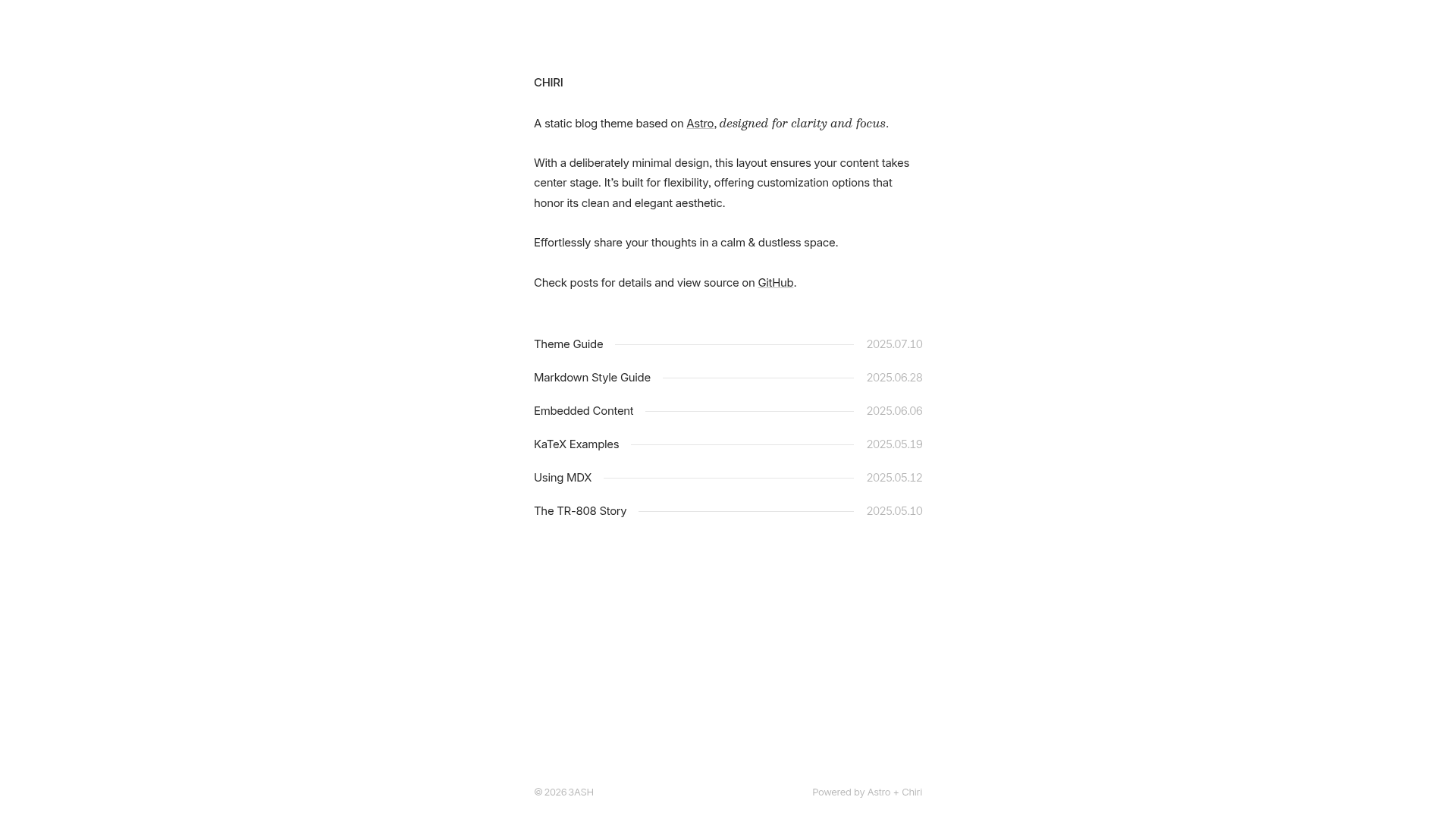
Minimal Astro blog theme with MDX, KaTeX, light/dark mode, RSS, sitemap, and OpenGraph.
About this template
Chiri is a minimal Astro blog theme that compiles Markdown and MDX posts into a static site with light/dark mode, KaTeX math rendering, RSS, sitemap, and OpenGraph support.
What is Chiri?
Chiri is a free, MIT-licensed blog theme built with Astro, created by the3ash. It takes Markdown or MDX files stored in src/content/posts as input and produces a static dist/ directory ready for any static hosting platform. The theme includes built-in RSS generation, sitemap, OpenGraph tags, and responsive design with both light and dark color schemes.
Key Features
The feature set is intentionally small: Astro static generation, Markdown and MDX authoring, KaTeX math, light/dark mode, and SEO essentials.
- Astro framework — Built on Astro, which ships zero JavaScript by default and outputs a fully static site.
- Markdown and MDX support — Write posts as Markdown or MDX files in
src/content/posts. - KaTeX math rendering — Render LaTeX-style mathematical formulas inside posts out of the box.
- Light and dark mode — Toggleable color schemes; the README shows side-by-side screenshots of both.
- RSS feed — Auto-generated RSS feed for your posts.
- Sitemap and OpenGraph — Generated sitemap for search engines and OpenGraph metadata for social sharing.
- Responsive layout — Designed to work on mobile and desktop.
- Link-card metadata — Automatically fetches link metadata during development and build, storing it in
src/data/link-card-metadata.jsonso link cards render as static HTML without client-side JavaScript.
Who is it for?
Chiri suits anyone who wants a no-frills blog focused on content.
- Indie bloggers — Publish a clean, distraction-free personal blog without managing a CMS.
- Technical writers — Write in Markdown/MDX and render math formulas with KaTeX.
- Developers — Fork the repository, customize
src/config.ts, and deploy with one click to Netlify or Vercel. - Minimalist design fans — Get a fast, content-focused layout inspired by sites like paco.me and benji.org.
What can you do with Chiri?
Chiri’s workflows cover writing, building, and deploying a blog.
- Publish long-form articles — Use the
pnpm new <title>command to scaffold a new post, with_titlecreating drafts. - Share posts via RSS — Let readers subscribe to your content through the built-in RSS feed.
- Render technical papers — Use KaTeX inline math in MDX for formulas and equations.
- Deploy to any static host — Run
pnpm buildand upload thedist/directory to Netlify, Vercel, or any other static hosting service.
How does Chiri work?
- Fork the repository or create a new one from the template on GitHub.
- Run
pnpm installandpnpm devto start a local development server. - Edit
src/config.tsandsrc/content/about/about.mdto set your blog name, bio, and site metadata. - Add posts under
src/content/postsor use thepnpm newcommand. - Run
pnpm buildto generate static files, then deploy thedist/folder.
FAQ
Is Chiri free?
Yes, Chiri is open source under the MIT license, so you can use, modify, and redistribute it without cost.
How do I create a new post?
Run pnpm new <title> in the terminal. Prefix the title with an underscore (for example _draft) to create a draft post. Alternatively, you can manually add a Markdown or MDX file to src/content/posts.
Does Chiri support math formulas?
Yes, Chiri includes KaTeX support, so you can write math using LaTeX-style notation inside Markdown or MDX files.
Can I deploy Chiri to Vercel or Netlify?
Yes, the README includes one-click deploy buttons for both Vercel and Netlify, and the static output works with any hosting platform.