Template details
PlainPage
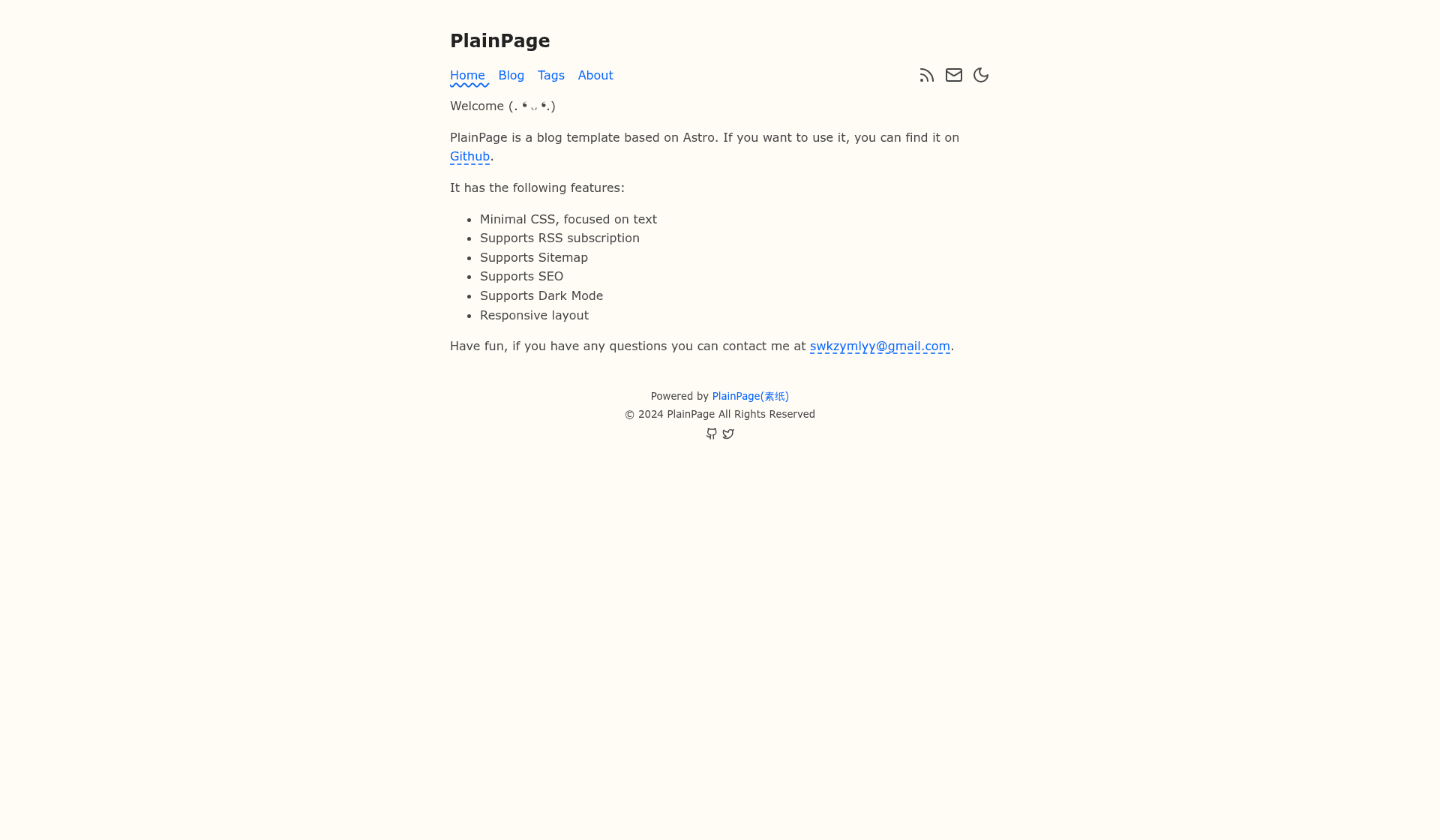
A fast, text-focused, minimalist blog built with Astro.
About this template
PlainPage is a fast, text-focused minimalist blog theme built on Astro that generates a 100% static website from Markdown files, created by churchTao.
What is PlainPage?
PlainPage is an open-source blog theme built on the latest version of Astro that produces a fully static, serverless website. It takes Markdown or MDX files placed in src/content/blog/ and outputs a deployable static site with a text-first, minimalist design. The theme is authored by churchTao, based on the Bear Blog theme, and distributed under the MIT License. It includes built-in support for SEO, tags, and custom navigation.
Key Features
- Fully static output — no server-side rendering or JavaScript runtime on the page, so the site loads fast and can be hosted on any static host like GitHub Pages.
- Markdown and MDX content — write posts as .md or .mdx files; the theme uses Astro's content collections and optional frontmatter schema for type-checking.
- Centralized configuration — site title, description, copyright, social links, SEO keywords, and navigation items are all set in src/consts.ts.
- Responsive design — works on mobile devices out of the box.
- SEO-friendly — includes a configurable ogImage, default keywords, and social sharing metadata.
- Tags and archive pages — the theme ships with Home, Blog, Tags, and About pages, and automatically groups posts by tags.
- Standard Astro CLI — commands for dev server, production build, preview, and adding integrations.
Who is it for?
- Minimalist bloggers who want a clean, text-first reading experience and are comfortable writing in Markdown.
- Astro developers looking for a lightweight starting point to build a custom blog or personal site.
- Static-site enthusiasts who prefer to deploy to low-cost or free hosting like GitHub Pages without a server.
What can you do with PlainPage?
- Personal blogging: write Markdown posts in src/content/blog/, configure the site metadata, and run npm run build to create a ready-to-deploy static site.
- Tag-based organization: frontmatter tags on each post automatically populate the Tags page and let readers browse posts by topic.
- Theme customization: modify components, layouts, and the central consts.ts file to change branding, navigation, and social links.
How does PlainPage work?
The README outlines a standard Astro workflow: install dependencies with npm install, run npm run dev for a local server at localhost:4321, add Markdown files to src/content/blog/, then run npm run build to output the static site to ./dist. You can preview the build locally with npm run preview before deploying.
Pricing
PlainPage is free. The theme is released under the MIT License, so it can be used, modified, and redistributed without payment or attribution beyond the license's terms.
Alternatives
- Bear Blog — the theme PlainPage is based on, which offers a similar minimal aesthetic.
- astro-paper — another Astro blog theme that inspired PlainPage's design and structure.
FAQ
Is PlainPage free?
Yes, PlainPage is open-source under the MIT License, meaning it is free to use, customize, and include in personal or commercial projects.
What does PlainPage do?
PlainPage is a blog template that converts Markdown and MDX files into a fast, static website. It provides built-in pages for blog lists, tag archives, and an About page, and is fully configurable through a single TypeScript file.
How do I write a blog post?
Add a Markdown file to src/content/blog/ with frontmatter that includes fields like title, date, and tags. The theme's content collection automatically loads the post and includes it in the blog list and tag pages.
Can I customize the theme?
Yes. The central configuration is in src/consts.ts, where you can set the site title, description, copyright, social links, navigation items, and SEO defaults. You can also edit the components in src/components/ to change layout and styling.