Template details
Digio theme
A pixel, ASCII, and retro Hugo theme for building minimal, mobile-friendly blogs.
About this template
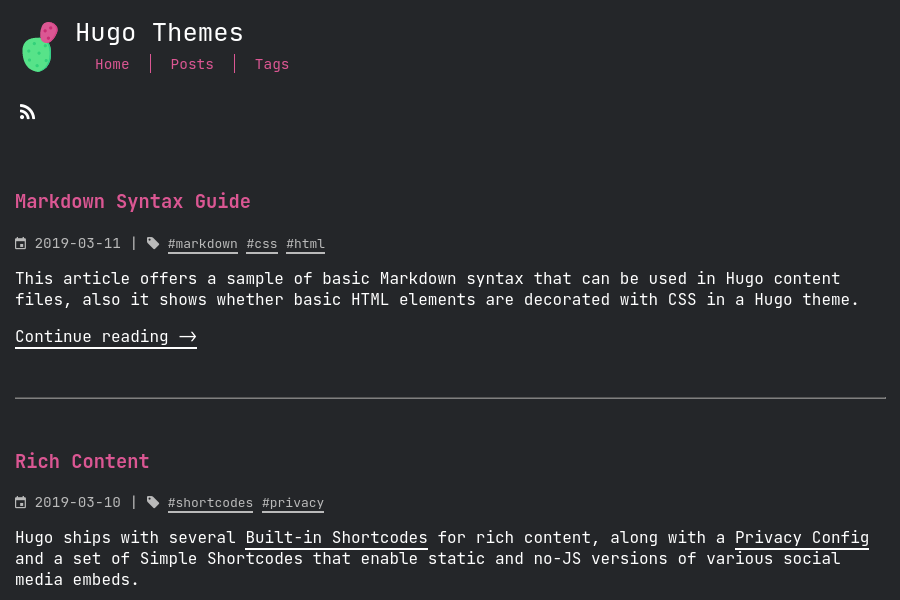
Digio theme is a pixel-art, ASCII-styled Hugo theme that builds minimal, retro personal blogs and portfolios, styled with Tailwind CSS and customized entirely through front matter.
What is the Digio theme?
Digio theme is a free, open-source Hugo theme created by danapixels that gives static sites a black-and-white, pixel-focused, ASCII aesthetic. It runs on the Hugo static site generator and requires Hugo Extended to compile the Tailwind CSS styles. The theme takes Hugo content files with front matter as input and outputs a static website with a home page, a post list, section pages, and an about page.
Key Features
- Pixel and ASCII aesthetic — A black-and-white visual style built around the free open-source digi font, with pixel-art icons for posts.
- Mobile-friendly layout — The theme is responsive and designed to work on small screens.
- Tagging support — Posts can be tagged, and tags appear throughout the site for navigation.
- External links in post lists — Section front matter can define an
externalLinksarray, letting you include curated links (with title, url, date, icon, and teaser) that sort alongside regular posts by date. - Per-post icons — Posts can use a heart icon or book icon (contribute.png or writing.png) to signal type at a glance.
- Tailwind CSS integration — Styling is compiled with npm scripts:
npm run buildfor production andnpm run watchfor development. - Customizable homepage — The
_index.mdfront matter controls profile picture, intro title and body, status image and text, and a "currently watching" video link.
Who is it for?
- Hugo bloggers who want a distinctive low-fi look for their personal site and are comfortable editing front matter. They can set their own portrait, intro, and status via
_index.md. - Developers looking for a minimal starting point for a pixel-art portfolio. They can modify the Tailwind styles and section icons.
- Content curators who want to list both their own posts and external links in a single chronological feed, using the
externalLinksfront matter option.
What can you do with Digio theme?
- Personal bloggers: Publish posts with custom teaser text and choose a heart or book icon for each post to categorize it visually.
- Portfolio owners: Use the homepage's status section and "currently watching" video embed to share current projects or talks.
- Link aggregators: Add external links to section pages with dates, so they appear sorted alongside your own content.
How does the Digio theme work?
The setup requires Hugo Extended, Node.js for Tailwind, and a GitHub account if you use the submodule install path. The README walks through installing dependencies, compiling CSS, creating a site with hugo new site, adding the theme via git submodule add, and running hugo server -d for local development.
Pricing
Digio theme is free to use and modify under the GNU General Public License 3.0.
FAQ
Does Digio theme require Hugo Extended?
Yes. The theme needs Hugo Extended to compile the Tailwind CSS. The official Hugo installation guide is linked in the README.
How do I customize the home page?
Edit the _index.md front matter in the content folder. You can set portraitImage, introTitle, introBody, statusImage, statusText, watchingImage, watchingText, and watchingUrl.
Can I add external links to my blog?
Yes. In a section's front matter, define an externalLinks array with entries containing title, url, date, icon, and teaser. These appear in the post list and are sorted by date.
Is Digio theme free?
Yes. It is open source and released under the GNU General Public License 3.0, so you can use, modify, and distribute it freely.
What font does Digio theme use?
It uses a free, open-source digi font that you can download from the danapixels digi-ttf repository on GitHub.