Template details
Coltrane
A minimal Django-based app framework for content sites that renders Markdown files into HTML with automatic routing.
About this template
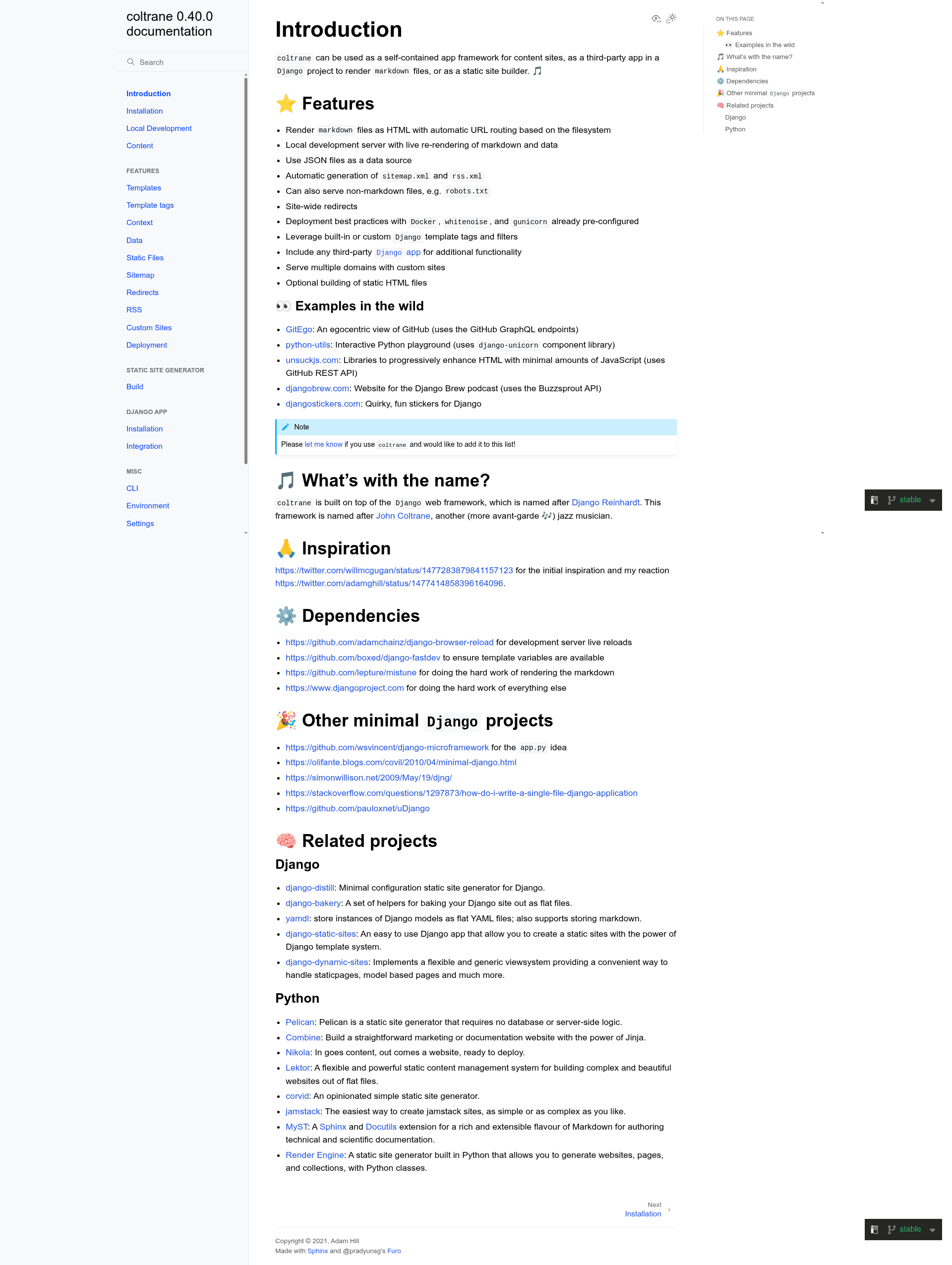
Coltrane is a minimal app framework for content sites built on Python and Django that renders Markdown files into a routed HTML website with automatic sitemap and RSS generation. It takes a content directory of Markdown files plus optional JSON data files as input and outputs a fully routable website, including automatically generated sitemap.xml and rss.xml. The project is maintained by adamghill, available on PyPI, and documented at coltrane.readthedocs.io.
What is Coltrane?
Coltrane is a minimal app framework for content sites built on Python and Django that renders Markdown files into HTML with automatic URL routing based on the filesystem. It takes a content directory of Markdown files plus optional JSON data files as input and outputs a fully routable website, including automatically generated sitemap.xml and rss.xml. The project is maintained by adamghill, available on PyPI, and documented at coltrane.readthedocs.io.
Key Features
- Automatic Markdown routing — Place Markdown files anywhere under the content directory; each file becomes a URL path matching its filesystem location, so content/about.md is served at /about/ and content/articles/example.md at /articles/example/.
- JSON data sources — JSON files placed in the data directory can be consumed directly in both HTML templates and Markdown files, enabling data-driven content.
- Automatic sitemap and RSS — sitemap.xml and rss.xml are generated automatically from the site's content, so no manual feed maintenance is needed.
- Live re-rendering during development — The local development server uses django-browser-reload to re-render Markdown and data changes in the browser without a manual restart.
- Deployment defaults included — whitenoise and gunicorn are preconfigured, and running
coltrane creategenerates a Dockerfile and gunicorn.conf.py for production hosting. - Django template power inside Markdown — Built-in Django template tags and filters work inside Markdown files, and any custom template tags or filters are automatically available as well.
- HTML template fallback — If a requested URL has no matching Markdown file, Coltrane serves matching HTML templates from the templates directory, allowing mixed content sites.
- Static HTML export — The optional
coltrane recordcommand generates static HTML files for the entire site, enabling hosting on any static file server.
Who is it for?
- Writers and content authors who want to build a blog or documentation site with plain Markdown files and get a live preview server plus deployable output without touching a database.
- Django developers who need a lightweight content subsystem inside an existing project; Coltrane can be installed as a standard third-party Django app to render Markdown content.
- Developers who prefer file-based content and want the full power of Django templates, custom tags, and third-party apps without a CMS.
What can you do with Coltrane?
- Publish a blog — Write posts as Markdown files in a folder, get automatic URLs, an RSS feed, and a sitemap without any configuration beyond creating the files.
- Build a documentation portal — Organize docs in nested Markdown directories, and use JSON files to inject API references or version numbers into the pages.
- Prototype a content site in minutes — Run
coltrane createfollowed bycoltrane play, edit content/index.md, and see changes live in the browser at localhost:8000.
How does Coltrane work?
Coltrane maps the content directory structure directly to URL routes: content/index.md becomes the homepage, content/about.md becomes /about/, and a nested file becomes a nested path. When a request arrives, it first looks for a matching Markdown file; if none is found, it falls back to rendering HTML templates from the templates directory. The development server includes live reload via django-browser-reload, and an optional coltrane record command exports the whole site as static HTML.
FAQ
Does Coltrane generate a sitemap and RSS feed automatically?
Yes, sitemap.xml and rss.xml are created automatically for the content on the site, with no extra configuration needed.
Can Coltrane be used inside an existing Django project?
Yes, Coltrane can be integrated as a standard third-party Django app to render Markdown content within a regular Django project.
Does Coltrane require a database?
No. The quick-start workflow uses only Markdown and JSON files; there is no database step. This makes it easy to version content and deploy.
Can I serve HTML templates alongside Markdown with Coltrane?
Yes, if no Markdown file matches a URL, Coltrane automatically tries to serve HTML templates from the templates directory, so you can mix Markdown and template-driven pages.