Template details
converter-bs3-to-bs4
Command-line converter that migrates Bootstrap 3 HTML to Bootstrap 4 using gulp and npm.
About this template
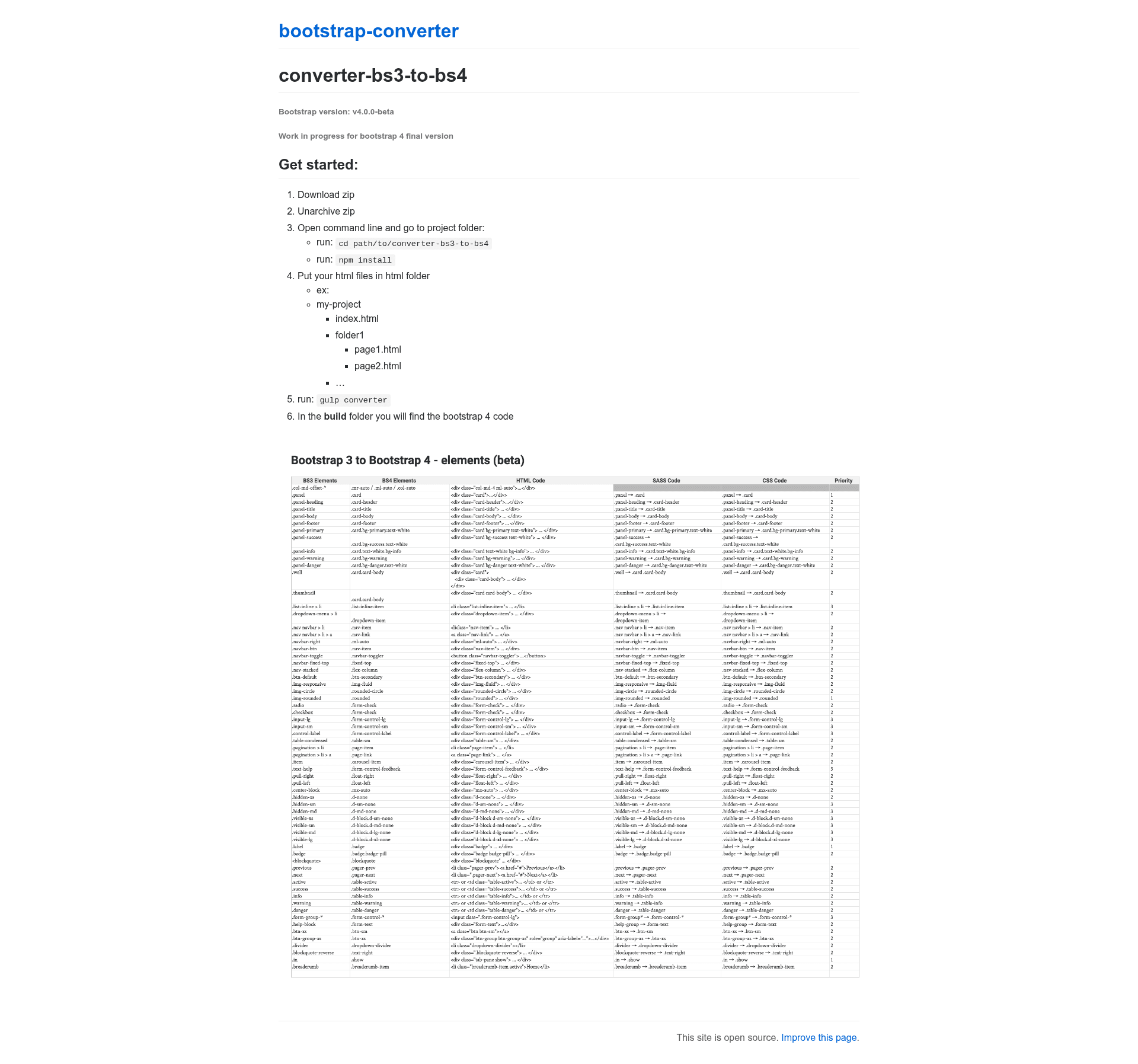
converter-bs3-to-bs4 is a gulp-based command-line tool that migrates HTML files written with Bootstrap 3 to Bootstrap 4-compatible markup, producing converted code in a separate build folder.
What is converter-bs3-to-bs4?
converter-bs3-to-bs4 is an open-source migration utility for front-end developers. It takes a folder of HTML files using Bootstrap 3 class names and structure, processes them through a gulp task, and outputs the corresponding Bootstrap 4 code in a build directory. The tool currently targets Bootstrap v4.0.0-beta and is marked as a work in progress for the final Bootstrap 4 release. It is distributed as a downloadable zip from its repository and runs on Node.js via npm.
Key Features
The converter provides a set of concrete features that simplify batch migration from Bootstrap 3 to Bootstrap 4.
- Gulp-based conversion — The conversion runs as a single gulp task (
gulp converter), which automates the rewriting of Bootstrap 3 markup to Bootstrap 4. - Batch processing — Any HTML files placed in the
htmlfolder are processed in one run; subfolders are supported, so an entire site structure can be converted at once. - Separate output directory — All converted Bootstrap 4 code is written to the
buildfolder, leaving the original HTML files untouched. - npm setup — Dependencies are installed with
npm install, making it a standard Node.js project. - Bootstrap 4.0.0-beta targeting — The converter is specifically built for Bootstrap v4.0.0-beta, with the project's status indicating ongoing work to support the final Bootstrap 4 version.
- Zero-config after install — Once dependencies are installed, the only command required is
gulp converter.
Who is it for?
The tool is designed for developers and teams who need to bring existing Bootstrap 3 markup up to Bootstrap 4.
- Web developers migrating an existing Bootstrap 3 site — They can drop their HTML files into the
htmlfolder and run one command to get Bootstrap 4 versions. - Front-end teams adopting Bootstrap 4 across multiple projects — The batch conversion capability makes it possible to update many pages in a single gulp run.
- Developers who prefer a build-tool workflow — Since it integrates with gulp, it fits into a Node.js build pipeline alongside other tasks.
What can you do with converter-bs3-to-bs4?
The converter supports the following practical tasks:
- Migrate a static website: Place all site HTML files in the
htmlfolder (including subfolders), rungulp converter, and retrieve the Bootstrap 4 translations from thebuildfolder. - Convert a single page: Copy just one HTML file into the
htmlfolder and run the converter to see the Bootstrap 4 version in isolation. - Test conversion before committing: Run the converter on a copy of the project to inspect the Bootstrap 4 output without modifying the original source.
How does converter-bs3-to-bs4 work?
The README documents a straightforward five-step process. First, download the repository as a zip and unarchive it. Second, open a command line, navigate into the project folder, and run npm install. Third, put your HTML files into the html folder; you can preserve subfolder structure. Fourth, run gulp converter. Finally, the converted Bootstrap 4 code will be waiting in the build folder.
FAQ
What Bootstrap version does converter-bs3-to-bs4 target?
The converter targets Bootstrap v4.0.0-beta. The project is noted as a work in progress for the Bootstrap 4 final version, so conversion behavior may change as the stable release approaches.
How do I install converter-bs3-to-bs4?
Download the repository as a zip, unarchive it, open a command line in the project folder, and run npm install. After that, running gulp converter will trigger the conversion of whatever HTML files are in the html folder.
Where should I place my HTML files?
Place all HTML files you want to convert inside the html folder in the project root. The example shows a project with an index.html and a folder1 containing more HTML pages, so subfolders are supported.
What happens to my original files?
Your original files stay untouched. The converter copies and transforms them, writing only to the build folder. This gives you a clean separation between the Bootstrap 3 source and the Bootstrap 4 output.
Is converter-bs3-to-bs4 free?
The tool is served as a public repository with a direct zip download, and no pricing or license information is mentioned in the README. As a public GitHub project, it is intended for open use, but users should check the repository for license details.