Template details
Delog GatsbyJS
A GatsbyJS and Netlify CMS starter blog for developers and designers with one-click Netlify deployment.
About this template
Delog is a GatsbyJS and Netlify CMS starter blog template for developers and designers, offering one-click deployment to Netlify and an admin panel for managing posts. It is built and sponsored by W3Layouts, and available as an open-source starter on GitHub.
What is Delog?
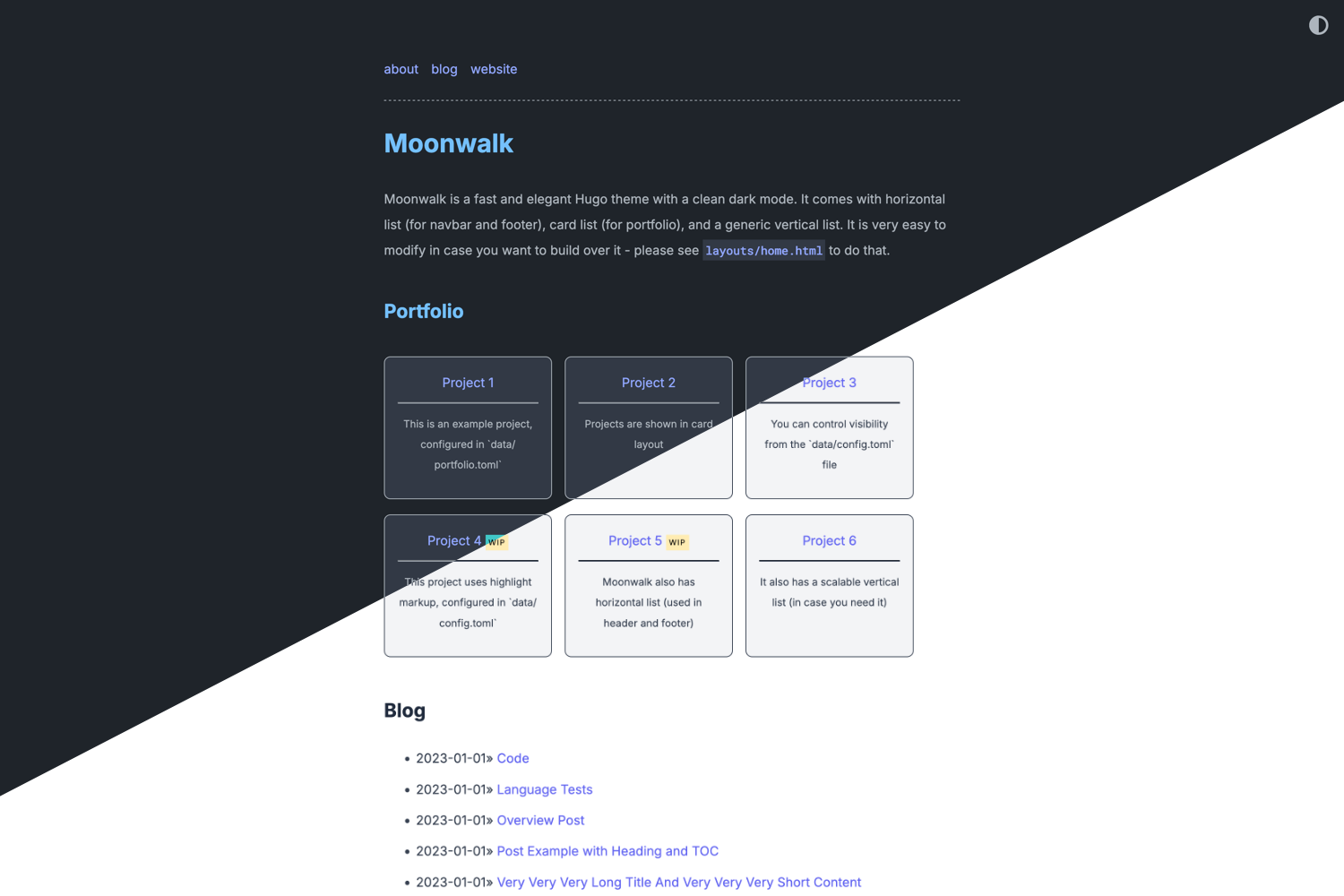
Delog is an open-source starter template built with GatsbyJS and Netlify CMS, created and sponsored by W3Layouts. It takes site metadata and Markdown-based blog posts as input and produces a static, SEO-friendly blog site that deploys to Netlify with a single click. The template includes a Netlify CMS admin interface at the /admin/ route, a dark mode toggle, a built-in contact form powered by W3Layouts, and a custom 404 page.
Key Features
- GatsbyJS + Netlify CMS — Built on GatsbyJS with Netlify CMS integration; posts can be added, edited, updated, and deleted through the admin UI.
- One-click Netlify deployment — A Deploy to Netlify button that clones the GitHub repository, prompts for a repository name, and starts the build process.
- Dark mode — Built-in dark mode compatibility and a toggle for user preference (introduced in v1.1.0).
- SEO friendly — Option to add meta descriptions per page; includes gatsby-plugin-sitemap for generating a sitemap in production.
- Contact form — In-built contact form powered by W3Layouts Forms; requires creating a form at my.w3layouts.com/Forms and connecting it.
- Offline support and manifest — gatsby-plugin-offline adds offline functionality; gatsby-plugin-manifest generates a manifest.webmanifest on each build.
- Site metadata settings — Site title, description, URL, homepage title, and homepage description can be edited via a Settings page in Netlify CMS or site-meta-data.json.
- Custom 404 page — Added in v1.6.0.
Who is it for?
- Developers who want a minimal, hackable blog starter with a CMS and one-command deployment, and who are comfortable editing config files like gatsby-config.js and static/admin/config.yml.
- Designers who want a clean blog layout with light/dark themes and a contact page without building the front-end from scratch.
- Technical content creators who prefer writing in Markdown and managing posts through a visual CMS rather than a traditional server-based platform.
What can you do with Delog?
- Launch a personal blog — Deploy a full blog with Netlify CMS in minutes and write posts in Markdown, then manage them through the /admin/ panel.
- Set up a portfolio or company blog — Customize the site metadata and homepage copy to match a brand, then add Google Analytics by changing the trackingId in gatsby-config.js.
- Build a static site with a contact form — Connect a W3Layouts form to enable the built-in contact form without server-side code.
How does Delog work?
After clicking Deploy to Netlify, you connect GitHub, enter a repository name, and Netlify builds and hosts the site. To use Netlify CMS, you must change the repo URL in static/admin/config.yml to your own GitHub repository and create a GitHub OAuth app with the callback URL set to https://api.netlify.com/auth/done. Then configure the Client ID and Secret in Netlify's Access Control settings, and append /admin/ to your site URL to log in.
FAQ
Is Delog free?
Yes, Delog is an open-source Gatsby starter sponsored by W3Layouts. The template itself is free, and the Netlify deployment button uses Netlify's free tier.
How do I add a contact form to Delog?
The template has a built-in contact form powered by W3Layouts. You need to create a form at my.w3layouts.com/Forms and follow the instructions to enable it; the form will then work on your static site.
How do I enable Netlify CMS access?
Edit static/admin/config.yml to set the repo to your GitHub username/repo, create a GitHub OAuth application with the authorization callback URL https://api.netlify.com/auth/done, and add the Client ID and Secret under Netlify Access Control > OAuth. Then visit your site URL followed by /admin/.
Does Delog support dark mode?
Yes, dark mode is built in since version 1.1.0. The starter includes a dark mode toggle and compatibility, so visitors can switch based on their preference.
Can I add Google Analytics?
Yes, edit the trackingId in the gatsby-plugin-google-analytics section of gatsby-config.js with your own tracking ID, and the plugin will handle analytics.