Template details
CVfolio
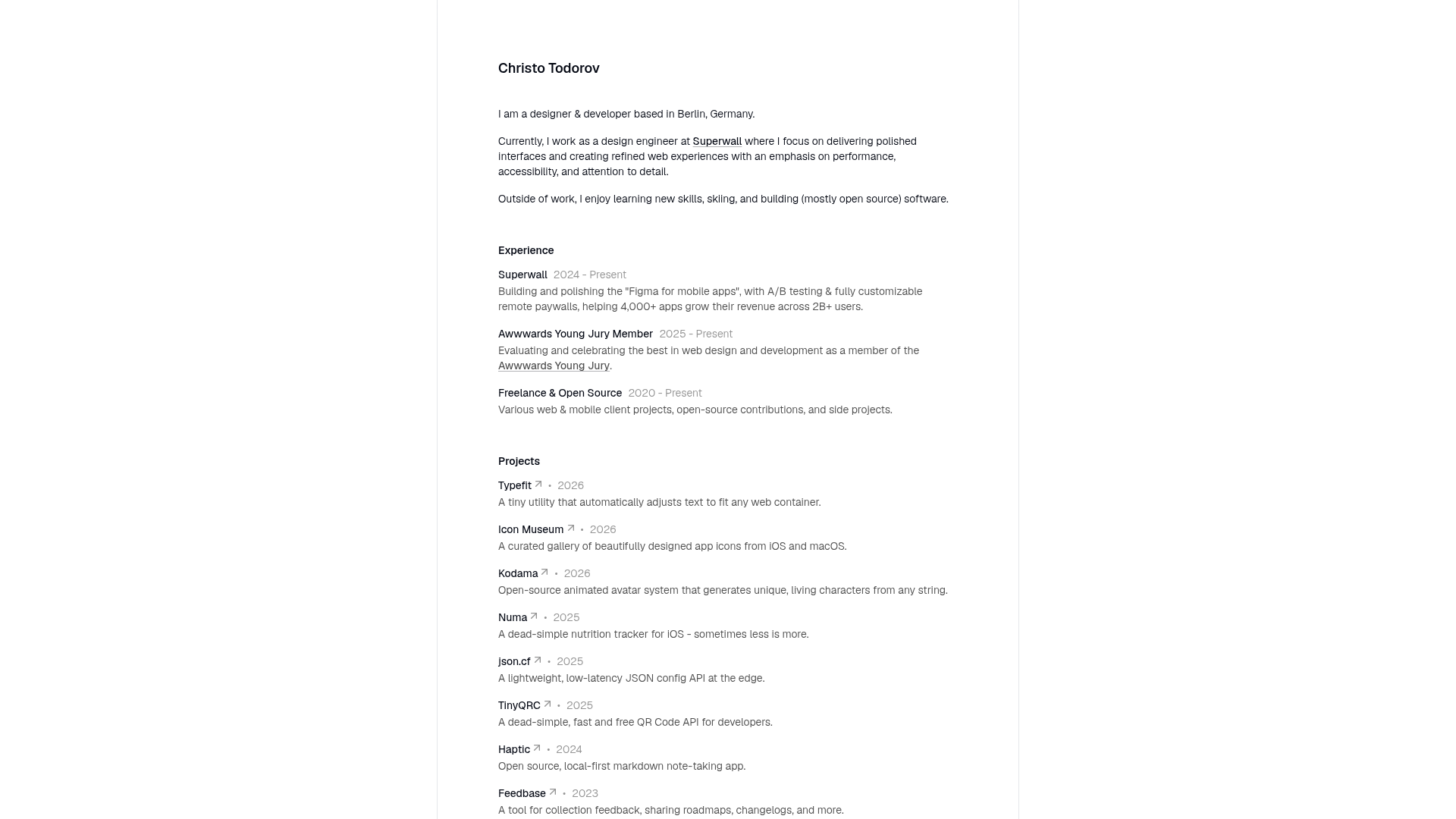
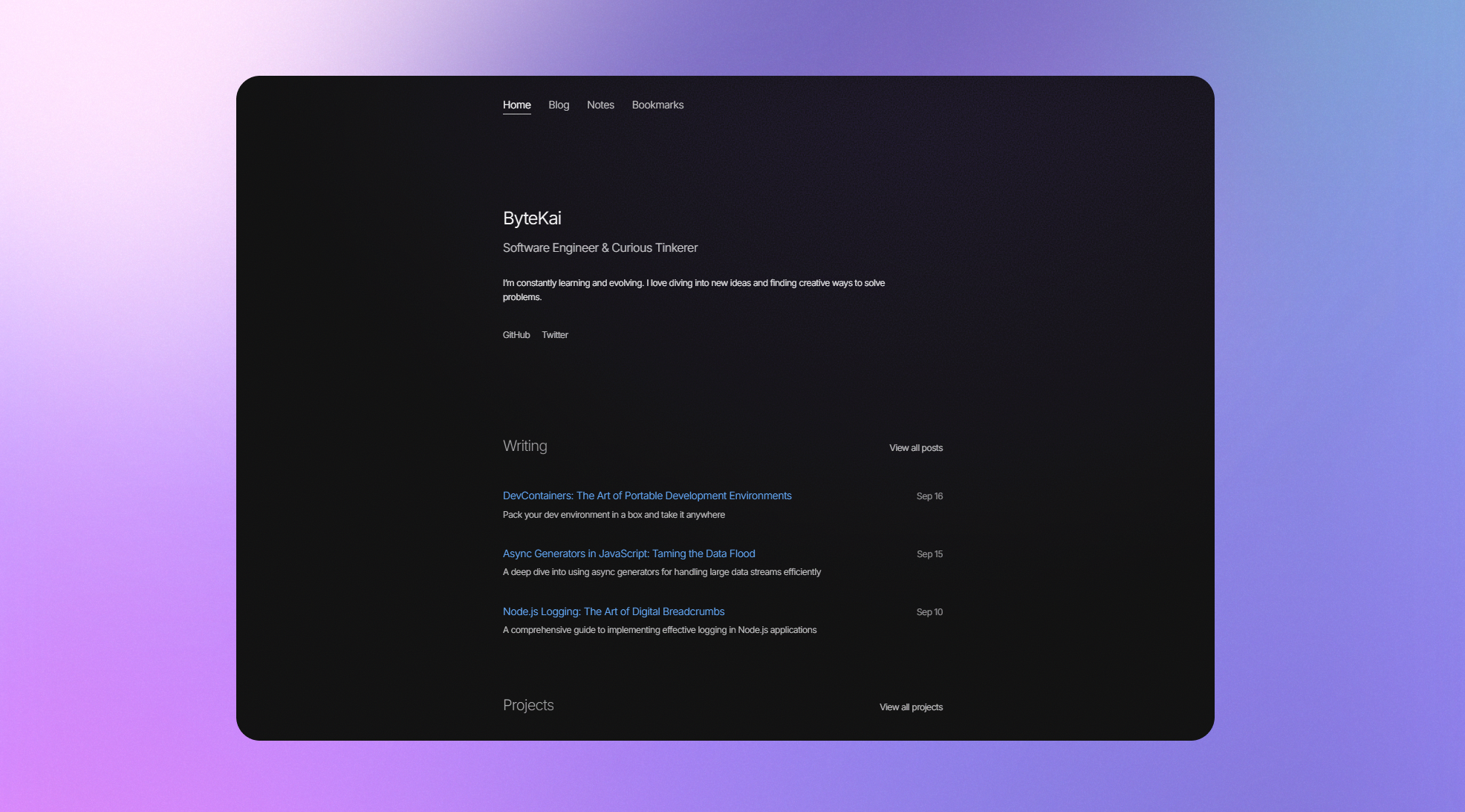
Minimalist Astro template for developers and designers to build a fast, modern personal portfolio site inspired by Read.CV.
About this template
CVfolio is a minimalist, open-source Astro template that lets developers and designers publish a fast-loading personal portfolio and resume site inspired by Read.CV.
What is CVfolio?
CVfolio is a static personal website template built on Astro and styled with TailwindCSS. It takes MDX content — like your bio, work experience, and project descriptions — and renders it into a clean, modern portfolio page designed to emphasize readability and speed. The template is developed by coderdiaz and maintained as a community-driven project on GitHub, with an active Telegram group for discussions.
Key Features
CVfolio's features center on modern static-site performance and easy content editing.
- Astro static generation — the site builds to static HTML with minimal JavaScript, so pages load quickly on shared hosting or GitHub Pages.
- TailwindCSS utility styling — customization happens with utility classes directly in Markdown/MDX, making design tweaks straightforward.
- MDX content authoring — you write your professional information in Markdown with JSX support, giving flexibility for custom components.
- Read.CV-inspired aesthetic — the layout mimics the minimal, structured look of Read.CV profiles, ideal for developers and designers.
- GitHub Pages deployment guide — included documentation walks through publishing your site to GitHub Pages for free.
- Community contribution channels — open to pull requests, with a Telegram group and a maintainer on X (@coderdiaz) for feedback.
Who is it for?
CVfolio is aimed at professionals who want a minimal online presence without sacrificing load speed or customizability.
- Developers — publish a lightweight portfolio that highlights coding projects and technical skills without a heavy site.
- Designers — show a visual portfolio and professional journey in a clean, minimal layout.
- Job seekers — create an online resume that's quick to load and easy to share with recruiters.
- Open-source contributors — fork the template, add features, and contribute back to the community-driven project.
What can you do with CVfolio?
With CVfolio you can go from an empty template to a published personal portfolio in a few steps.
- Present your work history — structure sections like a resume to highlight roles, projects, and achievements.
- Deploy a personal site — push the generated static files to GitHub Pages using the provided guide.
- Customize the design — alter colors, spacing, and typography through TailwindCSS classes and MDX component imports.
- Participate in development — clone the repo, create a feature branch, and submit pull requests to improve the template.
How does CVfolio work?
CVfolio works through Astro's static-site generation: you edit MDX content, run a dev server, and build to static files. You start by cloning the repository and installing dependencies with Bun or npm. Run the development server with "bun dev", edit the MDX files that contain your personal information, then build and deploy the static output. The docs cover project structure and customization for deeper changes.
FAQ
What are the Node.js requirements for CVfolio?
CVfolio requires Node.js v18.17.1, v20.3.0, v22.0.0, or higher. You can manage dependencies with either Bun or npm.
Is CVfolio free to use?
Yes, CVfolio is an open-source project. The complete source code is available on GitHub, and contributions such as bug reports, pull requests, and documentation are encouraged.
How do I deploy CVfolio to GitHub Pages?
The repository includes a dedicated guide at docs/guides/how-to-deploy-github-pages.md that explains the deployment process step by step.