Template details
Portfolio One Page Template
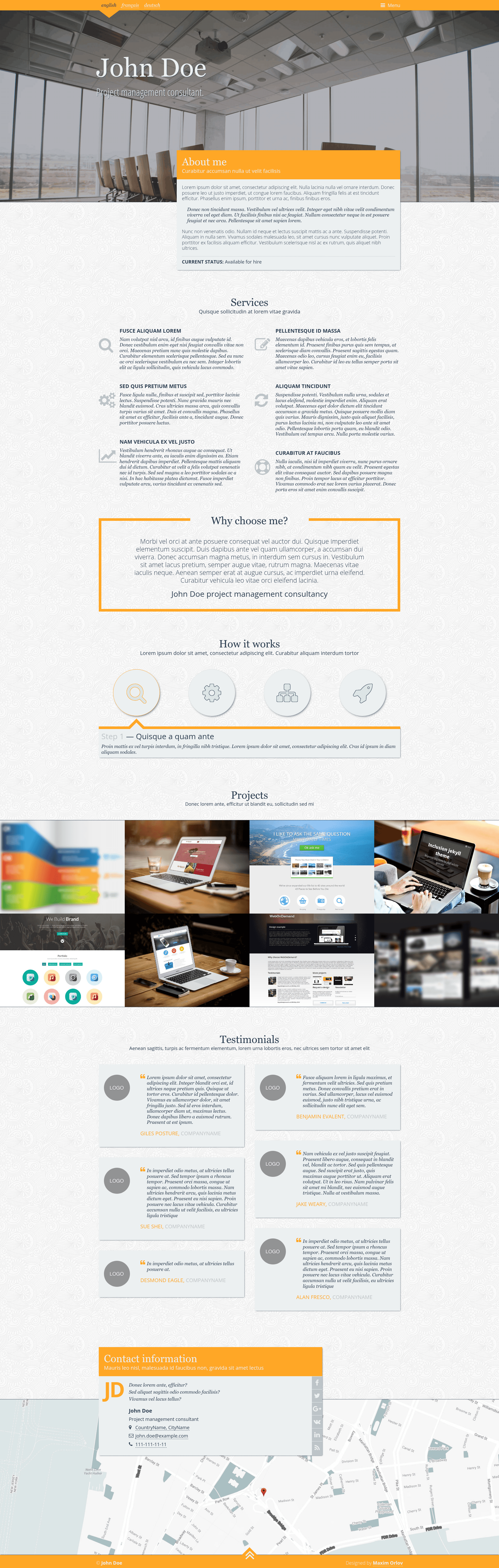
Free responsive one page portfolio template
About this template
Portfolio One Page Template is a free, responsive single-page portfolio website template by Maxim Orlov, built with Pug, Sass, and Gulp, and released under the MIT license. It generates a static HTML site from source files organized in separate dev and build folders, and it is currently archived on GitHub.
What is Portfolio One Page Template?
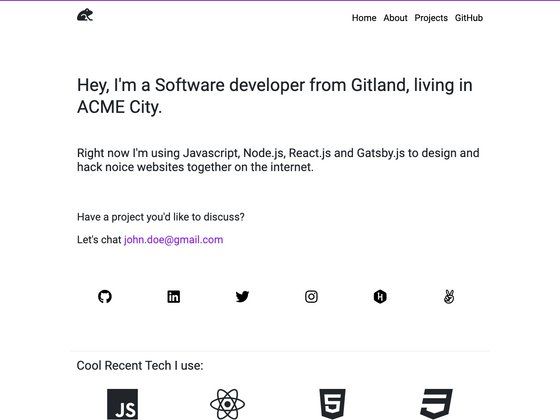
Portfolio One Page Template is a flat, responsive one-page website template designed for portfolio sites. It takes Pug templates, Sass stylesheets, and JavaScript sources as input and outputs minified HTML, CSS, JS, images, and fonts into a build directory. The template runs on Node.js using Gulp as its task runner, and it was created by Maxim Orlov.
Key Features
- Gulp build pipeline — Automates JavaScript bundling, Sass compilation, vendor prefixing, and minification through separate dev, build, rebuild, and server tasks.
- Pug templating with external config — Site-wide settings live in dev/data/config.json and are accessible inside Pug templates.
- Sass styling system — Styles are split into blocks, helpers, and vendor libraries, with custom.sass, screen.sass, and noscript.sass entry points.
- BrowserSync live reload — The dev task starts a static server that watches files and reloads the browser automatically.
- Smart folder structure — A dev/ directory holds all sources (pug, sass, js, images, fonts) while build/ contains the production-ready, minified site.
- Image and font optimization — Images are minified and fonts are synced; webfonts are output ready for @font-face usage.
- Multiple pages — The build includes both index.html and page.html, and additional pages can be added under dev/pug/pages.
- Cross-platform style config — An .editorconfig file enforces consistent indentation and whitespace settings across editors.
Who is it for?
- Freelance web developers — who want a preconfigured Gulp/Pug/Sass workflow to spin up a portfolio site quickly.
- Designers — who prefer editing Sass variables and Pug blocks to customize a clean, flat one-page layout.
- Students learning front-end build tools — who can study real Gulp tasks and folder conventions in a small, understandable project.
What can you do with Portfolio One Page Template?
- Personal portfolio sites: showcase your projects and contact details on a single responsive page with a flat design.
- Simple marketing pages: use the included page.html to create a secondary page for additional content like about or privacy.
- Experimenting with build automation: modify the Gulp tasks or add new ones to understand how asset pipelines work.
How does it work?
First, run npm install to install dependencies. Then edit the main settings in dev/data/config.json. Run gulp dev to compile assets and launch a BrowserSync server with live reload; run gulp build to generate a minified production site in build/.
Pricing
The template is free and open source under the MIT license, allowing personal and commercial use with attribution to the original author.
FAQ
Is Portfolio One Page Template free?
Yes, the template is licensed under MIT, which means it is entirely free to use and modify, even for commercial work.
What front-end technologies does the template use?
It uses Node.js with Gulp, Pug templating, Sass for styles, and BrowserSync for live reload. It does not rely on a JavaScript framework.
How do I start a development server?
Run npm install and then gulp dev. This compiles all assets, starts a static server, and watches for changes with automatic browser reload.
Can I add more pages to the template?
Yes, you can add new Pug files under dev/pug/pages, and they will be compiled into additional HTML pages in the build folder.
Does the template have any dependencies I need to install separately?
You need Node.js installed globally, along with Gulp. The repository's package.json handles the rest of the dependencies via npm.