Template details
Dasein
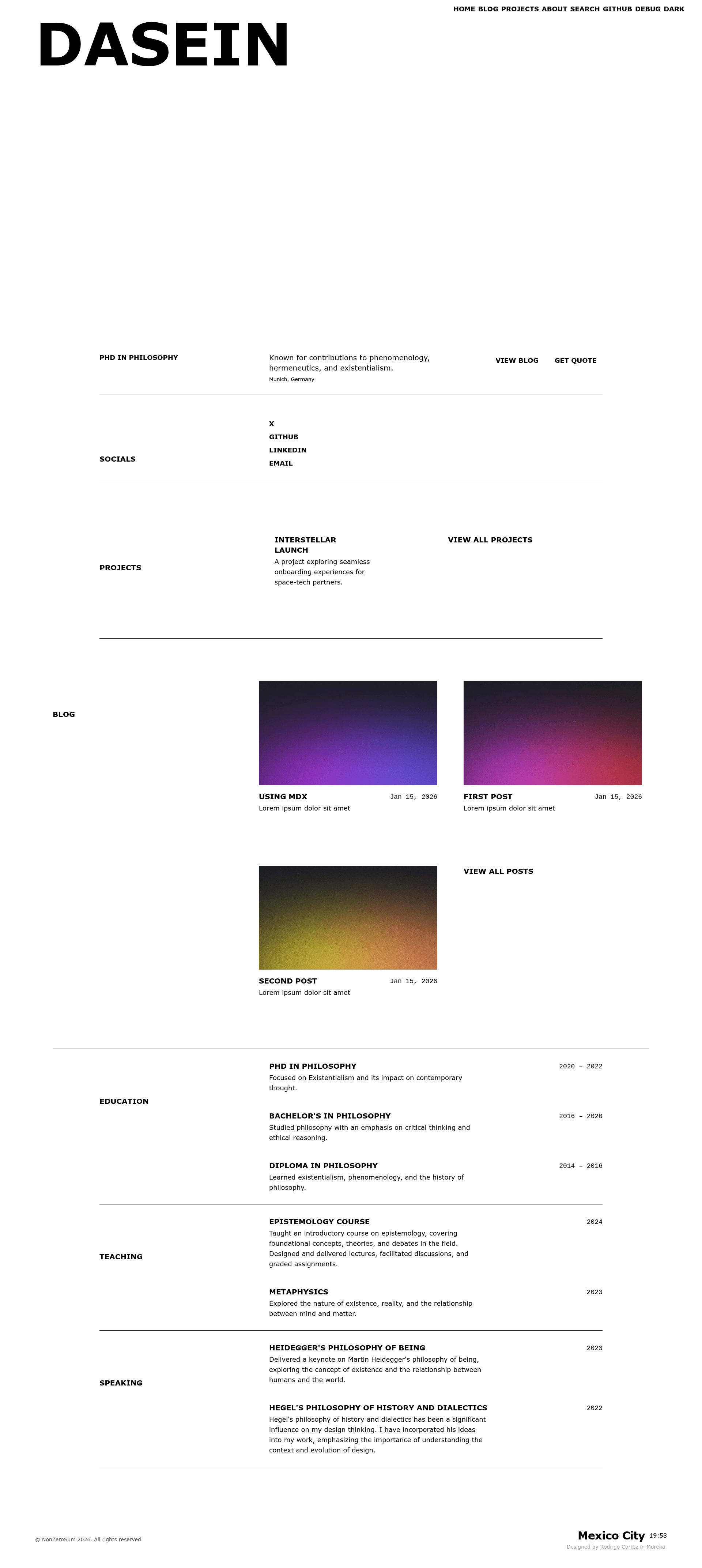
Astro starter for personal blogs and portfolios with TypeScript, Tailwind CSS, Pagefind search, and theming.
About this template
Dasein is an Astro starter template for building personal blogs and portfolios, using Markdown/MDX content, TypeScript, Tailwind CSS, and Pagefind for site-wide search.
What is Dasein?
Dasein is an open-source Astro starter designed to power personal blogs and portfolios. It takes Markdown/MDX posts plus YAML author and social configuration files, validates them with typed content collections, and produces a fully static website with RSS, sitemap, and client-side search. The template is the actual source for the personal site roicort.github.io, and it can be deployed to Netlify or Vercel with one click from its GitHub repository.
Key Features
- Blog with Markdown/MDX — Write posts in .md or .mdx under
src/content/blog; a schema validatestitle,description,pubDate,updatedDate?,heroImage?, andtags[]. - Typed content collections — Posts, authors, and social links are defined and validated in
src/content.config.ts, giving you type-safe frontmatter. - Pagefind search — Site-wide search is powered by Pagefind and presented in an accessible modal, so visitors can find content instantly.
- SEO-ready output —
src/components/BaseHead.astroincludes OpenGraph and Twitter metadata, canonical links, and preloaded fonts. - Light/dark theming — A persistent theme toggle lets visitors switch between light and dark modes; a debug toggle outlines layout borders.
- Automatic RSS and sitemap — The template generates
/rss.xmland/sitemap-index.xmlon every build, ready for feed readers and search engines.
Who should use Dasein?
- Bloggers who want a fast, minimal Astro setup with built-in search and RSS without configuring everything from scratch.
- Developers who need a portfolio that can be customized via clear files such as
src/consts.tsfor site name and description, andsrc/pages/index.astrofor navigation and hero actions. - Indie hackers who want to deploy a static site to Netlify, Vercel, Cloudflare Pages, or S3 plus CDN by uploading the
dist/output.
What can you do with Dasein?
- Publish blog posts — Add a new Markdown or MDX file with frontmatter that follows the schema, and it automatically appears in blog listings and tag pages.
- Manage multiple authors — Define authors in
src/content/authors.ymland link social profiles insrc/content/socials.yml; the typed collections keep everything consistent. - Personalize the design — Change colors, fonts, and utility classes in
src/styles/global.css, and adjust the header (which contains search and theme toggles) insrc/components/Header.astro.
How does Dasein work?
Dasein uses Bun as its package manager. After running bun install, you start the development server with bun run dev on localhost:4321 (Astro's default). A production build with bun run build outputs static HTML to dist/, which you can preview with bun run preview or upload directly to any static host.
FAQ
What content formats does Dasein support?
Dasein supports Markdown and MDX. Posts go in src/content/blog with frontmatter that includes title, description, and pubDate; optional fields include updatedDate, heroImage, and a tags array.
What are the requirements to run Dasein?
You need Bun as the package manager and the latest Astro version. The styling uses Tailwind CSS, and the template states these as its requirements.
How do I change the site name and description?
Edit src/consts.ts, which holds the site-level configuration. Navigation and hero actions live in src/pages/index.astro, and global colors and typography are in src/styles/global.css.
Does Dasein generate an RSS feed and sitemap?
Yes. Running a production build automatically creates /rss.xml and /sitemap-index.xml.