Template details
Duxt UI Starter
Starter template for Nuxt 3 with some shadcn-ui like components
About this template
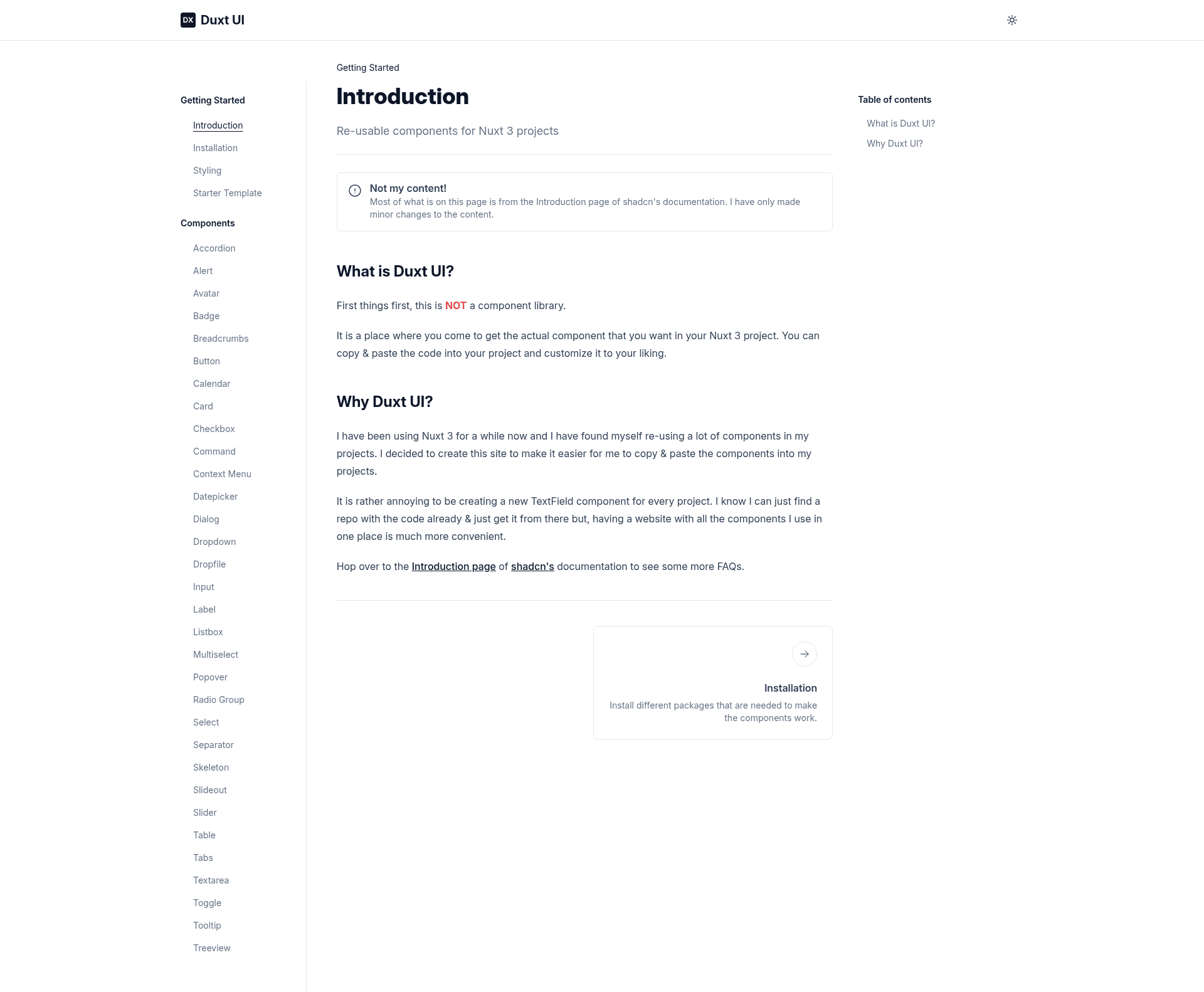
Duxt UI Starter is a Nuxt 3 boilerplate that bundles a copy-and-paste UI component system ported from shadcn-ui, styled with Tailwind CSS, so you can start building Vue apps without configuring a design system from scratch.
What is Duxt UI Starter?
Duxt UI Starter is a Nuxt 3 starter template created from Duxt UI, a personal port of the shadcn-ui components. It takes a standard Nuxt 3 project and places a set of Tailwind-styled UI components in the components/UI directory. The output is a runnable Nuxt app that opens in your browser with yarn dev, where every component is plain Vue code you can edit directly.
Key Features
The starter bundles the essentials for building a Nuxt 3 interface without adding a heavyweight design system.
- Nuxt 3 foundation — The template runs on Nuxt 3, giving you Vue 3, file-based routing, server-side rendering, auto-imports, and access to the Nuxt module ecosystem without extra setup.
- Tailwind CSS styling — Utility-first styling is preconfigured, so all components in
components/UIuse Tailwind classes and can be restyled by changing those classes. - Copy-and-paste components — Instead of pulling in an npm package, components are plain Vue files designed to be copied, pasted, and modified as needed.
- shadcn-ui-inspired design — The visual style and the component-as-source-code workflow mirror shadcn-ui, the popular React component collection, adapted here for Vue and Nuxt.
- Editable source files — To change any component, open its file in
components/UIand adjust the template or styling; there is no wrapper library hiding the implementation. - Simple setup — Start with three commands: clone the repository, install dependencies, and run
yarn devto launch the development server.
Who is Duxt UI Starter for?
This starter suits developers who want a Vue-based alternative to shadcn-ui without leaving the Nuxt ecosystem.
- Nuxt 3 developers — who want a preconfigured project with a set of ready-made UI components and don't want to rebuild common elements from scratch.
- Vue developers migrating from React — who are familiar with shadcn-ui's approach and want a similar workflow in the Vue ecosystem.
- Hobbyists and solo builders — who need a lean starter with few abstractions and want complete control over every line of the UI layer.
What can you do with Duxt UI Starter?
The starter gives you a functioning Nuxt 3 app and a small collection of editable components, which opens up several practical uses.
- Frontend prototypers: Spin up the starter and use the included components in
components/UIas building blocks, then modify their markup and Tailwind classes to match your product's look. - Component library maintainers: Because the components are plain Vue files, you can copy them into other Nuxt projects or refine them into your own reusable set.
- Vue learners: The starter shows a working example of how a Nuxt 3 project can combine with Tailwind CSS and a component-folder architecture without a CSS framework plugin.
How does Duxt UI Starter work?
The workflow is identical to starting any Nuxt 3 project: clone the repository, install dependencies with your preferred package manager, and run yarn dev for local development. The components live in components/UI and are imported through Vue's normal component auto-import behavior, so you can reference them in any page by their filename.
FAQ
These questions cover what can be inferred from the repository page and the starter's own documentation.
Is Duxt UI Starter free?
The repository is hosted on GitHub and distributed as an open-source starter, so the template itself is free to clone and use. No payment tiers or licensing fees are mentioned in the repository description.
What is the difference between Duxt UI and shadcn-ui?
Duxt UI is a personal port of shadcn-ui components written for Vue and Nuxt. shadcn-ui is built for React, while Duxt UI adapts the same copy-and-paste component philosophy and visual design to Vue single-file components.
Can I use Duxt UI Starter for commercial projects?
The repository page does not mention a specific license, so you should check the repository directly before commercial use. The starter is provided as a base for your own work, and the components are meant to be customized.
Does Duxt UI Starter include Tailwind CSS?
Yes. The repository lists Tailwind CSS as a topic, and the components are styled with Tailwind utility classes, so Tailwind is included and configured as the styling system.
How do I change how a component looks?
Open the corresponding file in the components/UI folder and edit the Vue template or the Tailwind classes. Since the components are plain source code, changes appear immediately in the dev server without extra configuration.