Template details
Nuxt 3 + TresJS Starter
A Nuxt 3 starter template with TresJS, GSAP, and Pinia for building 3D web experiences.
About this template
Nuxt 3 + TresJS starter is a Boilerplate template that gives you a pre-configured Nuxt 3 project for building Three.js scenes with TresJS, complete with GSAP animation support and Pinia state management.
What is the Nuxt 3 + TresJS starter?
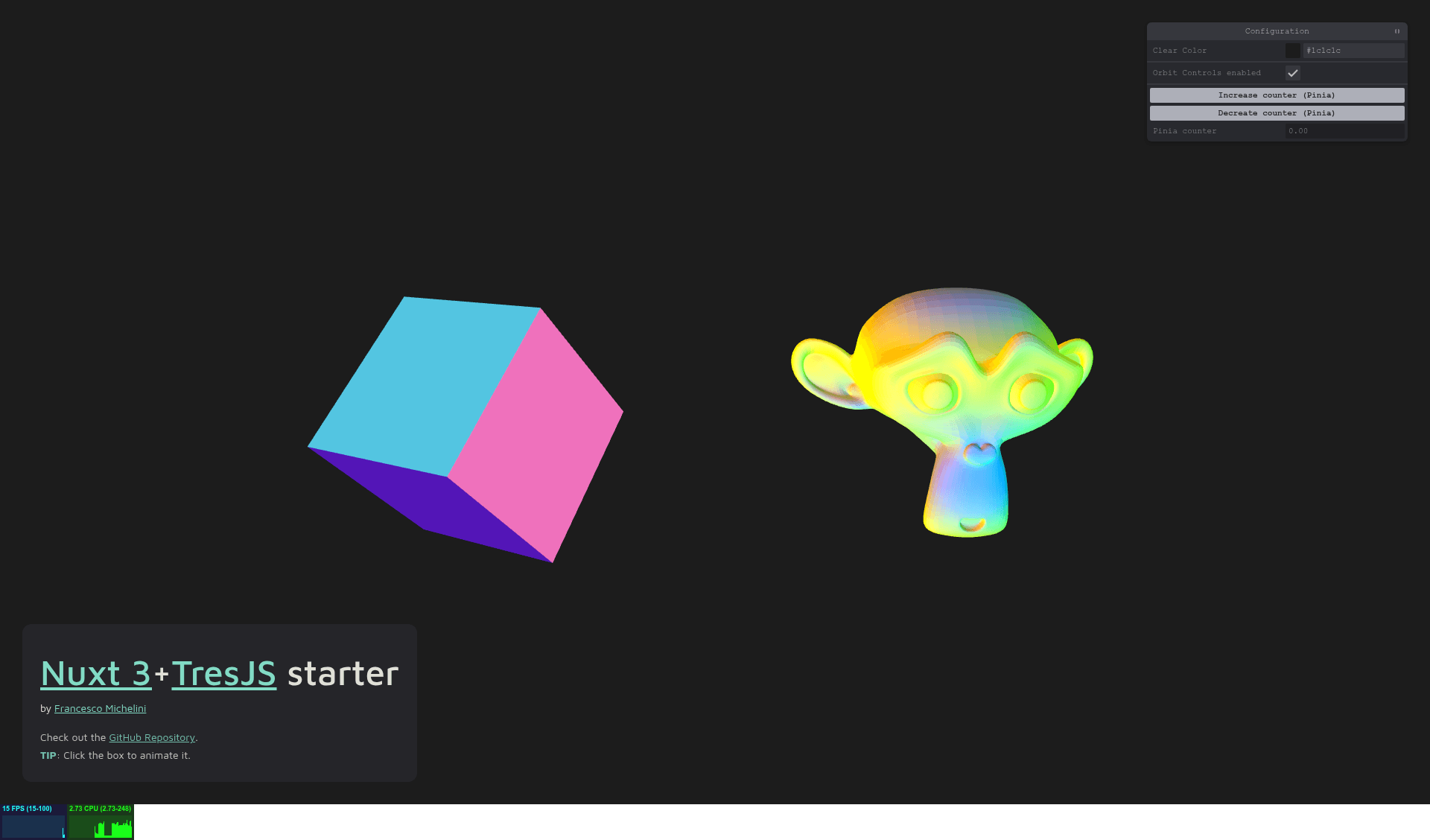
This starter is a Nuxt 3 application scaffolded with TresJS, a Vue component library that wraps Three.js, so you can create 3D content with declarative components. It takes the project structure as input and produces a runnable Nuxt app featuring a demo GLTF model (Suzanne) with a custom ShaderMaterial, an interactive rotating/floating box, and pre-wired GSAP and Pinia integrations. It runs on the Nuxt 3 framework and is distributed as a GitHub repository.
Key Features
- Demo GLTF model — The
/components/Suzannecomponent loads a custom GLTF model and applies a customShaderMaterial; it demonstrates how to bring external 3D assets into a TresJS scene. - Interactive sample box — The
SampleBoxcomponent rotates and floats on every animation tick and includes click and hover handlers, serving as a template for interactive 3D objects. - GSAP as a Nuxt plugin — GSAP is registered in
/plugins/gsap.jsand can be accessed in any component viaconst { $gsap } = useNuxtApp(); additional GSAP plugins can be added to this file globally. - Pinia pre-configured — Pinia is already installed and configured, with stores auto-included from the
/storesfolder, so you can manage state without extra setup. - Cross-package-manager support — Setup and scripts are provided for yarn, npm, and pnpm, including the
--shamefully-hoistflag for pnpm. - Production build pipeline — Standard Nuxt commands
buildandprevieware ready, letting you create and locally preview a production bundle.
Who is it for?
- Nuxt developers wanting to add Three.js scenes to their applications can clone this starter and start with working components instead of configuring TresJS from scratch.
- Three.js and WebGL learners can study the included Suzanne GLTF model and the custom
ShaderMaterialto understand how Three.js meshes and materials map to Vue components. - Front-end animators who need GSAP in Nuxt will find the plugin already wired, with a documented pattern to register additional plugins like SplitText on the client.
- Vue developers building state-driven 3D apps can rely on the pre-configured Pinia stores to manage application state alongside 3D scenes.
What can you do with it?
- Build a 3D product page: Load a GLTF product model with a custom shader and present it interactively inside a Nuxt page.
- Create animated hero sections: Combine TresJS objects and GSAP timelines to produce scroll-triggered or looping animations.
- Prototype interactive 3D elements: Reuse the
SampleBoxclick-and-hover pattern to make 3D objects respond to user input. - Learn TresJS + Nuxt integration: Use the starter as reference code for mounting Three.js scenes, loading GLTF files, and wiring GSAP.
How does the starter work?
After cloning, install dependencies with your preferred package manager, then run the dev command to start the development server at http://localhost:3000. To ship, use the build command to create a production bundle and the preview command to serve it locally before deployment.
FAQ
How do I use GSAP in a Nuxt component?
Use const { $gsap } = useNuxtApp() inside any component. The GSAP plugin is registered globally in /plugins/gsap.js. To add more GSAP plugins, import and register them in that file; some plugins like SplitText must be registered only on the client with process.client to avoid errors.
How do I load my own GLTF model?
The /components/Suzanne component shows a working GLTF loader with a custom ShaderMaterial. Replace the model path and material definitions inside that component to load your own .gltf files, or copy the pattern to a new component.
Where do I put Pinia stores?
Place store files in the /stores folder. They are auto-included by Pinia, so they become available in components without needing manual import or registration steps.