Template details
Deplace Maison Ecommerce Webapp
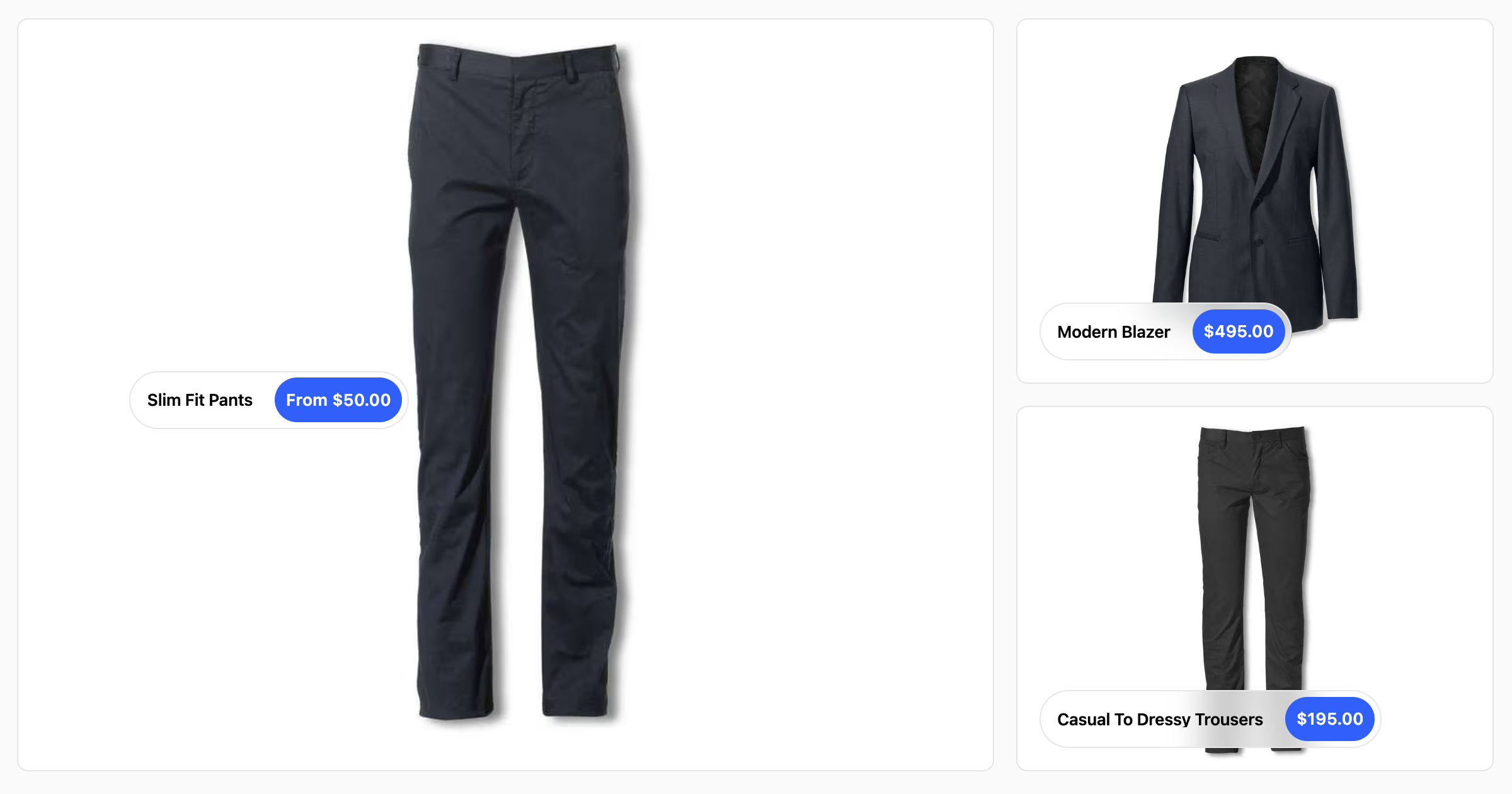
A recreation of the Deplace Maison ecommerce website using React/Next JS with Stripe payment integration and Firebase for storing orders.
About this template
Deplace Maison Ecommerce Webapp is an open-source ecommerce storefront built with Next.js and React that recreates the Deplace Maison online shop, complete with Stripe payment processing and Firebase order storage.
What is Deplace Maison Ecommerce Webapp?
This is a full-stack ecommerce web application built with Next.js and ReactJS that recreates the Deplace Maison website. It reads products from Firebase Realtime Database, lets users add them to a cart stored in local storage, processes payments through Stripe, and saves completed orders to Firebase Firestore. The project runs on Node.js and was created by GitHub user destructo570 for frontend practice.
Key Features
- Next.js and ReactJS frontend — Uses the Next.js framework for server-rendered React components, enabling SEO-friendly pages and API routes for backend logic.
- NodeJS backend — The application runs server-side code through Next.js API routes, handling payment webhooks and sensitive operations.
- Axios for HTTP requests — Makes asynchronous calls from the client to Stripe and other services, simplifying data fetching.
- NextAuth v4 authentication — Provides user log in with Google OAuth, with a secret hashed token for session management.
- Stripe payment integration — Implements Stripe checkout and webhooks to confirm payment status before saving orders.
- StyledComponents — All UI components are styled with the styled-components library, keeping styles scoped and reusable.
- Firebase Realtime DB — Serves as the product catalog, storing product details and metadata that the storefront renders.
- Firebase Firestore — Records each successfully paid order, replacing the cart contents after checkout.
- ContextApi state management — Uses React Context to share cart and user state across the application.
- LocalStorage cart — Persists the user's cart between sessions without a server round trip.
Who is it for?
- Frontend developers who want a working example of how to combine Next.js, Stripe, Firebase, and NextAuth in one project.
- React learners looking for a medium-complexity app to study state management with ContextAPI and async data fetching with Axios.
- Ecommerce enthusiasts who need a reference implementation for handling checkout flows and storing orders in a cloud database.
What can you do with Deplace Maison Ecommerce Webapp?
- Learn Stripe integration: Study how the code sets up Stripe API keys, creates payment intents, and verifies webhook signatures with the Stripe CLI.
- Adapt it for your own store: Replace the Firebase product data with your catalog and redeploy the Next.js app to Vercel to have a working storefront.
- Practice environment configuration: Follow the README to create a .env.local file with Stripe, Google, Firebase, and NextAuth secrets, and run the project locally.
How does it work?
The storefront loads product data from Firebase Realtime Database on page load, then lets customers add items to a cart persisted in local storage. When checking out, the user logs in via NextAuth, and the client calls Stripe to initiate a payment session. After Stripe processes the payment, a webhook triggers a server function that stores the order in Firebase Firestore.
Pros and cons
- Pros: Combines popular services (Stripe, Firebase, NextAuth) in a single codebase; includes clear installation and environment setup instructions; uses modern React practices like ContextAPI and styled-components.
- Cons: Explicitly educational — the README disclaims ownership of content and says the project is not intended for production use; does not include a CMS or admin panel for managing products or orders.
FAQ
Is this project free to use?
Yes, the code is open source and can be downloaded from the GitHub repository. You will need your own API keys for Stripe, Firebase, and Google, and any service usage may incur costs.
How do I set up the environment variables?
Create a .env.local file in the root directory and define STRIPE_PUBLIC_KEY, STRIPE_SECRET_KEY, STRIPE_SIGNING_SECRET, HOST, FIREBASE_SERVICE_ACC_KEY, GOOGLE_CLIENT_ID, GOOGLE_CLIENT_SECRET, and SECRET. The README links to official documentation for obtaining each key.
What database does this use?
Firebase Realtime Database stores the product catalog, while Firebase Firestore stores order records after successful Stripe payments. Both are configured through a Firebase service account key.
Can I use this for my own store?
It can be adapted, but the project is intended for learning only. You would need to replace the sample data, implement real product management, and add features like inventory tracking and email notifications before going live.