Template details
Dev Portfolio
Free Hugo theme for a dark-first developer portfolio with project grid, tech stack, timeline, and blog — all Markdown, AI-customizable.
About this template
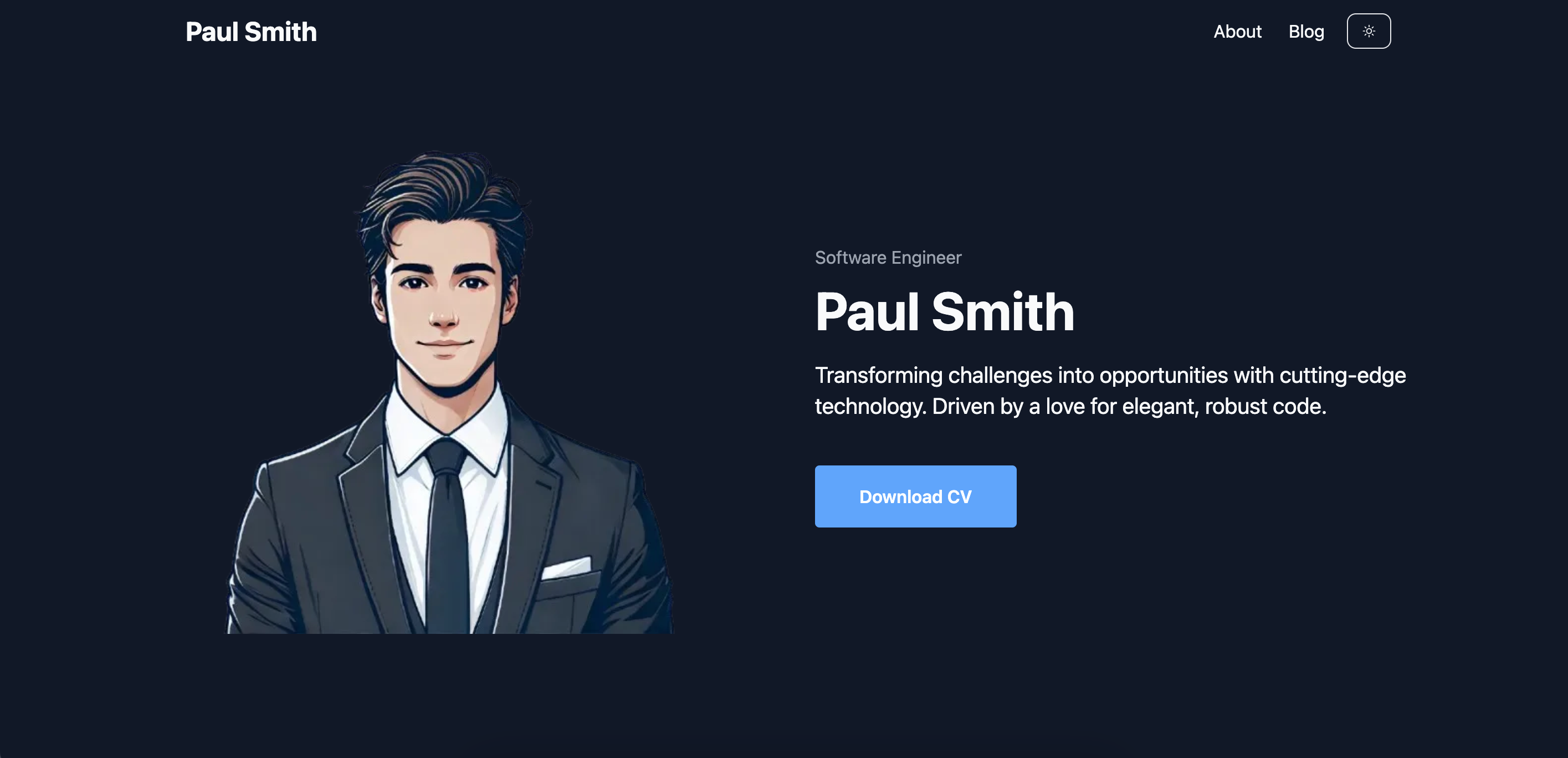
Dev Portfolio is a free, open-source Hugo theme built on the HugoBlox framework that converts Markdown files into a dark-first developer career website — no React app to maintain.
What is Dev Portfolio?
Dev Portfolio is a Hugo theme created by HugoBlox (Lore Labs) for building developer portfolios. It takes pure Markdown files as input and outputs a static, SEO-optimized site containing a filterable project grid, a tech stack icon display, an experience and education timeline, and a technical blog with code highlighting and math support. The theme is MIT-licensed and is part of the HugoBlox ecosystem, which powers over 150,000 sites.
Key Features
- Filterable project grid — Tag your projects and add featured images; visitors can filter by tag with smooth transitions.
- Tech stack display — An icon grid lists your languages and tools so recruiters see skills at a glance.
- Experience & education timeline — Structured career history with dates, roles, and descriptions.
- Blog with featured images — Write in Markdown; code highlighting, math, and diagrams are built in.
- Dark-first design — A modern dark theme that also renders correctly in light mode, with no design work needed.
- AI page generation — Hugo Chat, an AI trained on Hugo and HugoBlox documentation, generates structured pages with correct front matter when you describe what you want.
- Visual editor — Ownable CMS provides drag-and-drop page building inside VS Code, so you can edit without coding.
- Free hosting — Output is static files, free to host on GitHub Pages, Netlify, Vercel, or Cloudflare Pages.
Who is it for?
- Students and graduates — Apply to internships, MSc programs, or junior roles with a living portfolio instead of a flat resume.
- Software engineers — Get a premium-looking dark-mode portfolio without writing frontend code.
- STEM professionals — Data scientists, ML engineers, and researchers can showcase projects and technical writing in one credible site.
- Anyone job-hunting — Combine projects, tech stack, experience timeline, and a blog in a single site.
What can you do with Dev Portfolio?
- Deploy in 60 seconds — Use the browser-based deploy flow or the CLI command
npx hugoblox create site --template dev-portfolioto get a live site immediately. - Customize with AI — Ask Hugo Chat to create a project page with tech stack, screenshots, and a GitHub link, and it returns the required Markdown.
- Edit visually — Install Ownable CMS in VS Code and drag-and-drop blocks to arrange your page.
- Publish technical articles — Write blog posts with code highlighting, math, and diagrams, all in Markdown and hosted free.
How does Dev Portfolio work?
You start by deploying the template either one-click in your browser or via the CLI. Content is added as Markdown files, written manually, generated by Hugo Chat, or arranged in Ownable CMS. Hugo builds these files into static HTML that you push to any free static host; all content remains portable plain text.
Pricing
The template has two tiers. The free Dev Portfolio version is MIT-licensed and includes the full feature set. Dev Portfolio Pro adds premium designs, advanced gallery layouts, enhanced skill visualizations, priority support, and removes attribution. Exact prices are on the HugoBlox pricing page.
Alternatives
Dev Portfolio is positioned against AI builders like Lovable and v0, which generate React code rather than Markdown, and CMS platforms like WordPress and Webflow, which store content in a database and typically require paid hosting. The differentiator of this template is that all content stays in readable Markdown under an MIT license.
FAQ
Do I need to know Hugo?
No. You can edit visually with Ownable CMS or write Markdown directly; Hugo runs behind the scenes as the build engine. You never have to touch Hugo configuration.
Can I use this for non-dev portfolios?
Yes. The project grid, blog, and timeline work for any profession. The dark-first design and tech stack section, however, are tailored specifically to developers.
Can I host for free?
Yes. The site is static, so it can be deployed to GitHub Pages, Netlify, Vercel, or Cloudflare Pages — all of which have free tiers.
Can I migrate my content later?
Yes. Since the entire site is just Markdown files in a folder, you can copy those files and move them to any other platform. There is no vendor lock-in.
What's Hugo Chat?
Hugo Chat is an AI assistant trained on Hugo and HugoBlox documentation. You describe the page you want and it generates structured Markdown with correct front matter, shortcodes, and blocks. It is free to try.