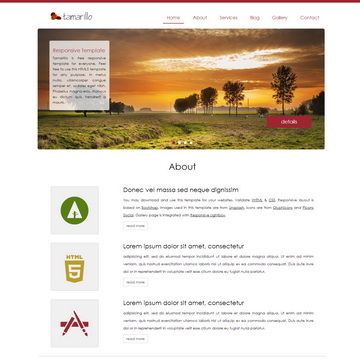
Template details
Developer Portfolio
Software Developer Portfolio Website built with next.js and tailwind CSS that helps you showcase your work and skills as a software developer.
About this template
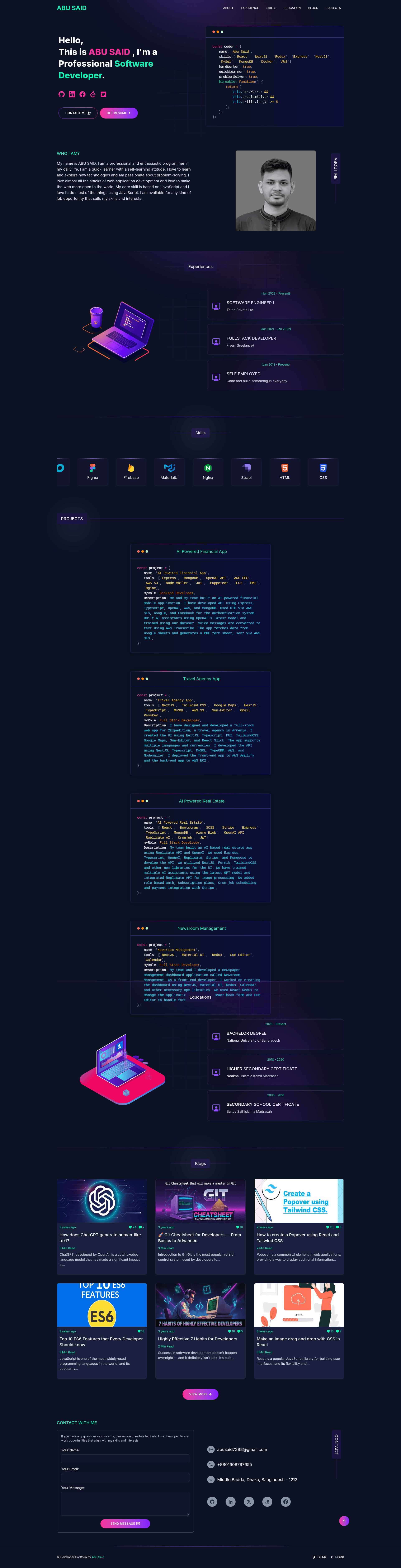
Developer Portfolio is an open-source portfolio template built with Next.js 16, React 19, and Tailwind CSS 4 that lets software developers and freelancers launch a personal website showcasing their projects, skills, and experience.
What is Developer Portfolio?
Developer Portfolio is a front-end portfolio template that runs on Next.js' App Router architecture. It takes your personal data — configured through JavaScript files in the utils/data folder — and renders a multi-section website with Hero, About, Experience, Skills, Projects, Education, Blog, and Contact sections. The template was created by Saidul Islam (GitHub user said7388) and is distributed under the MIT License.
Key Features
- Modern tech stack — Built with Next.js 16.0.1, React 19.2.0, and Tailwind CSS 4.x, plus Sass for styling and Lottie for lightweight animations.
- Data-driven configuration — All content lives in editable files like
personal-data.js,experience.js,projects-data.js,skills.js, andeducations.js; change a few objects to replace the default portfolio. - Contact form with email/Telegram notifications — The Contact section integrates Nodemailer with a Gmail App Password and a Telegram bot for message alerts; both require environment variables.
- Automatic blog fetch from dev.to — Set your
devUsernameinpersonal-data.jsand the template pulls and displays your latest dev.to articles with no API key needed. - SEO and performance optimizations — Uses the Next.js Metadata API for type-safe SEO, server components, streaming, and Suspense for fast loads.
- Dark theme with animations — Ships with a dark gradient design, a marquee skills display (via
react-fast-marquee), and Lottie animations. - Docker support — Includes
Dockerfile.dev,Dockerfile.prod, and docker-compose files for containerized development and production deployments. - Deployment-ready — One-click buttons are provided for Vercel and Netlify, plus manual deployment instructions and Google Tag Manager support for analytics.
Who is it for?
- Software developers — who want a professional online portfolio with minimal upfront design work and can edit JS data files to insert their own name, bio, projects, and social links.
- Freelancers — who need a contact form to receive project inquiries directly through Telegram or Gmail notifications.
- Tech bloggers — who already publish on dev.to and want a portfolio site that automatically mirrors their latest articles.
- Job seekers — who value an SEO-optimized resume-style site showing experience, education, and skills in a single-page layout.
What can you do with Developer Portfolio?
- Customize every section — Edit
utils/data/personal-data.jsto change your name, profile image, designations, social links, and resume URL; other files handle experience, projects, skills, and education. - Set up a working contact form — Create a Gmail App Password or a Telegram bot, paste the credentials into
.env, and receive messages from the Contact section. - Add a live blog feed — Enter your dev.to username in
personal-data.js, and the Blog section fetches your latest public posts automatically. - Deploy anywhere — Push to Vercel or Netlify using the provided deploy buttons, or build a Docker image and run it on any container host.
How does the template work?
The setup workflow is straightforward: fork and clone the repository, install dependencies with pnpm install (or npm/yarn), copy .env.example to .env and fill in optional GTM, Gmail, and Telegram values, then run pnpm dev to start a local server at http://localhost:3000. The site reads your data files at runtime and renders the portfolio pages using Next.js server components.
Pricing
The template is free and open source under the MIT License. There are no paid tiers or premium features — you pay only for hosting your deployed site.
FAQ
Is Developer Portfolio free?
Yes, the template is released under the MIT License, so you can use it freely for personal or commercial projects. You just need to provide attribution as required by the license.
What versions of Next.js and React does it use?
The portfolio is built with Next.js 16.0.1 and React 19.2.0, and it requires Node.js 18.17 or later (Node.js 20+ is recommended) to run the development server.
Do I need a dev.to account for the blog section?
Only if you want to use the auto-fetching blog feature. If you don't set a devUsername, the blog section simply won't display posts. No API key is required — the template only needs your public dev.to username.
How can I deploy the portfolio?
You can deploy with one click to Vercel or Netlify through the provided buttons, or build a Docker image using the included Dockerfile.prod and run it with docker run -d -p 80:3000 --name portfolio developer-portfolio:prod.
Can I change the contact form destination?
Yes, the contact form sends notifications to either a Telegram bot (via bot token and chat ID) or a Gmail address (using a Gmail App Password). Configure the corresponding environment variables in your .env file; if neither is set, the form will show an error.