Template details
Digital Clock
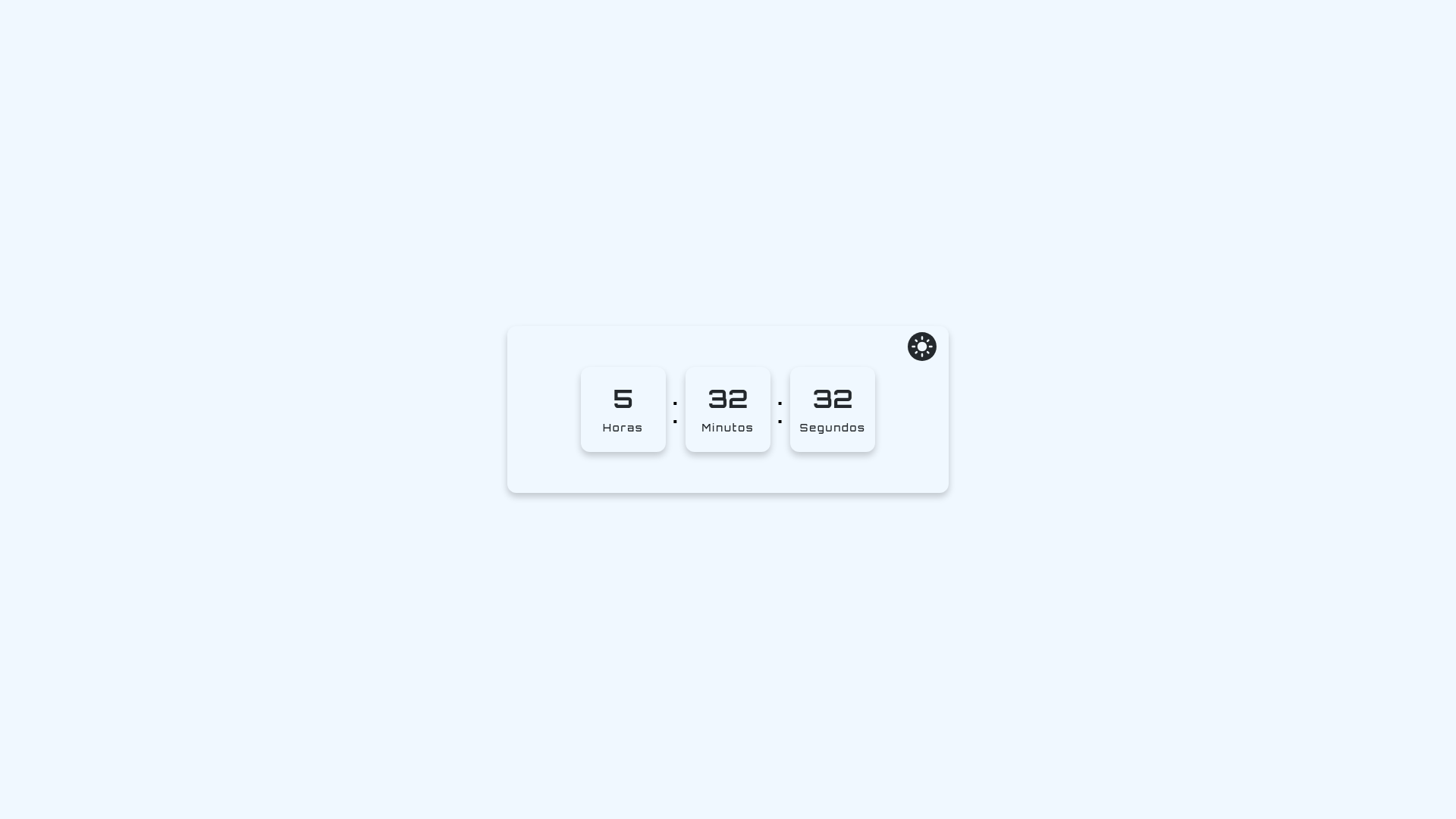
Digital clock with dark mode powered by React, Next.js and Styled Components.
About this template
Digital Clock is a Next.js template that displays a digital clock and features a dark mode toggle, styled with Styled Components.
What is Digital Clock?
Digital Clock is a web template built with Next.js and React that renders a digital clock on the screen. It takes the current time from the system and displays it in a digital format, with a toggle to switch between light and dark themes. The project is bootstrapped with create-next-app, so it includes the standard Next.js file structure with pages and API routes. The styling is handled by Styled Components, making the theme changeable through CSS-in-JS.
Key Features
- Digital clock display — Shows the current time in a digital format, updated by React state based on the system clock.
- Dark mode toggle — Switches between light and dark visual themes, as highlighted in the repository description.
- Styled Components — Uses the Styled Components library for scoped, theme-aware CSS-in-JS styling.
- Next.js framework — Runs on Next.js, offering file-based routing, API routes, and server-side rendering capabilities.
- Create-next-app structure — Includes standard directories like
pagesandpages/api, with an example endpoint at/api/hello. - Fast development workflow — Run
npm run devto start a development server at http://localhost:3000 with hot reload. - Vercel deployment ready — The project can be deployed to Vercel, the platform built by the creators of Next.js.
Who is Digital Clock for?
- Next.js learners — Understand the default project layout created by create-next-app, including how to edit
pages/index.jsand see changes instantly. - Developers implementing dark mode — Study a working example of a dark mode toggle using Styled Components theme switching.
- UI designers — Use the digital clock component as a starting point for building time-related interfaces or widgets.
What can you do with Digital Clock?
- Display the current time — Show a live digital clock on a personal website or dashboard without building one from scratch.
- Experiment with theming — Modify the Styled Components theme to create custom light and dark color schemes.
How does Digital Clock work?
The project is started by running npm run dev or yarn dev in the terminal, then opening http://localhost:3000. The main component lives in pages/index.js; edits are automatically reflected in the browser. API routes are defined in the pages/api directory, and the default one can be accessed at /api/hello.