Template details
Gatsby Netlify CMS Tailwind Starter
A Gatsby v3 starter using Netlify CMS and Tailwind CSS, with a landing page, project portfolio, about page, and contact form.
About this template
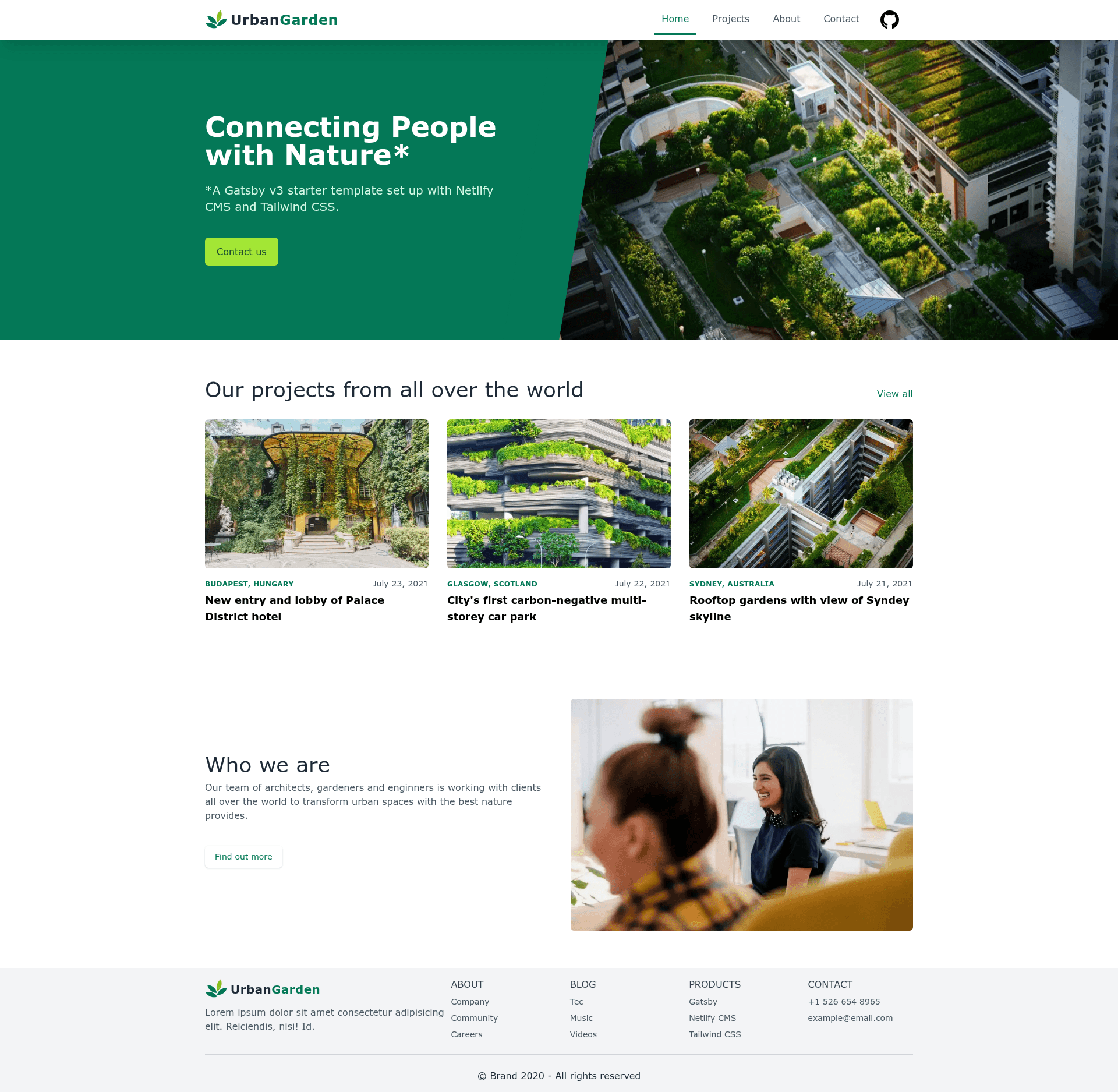
The Gatsby Netlify CMS Tailwind Starter is an open-source Gatsby v3 starter template that couples Netlify CMS for content editing with Tailwind CSS for styling, packaged as a complete example website for a fictional urban gardening agency.
What is the Gatsby Netlify CMS Tailwind Starter?
This starter project builds a static multi-page website with Gatsby v3, using Netlify CMS as a git-based content management system and Tailwind CSS for all styling. It outputs a site with a landing page, a project portfolio, an about page with team members, and a contact form, all backed by editable Markdown content. The source repository lives on GitHub and includes a one-click Netlify deploy button that loads the starter into a new Netlify site. It was created by Jimmy Button and draws inspiration from the official gatsby-starter-netlify-cms template.
Key Features
- Gatsby v3 framework — Built on React-based Gatsby v3; supports local development with
gatsby developand production builds withgatsby build. - Netlify CMS admin — The admin panel runs at
/adminand offers live previews for all pages; local editing can be connected to your Git repository usingnpx netlify-cms-proxy-server. - Tailwind CSS styling — Tailwind CSS handles the visual styling, and the README credits Meraki UI for free Tailwind components used in the design.
- Optimized images —
gatsby-plugin-imageandgatsby-plugin-sharphandle responsive, high-performance images. - Metadata and SEO —
react-helmetmanages page metadata,gatsby-plugin-sitemapgenerates an XML sitemap, andgatsby-plugin-robots-txtcreates a robots.txt file. - Persistent layout —
gatsby-plugin-layoutprevents the navbar and footer from unmounting when navigating between pages. - One-click deploy — A Netlify Deploy button on the README clones the repository directly into a new Netlify project.
- Prebuilt example pages — The site is fully populated with content for an urban gardening agency, giving you real page structures to customize.
Who is it for?
- Gatsby developers who want a ready-made Netlify CMS and Tailwind CSS integration to fork and extend.
- Freelance web designers and agencies building portfolio sites for clients who need a CMS to update their own content.
- Developers learning the Gatsby + Netlify CMS stack who benefit from a working reference that documents a known local-editing issue and its workaround attempts.
What can you do with it?
- Launch a portfolio site: Replace the example urban gardening projects with your own case studies, all editable through the Netlify CMS admin.
- Build a team page: The about page contains editable team member entries that can be swapped out quickly via the CMS.
- Spin up a landing page: Use the landing page as the starting point for a marketing or announcement page for your own product or service.
- Experiment with Gatsby plugins: The starter already wires up sitemap, robots, layout, and image plugins, so you can see how they work together.
How does it work?
Clone the repository, run npm install and gatsby develop, and the site runs at localhost:8000. To enable local Netlify CMS editing, run npx netlify-cms-proxy-server in a second terminal; the admin is then reachable at localhost:8000/admin. For production, you can either click the Netlify Deploy button or connect the GitHub repo to Netlify.
Pros and cons
- Pros: Free and open source; combines three popular front-end tools; provides a complete set of pages; offers one-click Netlify deployment; includes detailed local development instructions.
- Cons: The README documents a persistent GraphQL error that can appear when updating pages through Netlify CMS locally; Google Analytics and offline support are listed as future to-dos, meaning they are not yet included.
FAQ
Does this starter support Netlify CMS in production?
Yes, Netlify CMS is designed for production use with a Git backend or Git Gateway, though this README demonstrates the local Git repository beta feature for development. You would still configure a remote backend for live sites.
What pages are included?
The template includes a landing page, a project portfolio, an about page with team members, and a contact form. All page content is editable via Markdown files and the Netlify CMS admin interface.
Is this starter free to use?
Yes, it is an open-source starter hosted on GitHub with 31 stars at the time of writing. The README does not state a specific license, so check the repository for license details before commercial use.
How do I get the site running locally?
Clone the repo, install dependencies with npm install, and start the development server using gatsby develop. The site will be available at localhost:8000. For more details, the README points to the Netlify CMS docs.
What is the known GraphQL error?
The README reports an error that occurs locally when updating a page in Netlify CMS: the image field is treated as a String type rather than a file node. The suggested docs workaround did not solve it for the author, and pull requests with a fix are welcome.