Template details
Dimension
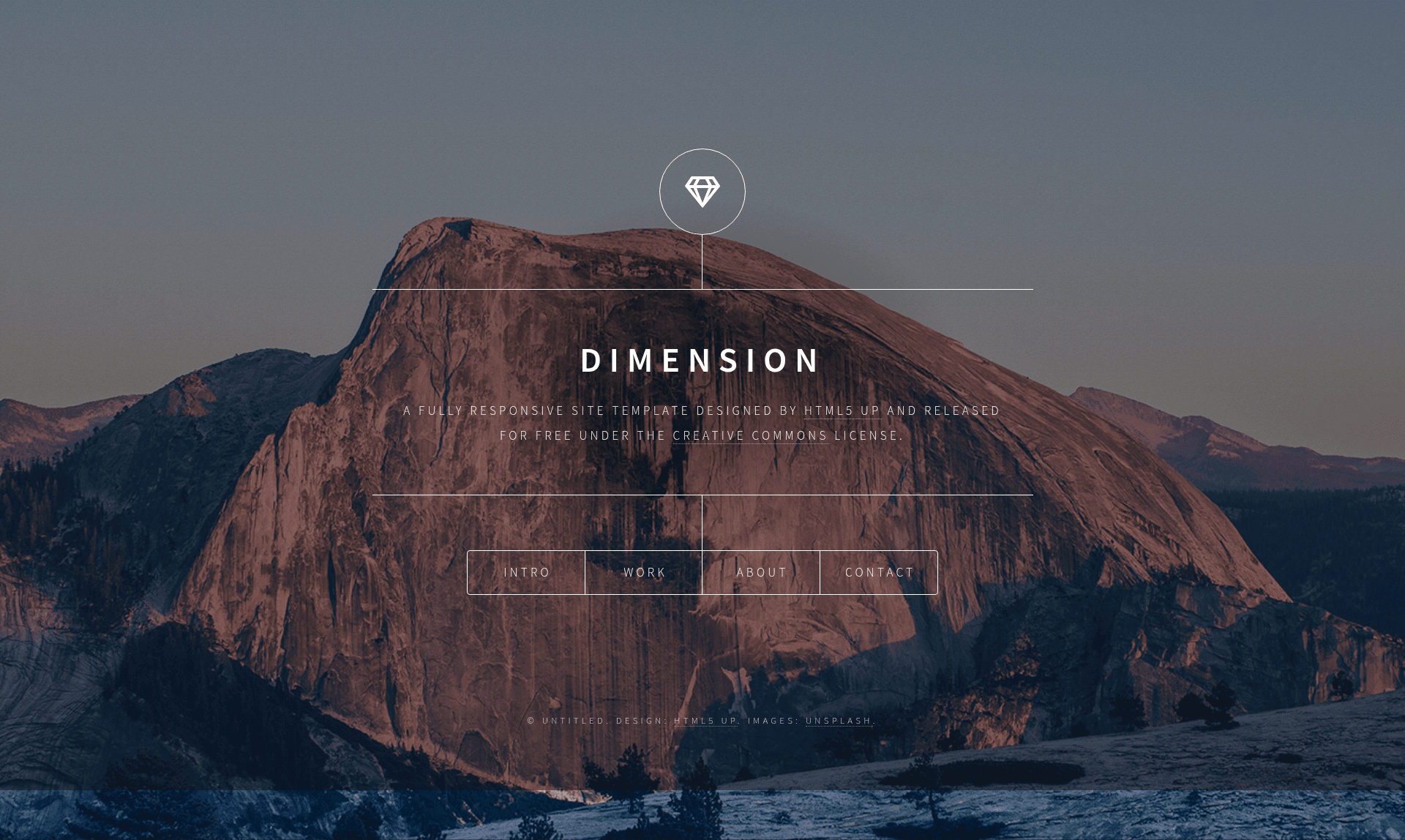
Dimension is a single-page HTML5 portfolio template by HTML5 UP featuring intro, work, about, contact, and elements sections.
About this template
Dimension is a single-page HTML template by HTML5 UP that presents a personal portfolio through overlay panels for Intro, Work, About, and Contact sections, with a separate Elements page for styling reference.
What is Dimension?
Dimension is a single-page website template from HTML5 UP, built with plain HTML, CSS, and JavaScript. The template's core function is to present a personal portfolio or creative studio site on one page: a fixed fullscreen background, a centered logo and tagline, and four navigation buttons that open Intro, Work, About, and Contact panels as overlays. Each panel closes with a Close button, and the demo includes an additional Elements section that showcases text styles, lists, tables, buttons, and form controls. The template accepts content through the editable HTML sections and outputs a self-contained static web page.
Key Features
- Overlay panel navigation — The Intro, Work, About, and Contact buttons each open a separate panel over the fullscreen background, each with its own Close button.
- Intro section — Displays a large title, a short paragraph, and an image placeholder (pic01.jpg), with a link labeled "awesome work" that points to the Work panel.
- Work section — Includes an image placeholder (pic02.jpg) and two paragraphs of placeholder text describing projects.
- About section — Contains an image placeholder (pic03.jpg) and a paragraph of placeholder bio text.
- Contact form — Provides fields for Name, Email, a Category dropdown (Manufacturing, Shipping, Administration, Human Resources), a Low-to-High priority slider, an "Email me a copy" checkbox, a message textarea, and a submit button.
- Social media icons — Twitter, Facebook, Instagram, and GitHub links appear in the Contact panel and in the Elements page's icon list.
- Elements showcase — A dedicated section demonstrates typography (bold, italic, superscript, subscript, underlined, code, link), blockquote, preformatted code, unordered/alternate/ordered lists, default and alternate tables, buttons in multiple variants, and form input styles.
- Static file structure — The template uses standard HTML and CSS with no build step, making it hostable on any static server.
Who is it for?
- Freelance designers and developers — Present a concise portfolio with an intro, work examples, about, and contact form without needing a CMS or backend.
- Creative professionals — Photographers, artists, and writers can use the visually focused single-page layout to display examples and receive messages.
- Small studio owners — Launch an informational page with social media links and a built-in contact form to collect inquiries.
Use cases
- Portfolio launch — Replace the placeholder images and paragraphs in Intro, Work, and About with your own projects and bio, then publish the static files.
- Contact collection — Use the built-in form fields (Name, Email, Category, priority, message) to gather visitor details; the form posts to the server of your choice.
- UI style preview — The Elements section acts as a style guide for the template's typography, buttons, tables, and forms, useful for customizing the design.
FAQ
Is Dimension a one-page template?
Yes, the main navigation opens Intro, Work, About, and Contact as overlay panels on a single page. There is also an Elements section that acts as a secondary page within the demo.
What technology does Dimension use?
The template is written in plain HTML, CSS, and JavaScript. It does not rely on a framework, so you can edit the files directly and host them on any static server.
Does the contact form work out of the box?
The demo displays the form UI (Name, Email, Category, priority slider, checkbox, message), but the form's actual submission behavior depends on the hosting environment; the demo page does not include a backend script.
What images are included?
The demo uses three placeholder images — pic01.jpg, pic02.jpg, and pic03.jpg — referenced in the Intro, Work, and About sections. These are for demonstration and are replaced in your own content.
Can I remove the social media links?
Yes, the Twitter, Facebook, Instagram, and GitHub icons are part of the HTML, and any of them can be removed or relinked in the markup.