Template details
Resume
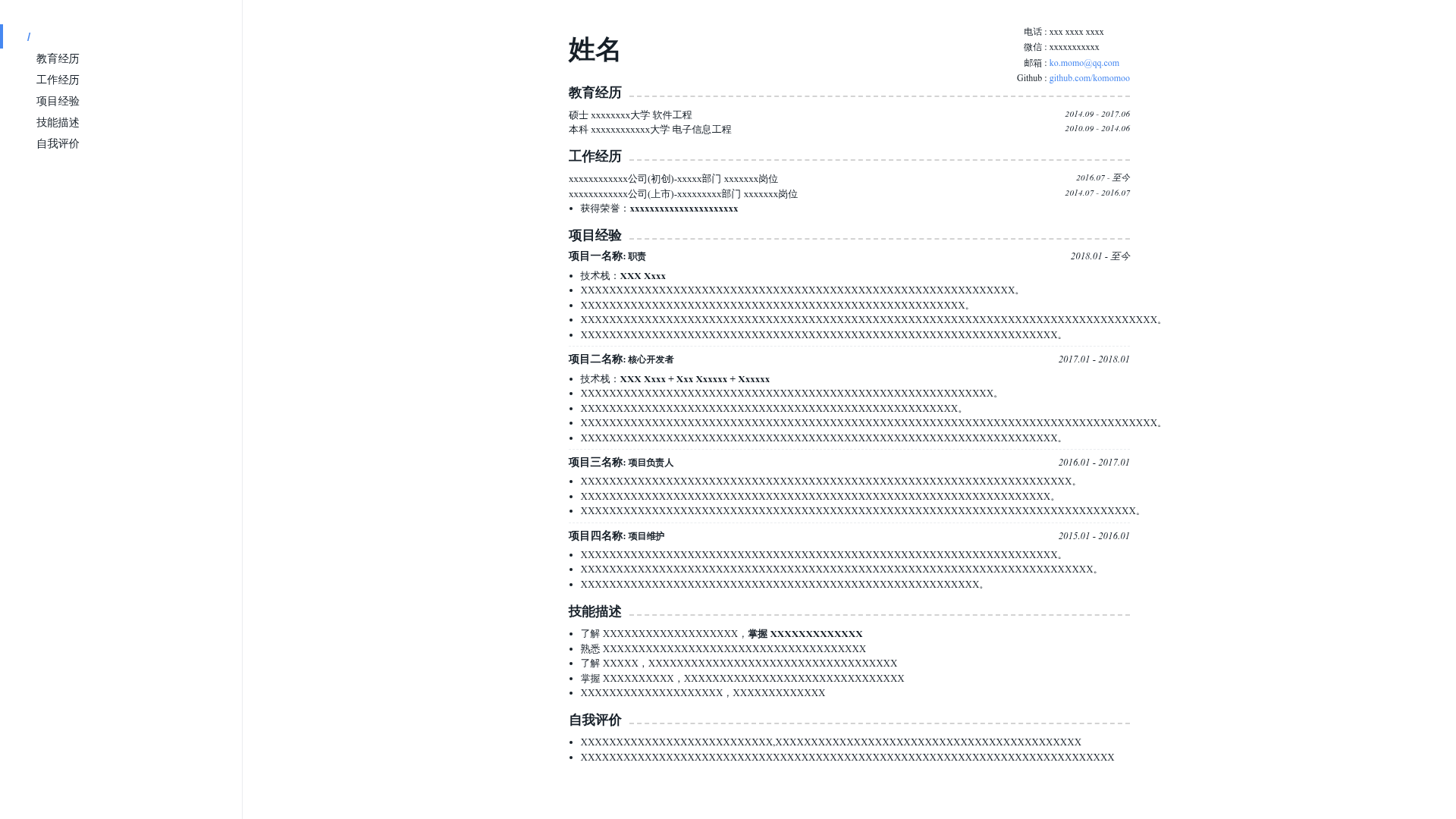
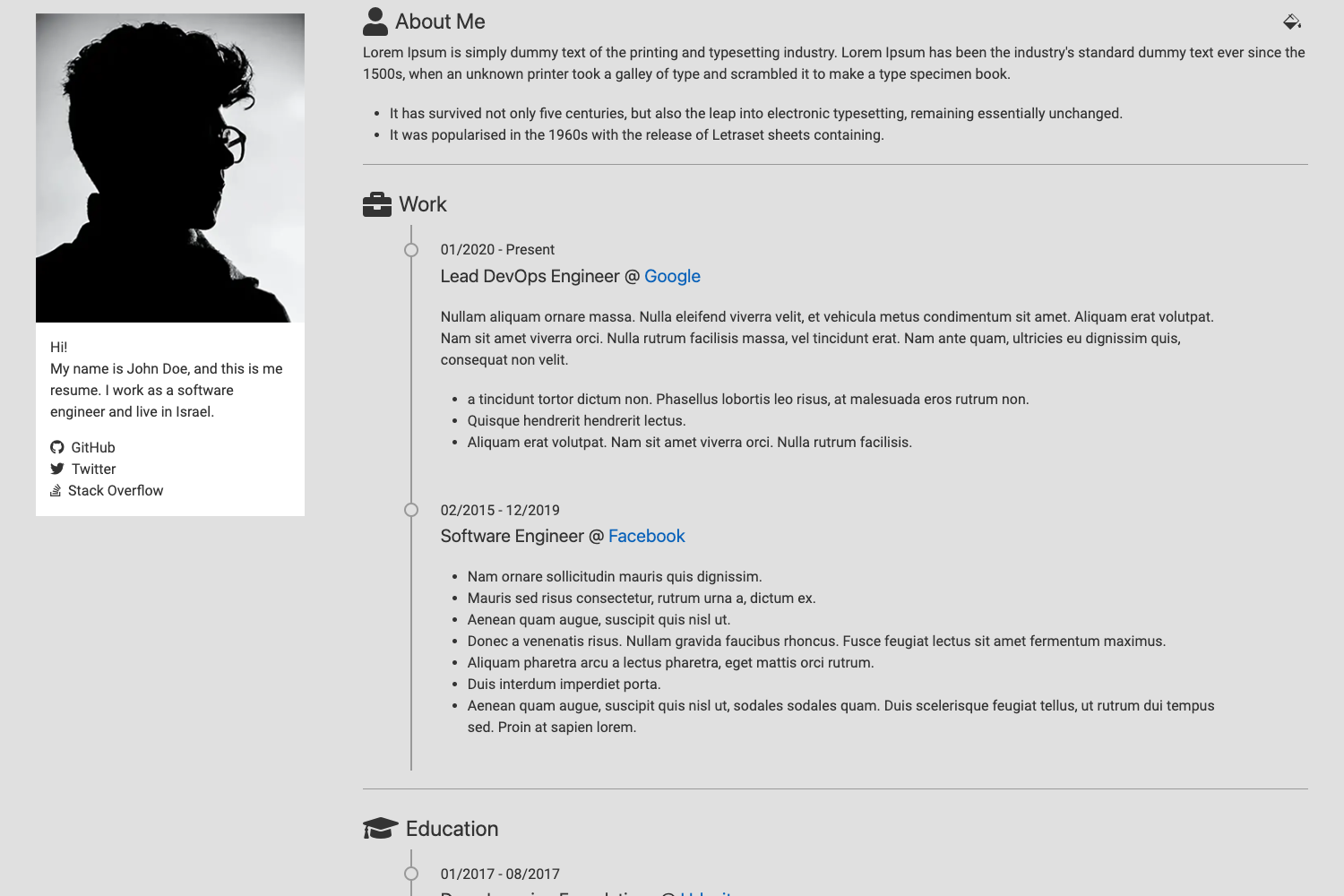
A VuePress theme that turns a single Markdown file into an elegant, printable resume with live reload and one-page PDF export.
About this template
Resume is a VuePress-driven theme for writing elegant, printable resumes in Markdown. It takes a single Markdown file (example/README.md) as input and renders a styled HTML resume in the browser, with live reload while editing and a documented workflow to export it as a one-page PDF.
What is the Resume template?
Resume is an open-source VuePress theme created by developer momoko and distributed under the MIT license. The project houses a minimal example resume (example/README.md) plus VuePress configuration; running yarn dev or npm run dev starts a local development server with hot reload. Users edit only the Markdown content, and the theme handles typography, layout, and print styling. The GitHub repository description specifically pitches it for front-end programmers who want a clean, elegant Markdown resume.
Key Features
- VuePress foundation — Built on VuePress, the Vue-powered static site generator, so the whole resume is a VuePress site with hot-reload development.
- Single-file editing — All resume content lives in example/README.md; the theme renders it without requiring any GUI or drag-and-drop editor.
- Style via Stylus variables — Create .vuepress/styles/palette.styl to override fonts and colors: $fontSize, $fontWeight, $accentColor, $textColor, $borderColor.
- PDF export workflow — The README documents Chrome's "Print to PDF" method, including the tip to uncheck "Headers and footers" so the PDF has no extra title/date.
- One-page control — Two documented methods for fitting the resume to one page: reduce the $fontSize variable or adjust the zoom in Chrome's print dialog.
- Open-source license — MIT license, so derivatives and reuse are permitted with attribution.
- Community collaboration — The author invites pull requests and encourages users to star the repository if it's helpful.
Who is it for?
- Front-end developers who want a resume that reflects coding aesthetics and can be maintained as plain text.
- Job seekers who already know Markdown and want to avoid paying for editors like Bear that limit PDF export parameters.
- Developers who want version control for their resume — keeping it in a Git repo with a simple Markdown file and regenerating the styled PDF when needed.
What can you do with the Resume template?
- Write your resume in Markdown: Edit example/README.md and see changes instantly in the browser via VuePress's dev server.
- Customize the look: Adjust Stylus variables in palette.styl to change the base font size, accent color, text color, and border color.
- Export a clean PDF: Use Chrome's print menu, uncheck headers/footers, and save as PDF for job applications.
- Fit content to one page: Use the $fontSize tweak or Chrome's zoom setting to ensure the printed result is exactly one page.
How does the Resume template work?
- Clone or download the project and navigate into the directory.
- Install dependencies with
yarnornpm i(yarn/npm must be installed). - Run
yarn dev(ornpm run dev) to launch the VuePress dev server. - Open the provided local URL and edit example/README.md — the page hot-reloads automatically.
FAQ
How do I export my resume as a PDF?
Open the resume page in Google Chrome, right-click and select Print, choose "Save as PDF" as the destination, and click Save. In the More settings section, uncheck "Headers and footers" so the output doesn't include the page title and date.
How can I make the resume fit on one page?
Two approaches: either set a smaller $fontSize value in .vuepress/styles/palette.styl, or use the zoom scale in Chrome's print dialog under More settings to shrink the content to fit one page.
Is the Resume template free?
Yes. The project is released under the MIT license, which means you can freely use, modify, and redistribute it. There are no paid tiers or subscription fees involved.
Can I change the accent color?
Yes. Create .vuepress/styles/palette.styl and define the $accentColor variable to your preferred hex value. Other variables like $textColor and $borderColor are also available for customization.
Which editor do I need?
Any text editor works since the content is a Markdown file. You only need a browser to view the rendered result and a tool like Chrome for PDF export.