Template details
Documentation Theme for Jekyll
A Jekyll-based theme for creating documentation and help systems, with configuration instructions in its README.
About this template
Documentation Theme for Jekyll is a static-site theme built on Jekyll, authored by Tom Johnson (GitHub user tomjoht), and intended for producing documentation and help systems. The repository's primary language is HTML, and it currently has over 1,200 stars. As a Jekyll theme, it generates a static website from content files written in Markdown or HTML, and it is designed to be served through GitHub Pages or any other Jekyll-compatible host. The GitHub repository includes a README that links to detailed setup and configuration instructions, making it straightforward to install and customize.
What is Documentation Theme for Jekyll?
Documentation Theme for Jekyll is a Jekyll-based theme specifically designed for documentation sites and help systems. Its core function is to turn content written in Markdown or HTML into a static documentation website. The theme runs within the Jekyll static site generator, which is natively supported by GitHub Pages, and it is authored by Tom Johnson under the GitHub username tomjoht. The repository is public, with 1,201 stars, and the primary language used in the theme's files is HTML.
Key Features
- Jekyll static generation — The theme uses Jekyll to compile Markdown or HTML content into a static site, which is deployable to any static hosting service, including GitHub Pages.
- HTML-based templates — The theme's layouts and includes are written in HTML, so customizing the design only requires knowledge of HTML and CSS.
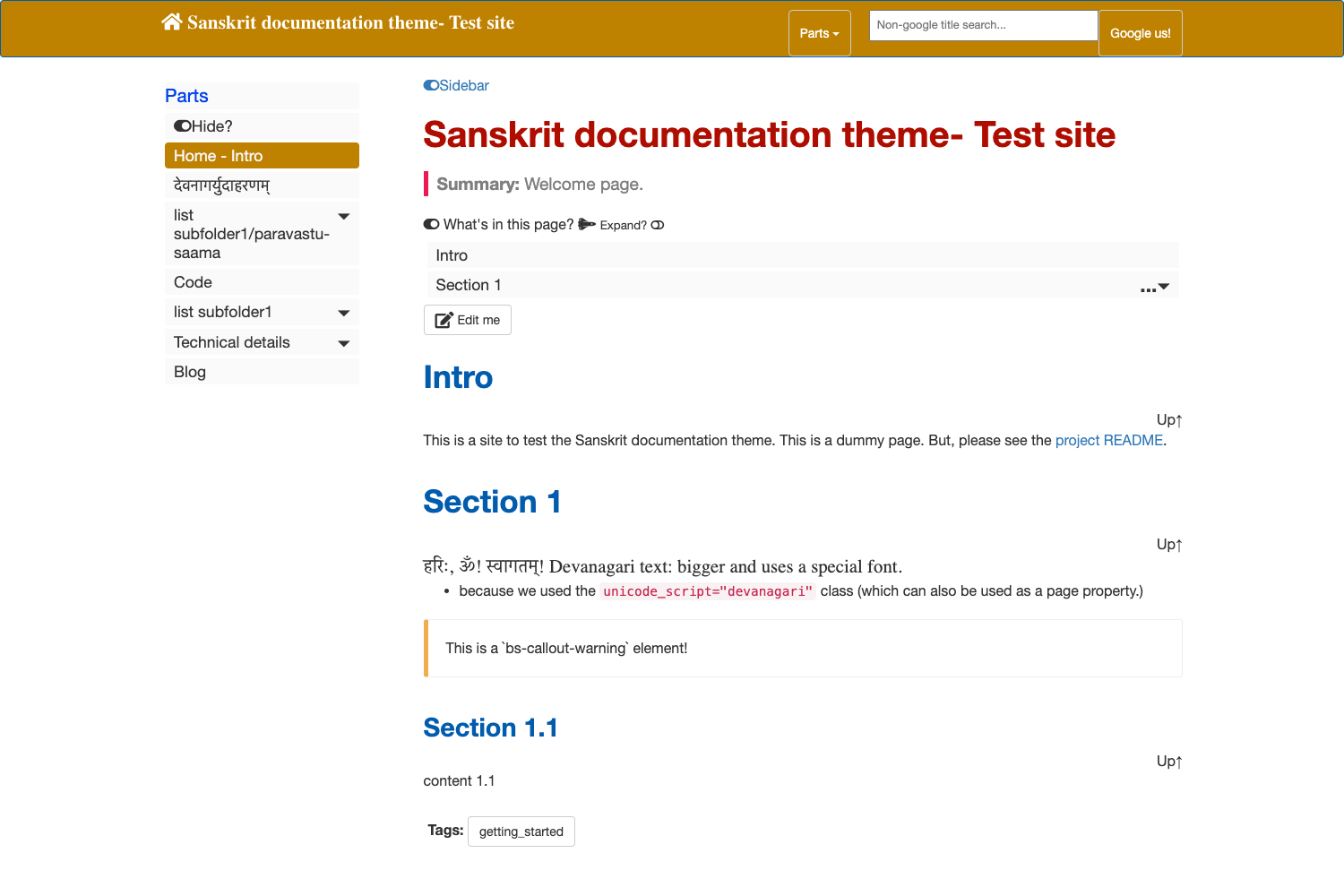
- Documentation-specific structure — Unlike generic blog themes, this theme is tailored for documentation with a layout that supports hierarchical navigation and multiple pages.
- Public GitHub repository — The theme's source code is available on GitHub under the name documentation-theme-jekyll, and its 1,201-star count signals a community of adopters.
- Linked configuration guide — The repository's README provides a link to in-depth setup instructions, covering installation and configuration steps.
Who is it for?
Technical writers who need to publish API documentation, user guides, or product manuals as a static website will find this theme suited to that task. Open-source maintainers who want to host documentation on GitHub Pages without a separate server can use the theme's Jekyll integration. Also, developers who prefer plain-text content and static deployment can adopt this theme to create project help sites.
Use cases
- Technical writers: Publish structured documentation sets with consistent Jekyll layouts across many pages.
- Open-source maintainers: Host project documentation on GitHub Pages through the theme's Jekyll structure.
- Product teams: Set up a help center or knowledge base for their software, using Markdown for content.
How does it work?
You start by copying or cloning the theme repository from GitHub. Then you add your own Markdown or HTML files and run the Jekyll build, or push to a GitHub Pages repository, which builds automatically. The linked README instructions explain the configuration.
FAQ
Is Documentation Theme for Jekyll free?
The theme's repository is public on GitHub, which indicates open-source licensing, meaning the theme can be used and modified without charge. The exact license terms are available in the repository's LICENSE file.
Does it require a local Jekyll installation?
Running it locally requires a Jekyll environment, but GitHub Pages can build the theme automatically when the repository is pushed to GitHub, eliminating the need for a local install.
Can I use the theme for a non-documentation website?
While it is built for documentation, the underlying Jekyll system supports any static site; however, the layouts and navigation are optimized for documentation and help content.
How do I customize the theme's appearance?
You would edit the HTML templates and CSS files in the repository. The linked configuration guide provides instructions on how to adjust these components.