Template details
Base Jekyll Template
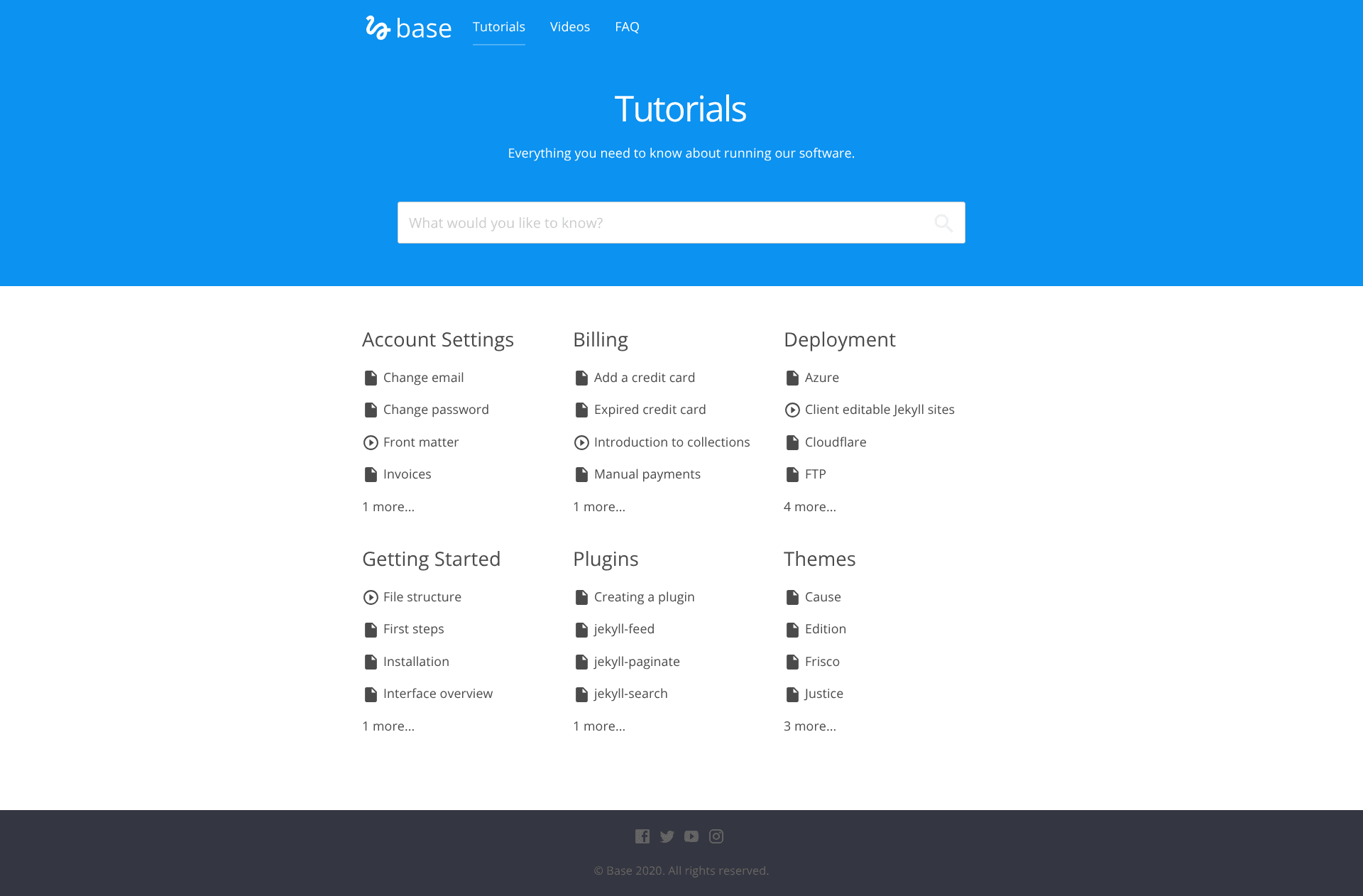
Knowledge base template for Jekyll with categorized tutorials, video support, series, FAQ, and CloudCannon editing.
About this template
Base is a knowledge base template for Jekyll that turns tutorial content into a static documentation site with categories, series, and FAQs, built by CloudCannon for editing in its Cloud CMS.
What is Base Jekyll Template?
Base is a Jekyll-based knowledge base template created by CloudCannon, the cloud CMS for Jekyll. It takes tutorial posts written in Markdown and generates a static site organized by category, with support for video tutorials, multi-part series, and an FAQ section. The template runs on Jekyll version 3.4.3 and is designed to work with newer versions, producing an RSS/Atom feed, SEO tags, and Google Analytics integration out of the box.
Key Features
- Categorized tutorials — Posts are automatically grouped by category on the tutorials page, with each category displaying its own list of posts.
- Two tutorial types — Supports both text and video tutorials, so mixed-format knowledge bases can live in one site.
- Tutorial series — Group posts into a sequence by creating a document in the
setscollection and referencing it with asetfield plus anorder_numberin each post's front matter. - FAQ section — A dedicated FAQ page for common questions, editable as a data file for non-developers.
- Disqus comments — Comment threads on tutorial posts, activated by adding a Disqus shortname to
_config.yml. - Sticky sidebar — Tutorial pages get a sticky sidebar that automatically populates from the h2 headings found in the post content.
- CloudCannon editing — Navigation, footer, and FAQ are exposed as data files, and the template includes post defaults in
_posts/_defaults.mdfor streamlined content editing. - RSS, SEO, and analytics — Ships with an RSS/Atom feed, SEO tags, and Google Analytics key support in the config file.
Who is it for?
- Technical documentation writers — Publish and maintain a knowledge base as a static Jekyll site without running a server-side CMS.
- CloudCannon users — Teams that want to edit navigation, footer, FAQ, and posts through the CloudCannon visual editor rather than editing files directly.
- Educational publishers — Organizations that need to present both written and video lessons, grouped into structured series with a specified learning order.
What can you do with Base Jekyll Template?
- Create a multi-part tutorial series — Add a set document with a title and description, then tag each post with the set name and order number to automatically build a sequence.
- Publish video tutorials — Use the video post type to embed video content alongside text, and have both appear in the same category listing.
- Collect reader questions — Enable Disqus on posts so learners can ask questions directly on each tutorial page.
- Deploy with one click — Use the Deploy to CloudCannon button to launch a site instantly, or run it locally with
bundle exec jekyll serve.
How does Base Jekyll Template work?
Setup starts by adding your site and author details in _config.yml, then inserting your Google Analytics, Disqus, and MailChimp keys in the same file. Posts are stored as Markdown files in the Posts collection, with default front matter defined in _posts/_defaults.md. To create a series, you add a document to the sets collection and reference it from each tutorial's front matter using the set and order_number fields. The sticky sidebar is generated automatically by extracting h2 elements from each tutorial's content, so heading structure should start at h2 for those links to appear.