Template details
Sanskrit Documentation Theme
A Jekyll collaborative documentation theme with accordion sidebar, per-page TOC, SEO, Disqus, Google Analytics, and Devanagari support.
About this template
Sanskrit Documentation Theme is an open-source Jekyll theme for building collaborative documentation websites, providing an accordion sidebar, per-page table of contents, SEO tooling, and third-party integrations.
What is Sanskrit Documentation Theme?
Sanskrit Documentation Theme is a Jekyll theme that takes markdown content and YAML sidebar definitions as input and generates a static HTML documentation site. It is maintained by the Sanskrit Coders GitHub organization and is a fork of the documentation-theme-jekyll theme by tomjoht. The theme is released under the MIT License, so it can be freely reused and modified.
Key Features
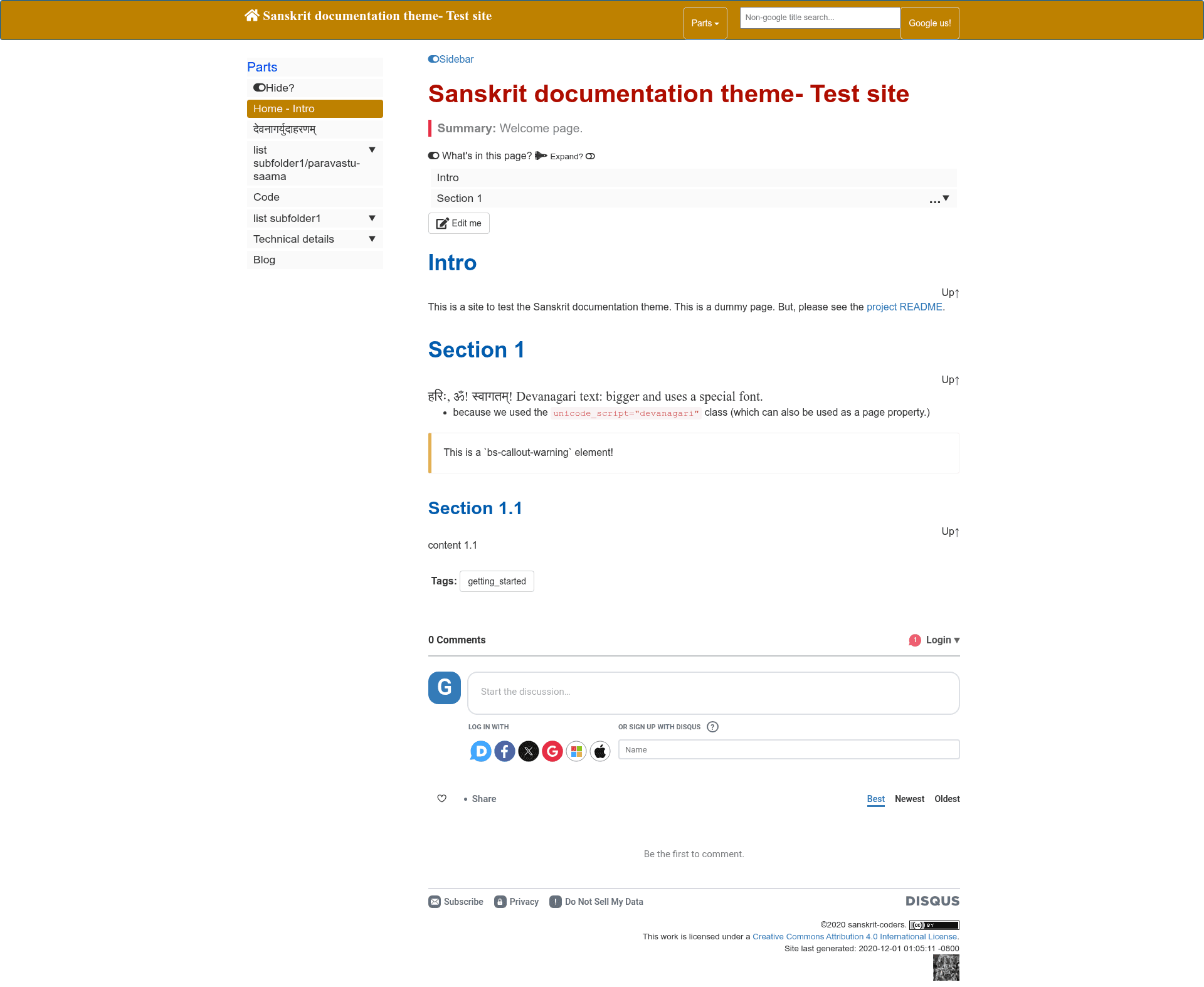
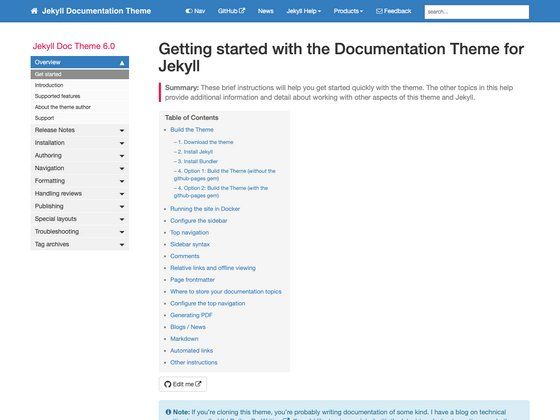
- Accordion sidebar — A collapsible sidebar navigation defined in
_data/sidebars/*.ymlfiles, giving the site a multi-level menu. - Per-page table of contents — Each page renders a collapsible accordion TOC of its own headings, making long documents easier to navigate.
- Responsive layout — The layout automatically adjusts to the user's screen size, so documentation is readable on desktop and mobile.
- Edit me link — An "Edit me" link appears on top of each page, letting contributors jump directly to the source file for collaborative editing.
- Page inclusion — Content from one page can be embedded in another page, useful for reusable snippets.
- SEO and webmaster tools — Includes sitemap.xml configuration for submitting to search engines, plus setup for Google webmaster tools.
- Third-party integrations — Ships with configuration for Google custom search, Disqus comments, and Google Analytics.
- Devanagari typography — Includes special formatting for scripts that need a larger display size, such as Devanagari for Sanskrit.
Who should use Sanskrit Documentation Theme?
- Open-source project maintainers can publish documentation with collapsible navigation and make it easy for contributors to propose edits via the Edit me link.
- Sanskrit language initiatives can build documentation sites that render Devanagari text at an accessible size, with built-in search and comments.
- Technical writers using Jekyll can set up a feature-rich documentation site by defining sidebar YAML and writing markdown, without hand-coding navigation or TOC.
What can you do with Sanskrit Documentation Theme?
- Create collaborative docs hubs: Publish guides and API references where every page has an Edit me link, sidebar navigation, and a table of contents.
- Add search and comments: Enable Google custom search to index your documentation and Disqus to let readers leave feedback.
- Track site analytics: Connect Google Analytics through the theme's configuration to monitor traffic.
- Build a blog alongside docs: Use the bundled Jekyll blog with post tag support for announcements and tutorials.
How does Sanskrit Documentation Theme work?
The theme works with Jekyll's normal content flow: add markdown pages to the site, define sidebar structure in _data/sidebars/*.yml, and specify the theme in _config.yml using either remote_theme: sanskrit-coders/sanskrit-documentation-theme or theme: sanskrit-documentation-theme. To install locally, add gem "sanskrit-documentation-theme" to your Gemfile and run bundle install; the gem method is optional when using the remote theme approach.
Pricing
Sanskrit Documentation Theme is free to use, since it is open source under the MIT License.
Alternatives
- Just the Docs — a Jekyll documentation theme from the same ecosystem.
- Docusaurus — a React-based documentation site generator for teams that prefer a JavaScript toolchain.
FAQ
Is Sanskrit Documentation Theme free?
Yes, the theme is released under the MIT License, so it is free to use, modify, and distribute, including in commercial projects.
How do I install Sanskrit Documentation Theme?
Add remote_theme: sanskrit-coders/sanskrit-documentation-theme to your _config.yml for use with GitHub Pages, or install the gem by adding gem "sanskrit-documentation-theme" to your Gemfile and running bundle install.
Does the theme support comments and search?
Yes, it includes configuration for Disqus comments and Google custom search, so you can add both to your documentation site without building them yourself.
What makes it different from other Jekyll documentation themes?
It minimizes Jekyll's liquid templating in favor of JavaScript for menus, tables of contents, and page inclusions. This can reduce build times significantly—the README cites 7 seconds instead of 93 seconds in one case.
Does it handle Devanagari text?
Yes, the theme includes special formatting considerations for fonts that need to be displayed larger, such as Devanagari for Sanskrit, making it suitable for Sanskrit-language documentation.