Template details
Doks
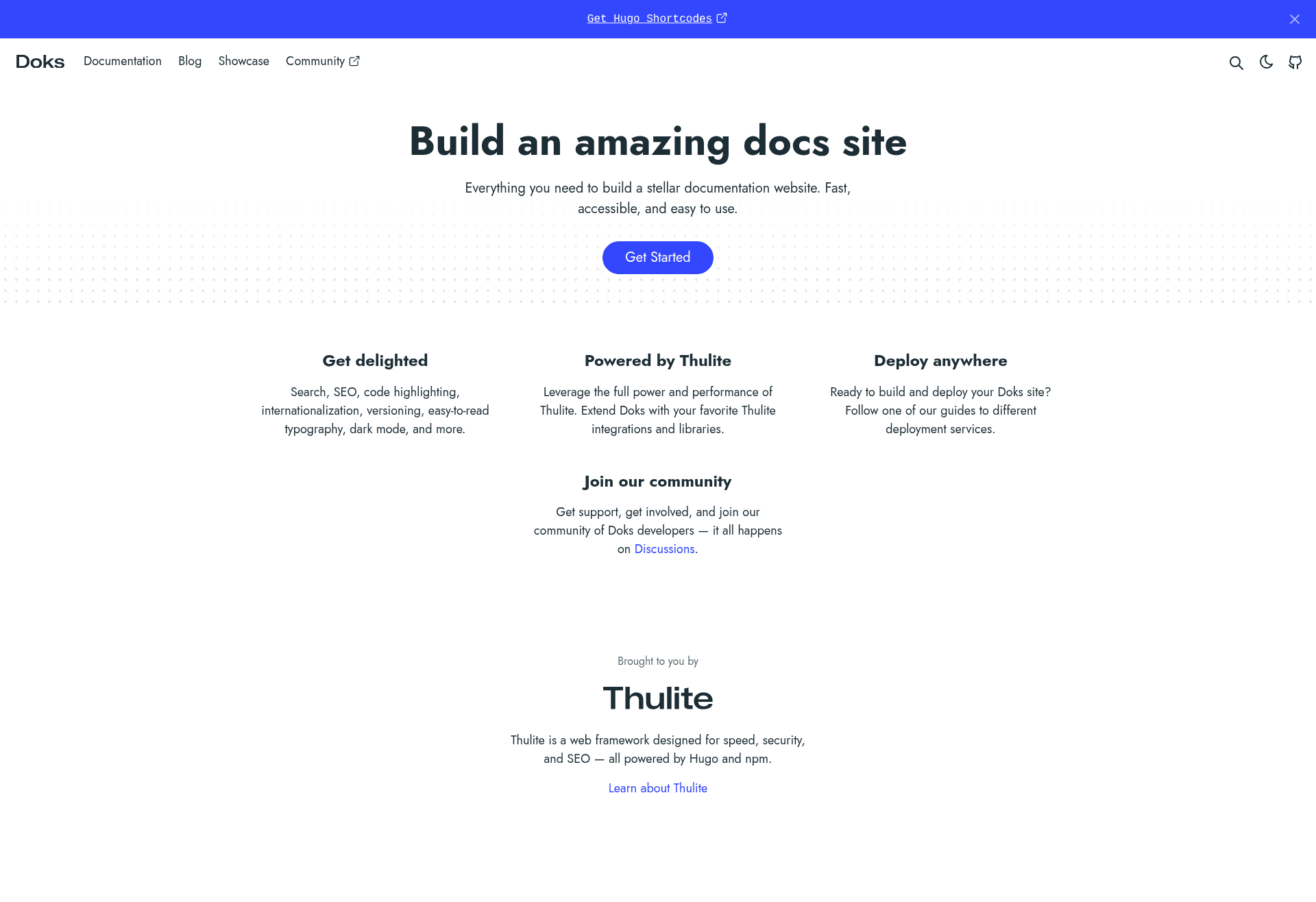
Documentation theme for Thulite/Hugo with FlexSearch search, dark mode, i18n, versioning, and blog pages.
About this template
Doks is a documentation theme for Thulite, a Hugo-based static site generator, that produces fast, accessible documentation websites with built-in search, dark mode, and versioning.
What is Doks?
Doks is an open-source Hugo theme developed by Thulite, designed for building documentation websites. It takes Markdown content and generates a static site with a minimal, responsive layout. It requires Node.js (latest LTS) and Hugo (latest extended version) to run, and it is installed via an npm command. The theme powers the live demo at doks.thulite.io and is documented at getdoks.org.
Key Features
- FlexSearch search — Fully configurable client-side search that lets visitors find documentation content without external search services.
- Dark and light mode toggle — Users can switch between color schemes, with the toggle built into the layout.
- Syntax highlighting — Code blocks are highlighted for readability, useful for API docs and technical references.
- Internationalization (i18n) — Built-in support for translating documentation into multiple languages.
- Versioning support — Manage multiple versions of documentation so users can switch between release versions.
- Built-in blog pages — The theme includes blog templates, so a changelog or news section can be hosted alongside docs.
- Minimal responsive layout — A clean design that adapts to mobile, tablet, and desktop viewports.
- Easy-to-read typography — Long-form content is styled for comfortable reading, with optimized line height and font sizing.
Who is it for?
- Open-source maintainers who need to publish project documentation and versioned guides alongside their code.
- Technical writing teams that want a fast static site without managing server-side infrastructure, using Markdown as the source format.
- SaaS and developer-tool companies that need a clean, searchable knowledge base with a blog for announcements.
What can you do with Doks?
- Product documentation: Publish user manuals and API references with syntax-highlighted code examples and a configurable search index.
- Multilingual docs: Use the i18n support to maintain translated versions of the same documentation set.
- Versioned releases: Maintain separate doc sets for different product versions, so users can find documentation for the version they're using.
- Docs plus blog: Combine a documentation hub with a blog for release notes, tutorials, and company updates.
How does Doks work?
Installation uses the Thulite CLI: npm create thulite@latest -- --template doks. The project requires Node.js (latest LTS) and Hugo (latest extended version). Content is authored in Markdown and placed in the content directory; the theme handles rendering, search indexing, and navigation. A getting-started guide is available at getdoks.org.
Pricing
Doks is free and open-source under the MIT license. The project is funded through GitHub sponsors, and there is no paid tier listed on the theme's page.
FAQ
Is Doks free?
Yes, Doks is free and open-source, released under an MIT license. The Thulite project is supported by GitHub sponsors, but the theme itself has no license fee.
What does Doks require to run?
Doks requires the latest LTS version of Node.js and the latest extended version of Hugo. The theme is installed via the Thulite npm command.
Does Doks support multiple languages?
Yes, Doks includes internationalization (i18n) support, allowing documentation to be translated into multiple languages.
Does Doks include search?
Yes, Doks includes fully configurable search powered by FlexSearch, which runs on the client side.
Can I use Doks for versioned documentation?
Yes, Doks has built-in versioning support for managing multiple documentation versions, allowing users to switch between different releases.