Template details
Starlight Vintage
A Starlight theme for Astro documentation sites, inspired by the legacy Astro docs design.
About this template
Starlight Vintage is an open-source theme for Astro's Starlight documentation framework that recreates the visual style of the legacy Astro documentation.
What is Starlight Vintage?
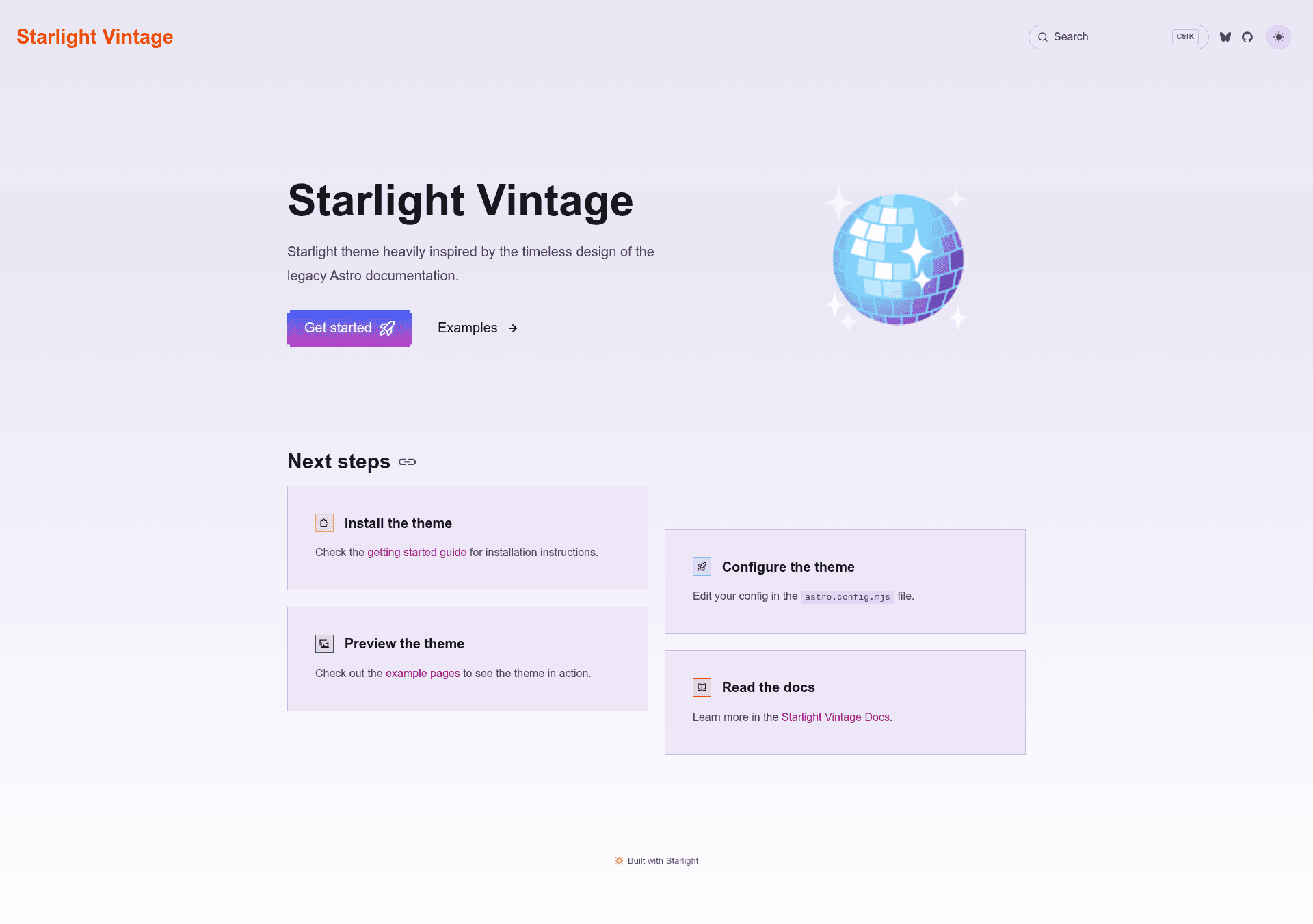
Starlight Vintage is a Starlight theme that restyles a documentation site built with Astro's Starlight toolkit to match the timeless design of the legacy Astro documentation. It is authored by HiDeoo and released under the MIT License. The theme takes a standard Starlight project as input and produces a documentation site with the vintage look, supporting both dark and light modes. The project's repository includes a getting started guide and example pages that demonstrate the theme applied to Starlight components such as asides.
What makes Starlight Vintage stand out?
- Legacy Astro aesthetic — The theme is built specifically to mimic the design language of the old Astro documentation, giving sites a distinct retro feel.
- Dark and light modes — The official screenshot shows the theme rendering in both themes, so documentation sites get both variations without extra configuration.
- Getting started guide — A dedicated guide at starlight-theme-vintage.netlify.app/getting-started/ explains installation and configuration steps.
- Example pages — The project includes example pages (for instance, asides at /examples/asides/) that let users preview how the theme styles Starlight's built-in components.
- Continuous integration — A GitHub Actions workflow runs integration tests against the theme, as shown by the integration badge in the repository.
- MIT License — The theme is open source and free to use, copy, and modify.
Who should use Starlight Vintage?
- Documentation site maintainers — Teams or individuals running a Starlight-based docs site who want a vintage, legacy-inspired look without building a custom design from scratch.
- Astro developers — Developers already using Astro and Starlight who want a ready-made theme that installs into an existing project.
- Open source project authors — Maintainers who want a distinctive and free documentation theme for their project's site.
What can you do with Starlight Vintage?
- Restyle an existing Starlight site: Install the theme to switch your documentation pages to the legacy Astro visual style.
- Preview Starlight components: Use the provided example pages to see how asides and other components are themed.
- Offer both light and dark themes: Ship a documentation site that supports both modes out of the box.
How does Starlight Vintage work?
The getting started guide walks users through installing the theme into a Starlight project and configuring it. The examples directory lets users open the theme in action before integrating it into their own docs.
FAQ
Is Starlight Vintage free?
Yes. Starlight Vintage is open source and released under the MIT License, so it is free to use for any project, including commercial ones.
Does Starlight Vintage support dark mode?
Yes. The theme's official screenshot shows both dark and light versions, and the integration workflow tests the theme across variants.
What is Starlight Vintage built on?
Starlight Vintage is a theme for Starlight, the documentation toolkit built on top of the Astro framework.
Pricing
Starlight Vintage is free and open source, licensed under the MIT License.