Template details
Dompdf
HTML to PDF converter for PHP with CSS 2.1 support.
About this template
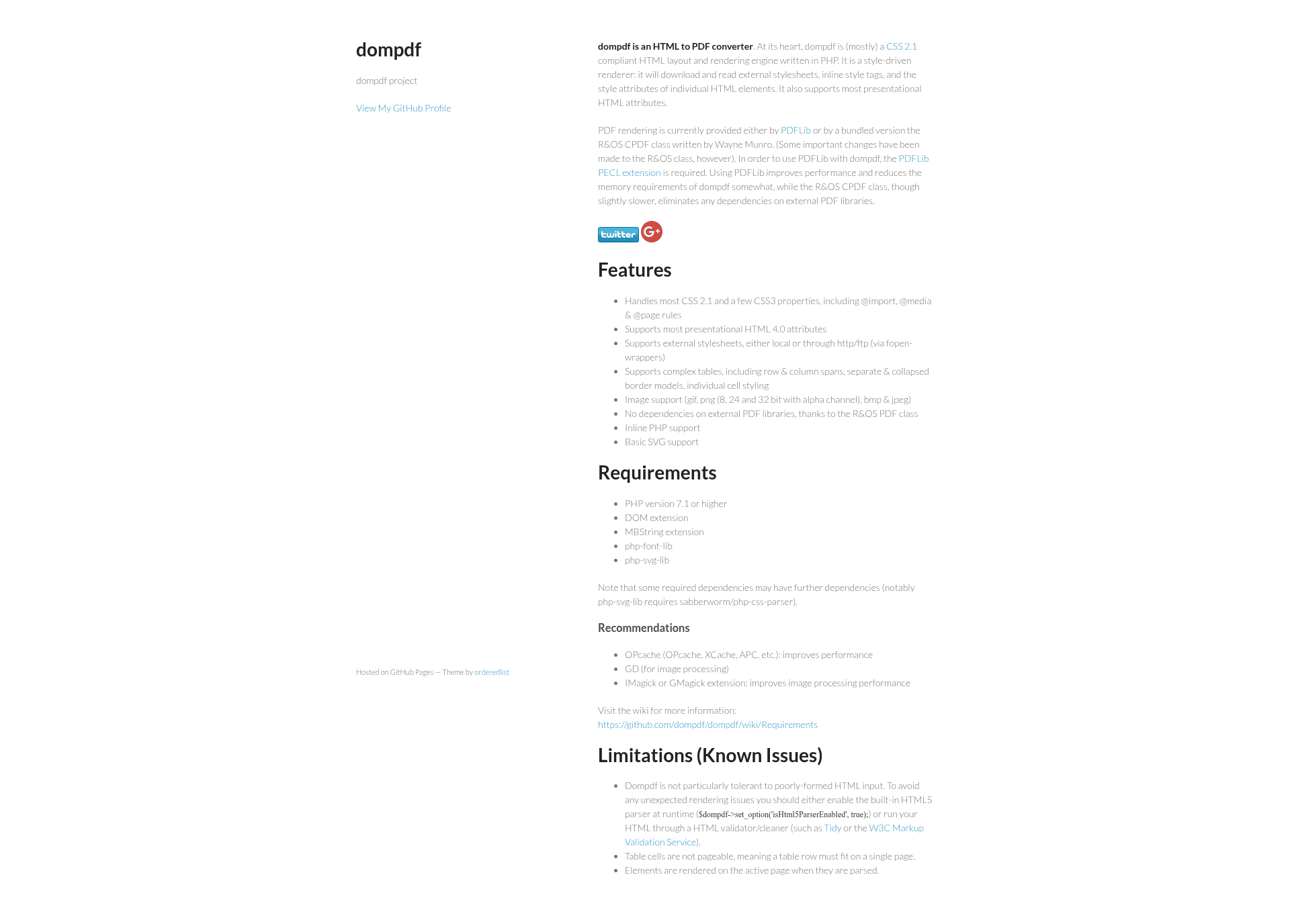
Dompdf is an open-source PHP library that converts HTML documents into PDF files using its own HTML layout and rendering engine, which is mostly compliant with CSS 2.1. It accepts HTML with embedded or external stylesheets as input and produces a rendered PDF file, running on any PHP 7.1+ server with the DOM, MBString, and GD extensions installed.
What is Dompdf?
Dompdf is a style-driven HTML-to-PDF converter written in PHP and distributed as the dompdf/dompdf Composer package from its GitHub repository. It parses external stylesheets, inline style tags, and per-element style attributes, applies most presentational HTML 4.0 attributes, and generates the PDF internally with the bundled R&OS PDF class, so no external PDF library is required. The project ships with DejaVu Sans, DejaVu Serif, and DejaVu Sans Mono fonts (version 2.34) pre-installed to give Unicode character coverage beyond the five built-in PDF fonts (Helvetica, Times-Roman, Courier, Zapf-Dingbats, Symbol).
Key Features
- CSS 2.1 rendering — Handles most CSS 2.1 properties plus selected CSS3 features, including
@import,@media, and@pagerules for print-specific styling. - Complex table support — Supports row and column spans, separate and collapsed border models, and individual cell styling.
- Multiple image formats — Embeds GIF, PNG (8, 24, and 32-bit with alpha channel), BMP, and JPEG images into the output PDF.
- External stylesheet loading — Fetches stylesheets from local files or over HTTP/FTP through PHP's fopen-wrappers.
- Inline PHP support — Executes PHP code embedded in HTML templates during the rendering pass.
- Framework integrations — Maintained wrappers exist for Symfony (nucleos/dompdf-bundle), Laravel (barryvdh/laravel-dompdf), and Redaxo (PdfOut).
- No external PDF dependencies — The R&OS PDF class handles PDF generation entirely within the library.
- Custom font embedding — Supports @font-face rules so referenced TrueType fonts are embedded in the generated PDF.
Who is it for?
- PHP developers — Convert HTML templates such as invoices, receipts, and reports into PDF files without learning a separate PDF-generation API.
- Laravel and Symfony teams — Render PDF views directly from MVC applications using the barryvdh/laravel-dompdf and nucleos/dompdf-bundle packages.
- Server-side application maintainers — Add PDF export to web apps where no client-side printing or headless browser is available.
What can you do with Dompdf?
- Generate invoices and statements: Load HTML order data and render it to PDF with
loadHtml,render, andstream, choosing paper size and orientation withsetPaper. - Create print-styled documents: Use
@pageand@mediaCSS rules to control page size, margins, and print-only styles. - Inject dynamic content with inline PHP: Embed PHP code in templates to populate data before the PDF is produced.
- Export PDFs from PHP frameworks: Call dompdf through the Laravel or Symfony integration bundles to return PDF downloads from routes.
How does Dompdf work?
The Quick Start flow is a four-step process: instantiate the Dompdf class, pass HTML to loadHtml, optionally call setPaper (for example A4 landscape), then call render() and stream() to output the PDF to the browser. Configuration options — such as defaultFont, isRemoteEnabled, and the chroot directory restriction — are set through the Options class at instantiation or at runtime via setOptions.
Known limitations
- Table rows must fit on a single page; table cells are not pageable (GitHub issue #98).
- CSS Flexbox and CSS Grid are not supported (issues #971 and #2988), so modern layouts must be built with tables or floats.
- Raw inline SVG markup is not rendered; link to an external SVG file or embed it as a base64 data URI.
- A single Dompdf instance should not render more than one HTML document, since parsing and rendering artifacts can affect later renders.
- Web resources require the
isRemoteEnabledoption plus curl or allow_url_fopen; local files must fall inside the configuredchrootpath.
FAQ
What does Dompdf do?
Dompdf converts HTML documents into PDF files using a PHP-based CSS 2.1-compliant rendering engine. It supports stylesheets, complex tables, GIF/PNG/BMP/JPEG images, basic SVG, and inline PHP, and can stream the finished PDF to a browser or save it.
What are Dompdf's requirements?
Dompdf requires PHP 7.1 or higher, the DOM and MBString extensions, the php-font-lib and php-svg-lib libraries, and GD for image processing. The IMagick or GMagick extensions optionally improve image processing performance for certain image types.
How do I install Dompdf?
The standard installation is Composer: run composer require dompdf/dompdf and load the vendor autoloader. Packaged releases are also downloadable from the GitHub releases page (filenames like dompdf_1-0-0.zip), and the repository can be cloned with git along with its dependency libraries.
Does Dompdf support Unicode?
Yes, through the bundled DejaVu fonts. Reference a font such as DejaVu Sans in your CSS to display characters outside Windows ANSI encoding, or supply custom TrueType fonts via @font-face rules for embedding in the output PDF.
Is Dompdf free?
Yes, Dompdf is open source and freely available from GitHub and Packagist; the repository has over 11,000 GitHub stars. The project accepts optional PayPal donations to fund further development.